
Absher Account: Complete Guide to Registration, Login, Activation, Management & Recovery (2026)
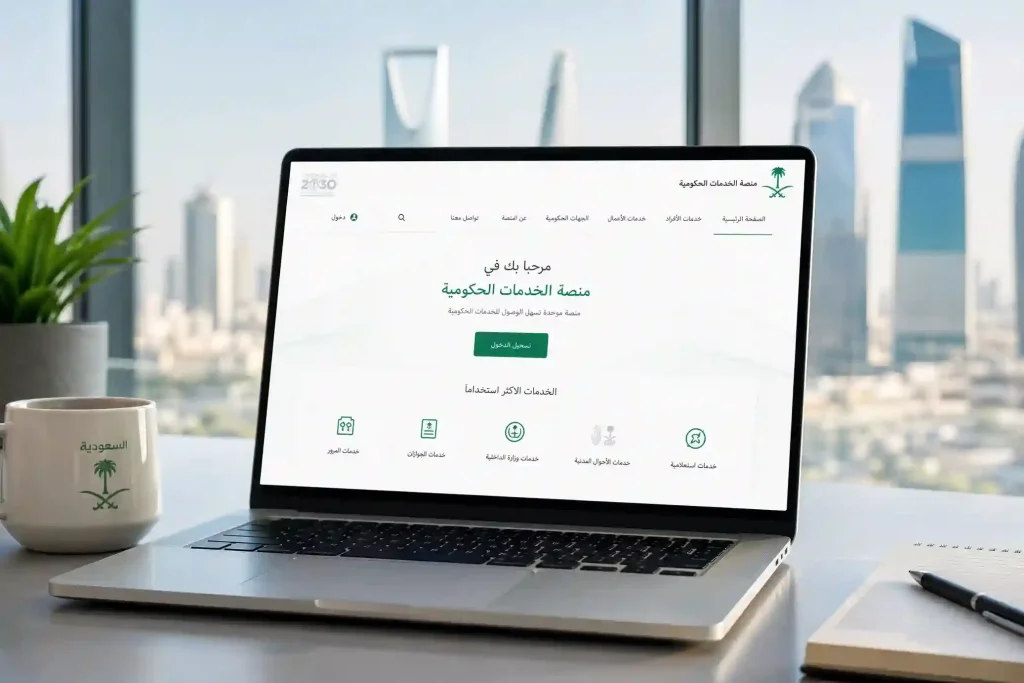
An Absher Account is your secure digital identity for accessing Saudi government services online. It lets you complete official tasks without visiting government offices. Once your account is active, you can use more than 330 digital services through a single platform.
Saudi citizens and residents with a valid National ID or Iqama can create an Absher Account. After registration and activation, you can manage visas, passports, driving licenses, traffic services, family services, and many other government transactions from anywhere.
Why Create an Absher Account?
An Absher Account gives you quick and secure access to essential government services.
Key benefits include:
- Access more than 330 government e-services from one account.
- Complete services anytime without visiting service centers.
- Manage your Iqama, passport, and visa services online.
- View and pay traffic fines securely.
- Update your personal information when eligible.
- Receive important government notifications.
- Protect your account with secure identity verification and two-factor authentication.
- Use the platform through both the website and the official mobile app.
Whether you are a Saudi citizen or an Iqama holder, an Absher Account helps you save time and manage official services with greater convenience.
Quick Actions
Use the options below to access the service you need.
- Login – Access your existing Absher Account.
- Register – Create a new Absher Account.
- Activate – Verify and activate your account through an approved method.
- Recover Account – Reset your password, recover your username, or restore account access.
Last Updated: July 2026
Trust Notice: This guide follows official information published by Saudi government authorities and the Absher platform. We review and update this content regularly to reflect the latest registration requirements, activation methods, security practices, and available services.
Quick Facts
| Feature | Details |
|---|---|
| Official Platform | Absher Individuals, the official Saudi digital government platform managed by the Ministry of Interior. |
| Eligibility | Saudi citizens, GCC citizens (where eligible), and residents with a valid National ID or Iqama. |
| Registration Time | Usually takes 5–10 minutes if you have the required information ready. |
| Activation Methods | Online banking, ATM, self-service activation kiosk, approved government service centers, or Nafath (where available). |
| Mobile App | Available on Android and iPhone (iOS) with secure login and biometric authentication on supported devices. |
| Cost | Creating and using an Absher Account is free. Some government services may require separate official fees. |
| Languages | Arabic and English. |
| Supported Users | Saudi citizens and legal residents (Iqama holders). Some services are available only to eligible user categories. |
Table of Contents
- What Is an Absher Account?
- Benefits of Having an Absher Account
- Who Can Create an Absher Account?
- Requirements Before Creating an Absher Account
- How to Create an Absher Account
- How to Activate an Absher Account
- Bank Activation
- ATM Activation
- Online Banking
- Self-Service Kiosk
- Government Service Center
- Nafath Activation
- Absher Account Login
- Absher Account Dashboard Overview
- How to Manage Your Absher Account
- Password Recovery and Account Recovery
- Absher Account Security Features
- Using the Absher Mobile App
- Government Services Available Through an Absher Account
- Iqama Services
- Passport Services
- Visa Services
- Driving License Services
- Traffic Services
- Family Services
- Employment Services
- National Address Services
- Payment Services
- Common Absher Account Problems and Solutions
- Tips to Keep Your Absher Account Secure
- Frequently Asked Questions
- Final Thoughts
What Is an Absher Account?
An Absher Account is your personal and secure account for accessing Saudi government services online. It confirms your identity and gives you one place to manage official services without visiting multiple government offices.
Saudi Arabia launched Absher as part of its digital transformation to make public services faster, safer, and easier to access. Today, millions of citizens and residents use the platform to complete everyday government transactions from a computer or mobile device.
Your Absher Account acts as your digital identity when using supported services. After you register and activate your account, you can securely verify your identity and access hundreds of electronic services through a single login.
The platform connects users with services offered by the Ministry of Interior and other participating government entities. Instead of creating separate accounts for different services, you use one verified account to complete many official tasks.
For example, you can:
- Renew your Iqama when eligible.
- Apply for passport services.
- Manage exit and re-entry visas.
- View and pay traffic fines.
- Access driving license services.
- Update eligible personal information.
- Manage family-related government services.
- Track requests and receive official notifications.
Many services also use secure identity verification through Nafath and one-time passwords (OTP). These security measures help protect your personal information and prevent unauthorized access.
Absher Platform vs. Absher Account
Many users confuse the platform with the account. They serve different purposes.
| Absher Platform | Absher Account |
|---|---|
| The official Saudi government portal for digital services. | Your personal government account used to access those services. |
| Hosts hundreds of electronic services. | Gives you secure access to available services after registration and activation. |
| Available through the website and official mobile app. | Created with your National ID or Iqama and verified mobile number. |
| Connects multiple government services in one place. | Stores your profile, preferences, requests, and service history. |
Simply put, Absher is the platform, while your Absher Account is the secure key that unlocks its services.
Benefits of Having an Absher Account
An Absher Account gives you fast and secure access to essential government services. It reduces paperwork, saves time, and lets you complete many official tasks without visiting service centers.
Whether you are a Saudi citizen or an Iqama holder, the platform helps you manage government services whenever you need them.
Access Services Anytime
Absher is available 24 hours a day, seven days a week. You can submit requests, check application status, and manage many government services at any time.
Save Time and Effort
You no longer need to visit different government offices for routine tasks. Many services are available online and can be completed within minutes.
Complete Paperless Transactions
Most supported services use digital forms and electronic verification. This reduces paperwork and makes government transactions more efficient.
Manage Services from Your Mobile Device
You can access your account through the official website or the Absher mobile app. This allows you to manage services while at home, work, or traveling.
Strong Security and Identity Protection
Your account uses multiple security layers, including secure passwords, one-time passwords (OTP), and identity verification. These features help protect your personal information and government records.
Faster Processing for Many Services
Electronic requests often move faster than traditional paper-based processes. You can also track the progress of many requests directly from your account.
One Account for Multiple Government Services
Instead of remembering several usernames and passwords, you use one verified account to access a wide range of Saudi digital government services.
Supports Saudi Arabia’s Digital Transformation
Absher plays an important role in modernizing public services. It helps improve efficiency, increase accessibility, and deliver secure digital government services to citizens and residents.
Benefits at a Glance
| Benefit | How It Helps You |
|---|---|
| 24/7 Access | Use government services anytime from anywhere. |
| Time Saving | Complete many services without visiting government offices. |
| Paperless Services | Submit requests and manage records online. |
| Mobile Access | Use the website or official mobile app on supported devices. |
| Secure Authentication | Protect your account with OTP and identity verification. |
| Faster Service Delivery | Submit and track eligible requests electronically. |
| One Secure Account | Access hundreds of government services with a single login. |
| Digital Government Integration | Connect with multiple participating government services through one trusted platform. |
Who Can Create an Absher Account?
An Absher Account is available to eligible individuals who need secure access to Saudi government services. Before you register, make sure you meet the official eligibility requirements.

Saudi Citizens
Saudi citizens can create an Absher Account using a valid National ID and a personal mobile number registered in their name. Once the account is activated, they can access hundreds of digital government services, including passport, traffic, family, and civil affairs services.
Residents (Iqama Holders)
Foreign residents with a valid Iqama can also register for an Absher Account. After activation, they can manage many services related to residency, visas, passports, driving licenses, employment, and family members.
Most expatriates use Absher to:
- Check Iqama validity.
- Renew eligible residency services.
- Apply for exit and re-entry visas.
- View traffic violations.
- Access employment-related services.
- Manage dependent information.
GCC Citizens
Eligible citizens of Gulf Cooperation Council (GCC) countries may access certain Absher services, depending on Saudi government regulations and the specific service. Service availability can vary, so users should check the latest eligibility requirements before registering.
Visitors
Visitors and tourists generally cannot create a standard Absher Account because the platform is designed for verified citizens and legal residents. Some government services may be available through other official platforms or temporary service channels, but a full Absher Account usually requires a valid Saudi National ID or Iqama.
Eligibility Requirements
Before creating an Absher Account, you should meet these basic conditions:
- You have a valid Saudi National ID or Iqama.
- You have a personal mobile number that is not linked to another Absher Account.
- You can receive one-time passwords (OTP) for identity verification.
- You provide a valid email address.
- You complete account activation through an approved method.
- You agree to the platform’s terms and conditions.
Meeting these requirements helps protect your digital identity and ensures secure access to Saudi government services.
Requirements Before Creating an Absher Account
Preparing your information before registration makes the process faster and reduces the chance of errors. Most users can complete registration within a few minutes if they have the required details ready.
Valid National ID or Iqama
Saudi citizens must use a valid National ID. Residents must register with a valid Iqama. The information you enter should match your official records.
Personal Mobile Number
You need a mobile number registered in your own name. Absher uses this number to send OTP verification codes, security alerts, and important account notifications.
If your mobile number is already linked to another Absher Account, you must update or resolve that issue before registering.
Valid Email Address
Provide an active email address that you can access. Absher uses your email to send important account notifications and support account recovery when needed.
Strong Username and Password
Choose a unique username and create a strong password that meets the platform’s security requirements. A secure password helps protect your government account from unauthorized access.
Bank Account for Activation (Optional Registration Step)
Creating an account does not require a bank account. However, many users activate their Absher Account through participating Saudi banks using:
- Online banking
- ATM services
- Mobile banking applications
These options offer a quick and convenient way to verify your identity after registration.
Stable Internet Connection
A reliable internet connection helps you complete registration, receive verification codes, and avoid interruptions during the process.
Identity Verification
After registration, you must activate your account using an officially approved method. Depending on the activation channel, identity verification may include:
- One-time password (OTP) verification.
- Digital identity verification through Nafath, where supported.
- Verification through a participating Saudi bank.
- Identity confirmation at a self-service activation kiosk or an approved government service center.
Official Eligibility Notes
Keep these important points in mind before registering:
- Register using your own National ID or Iqama.
- Use a personal mobile number that is not associated with another Absher Account.
- Enter accurate personal information that matches official government records.
- Complete account activation before attempting to use government services.
- Follow the latest registration and activation requirements published by the official Absher platform, as procedures may change over time.
Having these requirements ready before you begin will make your Absher Account registration faster, smoother, and more secure.
How to Create an Absher Account
Creating an Absher Account takes only a few minutes if you have your National ID or Iqama, a personal mobile number, and an active email address ready. After registration, you must activate your account before using government services.
Follow these steps to register successfully.
Step 1: Open the Official Absher Registration Page
Visit the official Absher Individuals portal and select New User Registration. Always register through the official platform to protect your personal information and avoid fraudulent websites.
Step 2: Enter Your Identification Details
Provide your official identification information.
You will typically need to enter:
- National ID number or Iqama number
- Mobile number
- Preferred language
- Image verification code
Check every detail before moving to the next step. Your information must match official government records.
Step 3: Create a Username
Choose a username that is easy to remember but difficult for others to guess.
A good username should:
- Be unique.
- Avoid personal information whenever possible.
- Meet the platform’s character requirements.
You will use this username every time you log in to your Absher Account.
Step 4: Create a Strong Password
Your password protects your digital identity and government account.
Create a password that:
- Meets the platform’s security requirements.
- Uses uppercase and lowercase letters.
- Includes numbers and special characters if required.
- Differs from passwords used on other websites.
Avoid using your name, date of birth, or simple number combinations.
Step 5: Enter Your Email Address
Provide an active email address that you check regularly.
Your email helps with:
- Account notifications
- Password recovery
- Security alerts
- Verification messages
Make sure there are no typing mistakes before continuing.
Step 6: Verify Your Mobile Number
Absher sends a One-Time Password (OTP) to the mobile number you entered.
Enter the verification code within the allowed time. If the code expires, request a new one.
This step confirms that the mobile number belongs to you.
Step 7: Accept the Terms and Conditions
Read the platform’s terms and privacy policy carefully.
Select the confirmation checkbox to continue with your registration.
Step 8: Submit Your Registration
Review all the information one final time.
If everything is correct, submit your registration request.
The system will display a confirmation message after successful registration.
Step 9: Activate Your Account
Registration alone does not provide access to government services.
You must activate your Absher Account using one of the officially approved activation methods before you can use the platform.
Best Practices for a Successful Registration
Follow these recommendations to avoid common registration problems.
- Register only through the official Absher platform.
- Use your own National ID or Iqama.
- Enter a personal mobile number that is not linked to another Absher Account.
- Use a strong and unique password.
- Keep your login details private.
- Double-check your email address and mobile number before submitting the form.
- Complete account activation as soon as registration finishes.
How to Activate an Absher Account
After registration, you must activate your Absher Account to verify your identity. Activation unlocks access to hundreds of Saudi government digital services.
Absher supports several official activation methods. Choose the option that works best for you.
Activate Through a Participating Bank
Many Saudi banks allow customers to activate their Absher Account without visiting a government office.
In most cases, you can:
- Sign in to your bank account.
- Open the government services or Absher section.
- Select Absher Activation.
- Confirm your identity.
- Submit the activation request.
After successful verification, your Absher Account becomes active.
This is one of the fastest and most convenient activation methods.
Activate Through an ATM
Some participating banks also support activation through their ATM network.
The process usually includes:
- Insert your bank card.
- Enter your PIN.
- Select Government Services or Absher Activation.
- Confirm your personal details.
- Complete the request.
Your bank sends the activation information securely to Absher.
Activate Through Online Banking
If your bank offers internet banking, you may activate your account without leaving home.
Simply:
- Log in to your online banking account.
- Find the Absher activation service.
- Verify your identity.
- Confirm the request.
Many users prefer this option because it is available around the clock.
Activate at a Self-Service Kiosk
Absher self-service kiosks are available in many locations across Saudi Arabia.
At the kiosk, you can:
- Verify your identity.
- Activate a new account.
- Update certain account information.
Follow the instructions displayed on the screen and complete the identity verification process.
Activate at a Government Service Center
If you cannot use digital activation methods, you can visit an approved government service center.
Bring your original National ID or Iqama.
A staff member will verify your identity and complete the activation process.
This option is useful if you experience technical issues or need additional assistance.
Activate Through Nafath
Where supported, Nafath provides secure digital identity verification for eligible users.
After selecting the Nafath activation option:
- Complete the identity verification request.
- Approve the request through Nafath.
- Return to Absher once verification finishes.
This method offers a secure and convenient way to confirm your identity electronically.
Which Activation Method Should You Choose?
The best activation method depends on your situation.
- Participating Bank: Fast and convenient for most users.
- Online Banking: Complete activation from anywhere.
- ATM: Useful if you already use Saudi banking services.
- Self-Service Kiosk: Good for users who prefer in-person verification.
- Government Service Center: Ideal when digital methods are unavailable.
- Nafath: Convenient for eligible users who use Saudi digital identity services.
Regardless of the method you choose, complete activation as soon as possible. Your Absher Account remains limited until your identity is verified through an officially supported activation channel.
Absher Account Login
After you activate your Absher Account, you can securely sign in to access hundreds of Saudi government digital services. Every login uses multiple security checks to protect your personal information and prevent unauthorized access.
Always log in through the official Absher Individuals portal or the official Absher mobile app.
Open the Login Page
Visit the official Absher login page and select Individuals if prompted.
Before entering your credentials, check that you are using the official website or mobile application. This helps protect your account from phishing websites.
Enter Your Username
Type the username you created during registration.
Your username identifies your Absher Account. Enter it exactly as you registered it.
If you forget your username, use the official account recovery option instead of creating a new account.
Enter Your Password
Next, enter your password.
Use the password created during registration. Passwords are case-sensitive, so check that Caps Lock is off before signing in.
If you enter the wrong password several times, your account may be temporarily locked for security reasons.
Complete OTP Verification
After your username and password are verified, Absher may send a One-Time Password (OTP) to your registered mobile number.
Enter the code before it expires.
OTP verification adds another layer of protection and confirms that you are the account owner.
Two-Factor Authentication
Absher uses two-factor authentication (2FA) to strengthen account security.
Your login usually requires:
- Something you know, such as your username and password.
- Something you have, such as your registered mobile phone that receives the OTP.
This extra verification helps protect your digital identity and government account from unauthorized access.
Remember This Device
On trusted personal devices, you may see a Remember This Device option.
This feature can reduce the number of verification requests during future logins.
Only use this option on your own computer or mobile device.
Avoid enabling it on shared, public, or workplace devices.
Log Out Safely
Always sign out after completing your government transactions.
Logging out is especially important when using:
- Public computers
- Shared devices
- Internet cafés
- Workplace computers
Closing the browser without signing out may leave your session open on some devices.
Tips for a Secure Login
Follow these best practices every time you access your Absher Account.
- Use only the official Absher website or mobile app.
- Never share your password or OTP with anyone.
- Keep your registered mobile number active.
- Change your password regularly.
- Avoid logging in over unsecured public Wi-Fi.
- Sign out after every session on shared devices.
- Review security alerts if you notice unfamiliar login activity.
Following these simple habits helps keep your Absher Account secure while protecting your personal and government information.

Absher Dashboard Overview
After a successful login, you arrive at your Absher Dashboard. This is the central control panel for your account. It brings together your personal information, government services, notifications, and account settings in one place.
The dashboard layout may change as new features become available, but the main sections remain similar.
Profile
The Profile section stores your basic account information.
You can view details such as:
- Full name
- National ID or Iqama information
- Registered mobile number
- Email address
- Preferred language
Keep this information accurate to avoid delays when using government services.
Notifications
The Notifications section displays important messages from the Absher platform and participating government agencies.
You may receive notifications about:
- Service updates
- Application status
- Identity verification
- Passport services
- Visa updates
- Traffic violations
- Security alerts
Check this section regularly so you do not miss important updates.
Services
The Services section gives you access to hundreds of digital government services.
Depending on your eligibility, you can manage services related to:
- Iqama
- Passports
- Exit and re-entry visas
- Final exit visas
- Driving licenses
- Traffic services
- Vehicle services
- Family services
- Employment services
- National Address
- Government fee payments
This section is the main reason most users create an Absher Account.
Favorites
The Favorites section helps you reach frequently used services faster.
You can save commonly used services instead of searching for them each time you log in.
This feature improves navigation and saves time.
Requests
The Requests section shows applications you have submitted through Absher.
Depending on the service, you can:
- Check request status.
- View pending applications.
- Review completed requests.
- Monitor processing progress.
This helps you track your government transactions without contacting multiple offices.
History
The History section records many activities completed through your account.
You may find records such as:
- Previous applications
- Completed services
- Login activity
- Service history
- Account updates
Reviewing your history helps you keep track of important transactions.
Payments
The Payments section allows you to review payment-related information connected to eligible government services.
You may use it to monitor:
- Government fees
- Traffic fine payments
- Passport fees
- Visa fees
- Iqama-related payments
- Payment confirmations
Some payments are completed through approved payment systems such as SADAD.
Settings
The Settings section lets you personalize and secure your account.
Common options include:
- Change password
- Update email address
- Change mobile number
- Language preferences
- Notification preferences
- Security settings
Review your settings regularly to keep your account information up to date.
Recent Activity
The Recent Activity section shows your latest account actions.
You may see:
- Recent logins
- Completed transactions
- Security events
- Account updates
- Recent service usage
Checking this section helps you quickly identify any activity you do not recognize.
Why the Dashboard Matters
The Absher Dashboard brings all essential government services into one secure location. Instead of visiting different offices or websites, you can manage your digital identity, monitor requests, update your profile, and access eligible Saudi government services through a single verified account. This centralized experience saves time, improves security, and makes government services easier to access for both citizens and residents.
How to Manage Your Absher Account
Keeping your Absher Account up to date helps you access government services without interruptions. You should review your account information regularly and update eligible details whenever they change.
Most account management options are available after you sign in to your Absher dashboard.
Update Your Profile
Your profile contains the personal information linked to your account. Keeping it accurate helps prevent verification issues and service delays.
Depending on your eligibility, you can review information such as:
- Full name
- National ID or Iqama number
- Registered email address
- Mobile number
- Preferred language
Some personal details come directly from official government records and cannot be edited through Absher.
Change Your Email Address
Use an active email address that you check regularly.
To update your email:
- Sign in to your Absher Account.
- Open Profile or Account Settings.
- Select the email option.
- Enter your new email address.
- Complete any required verification.
- Save your changes.
Your updated email will receive future account notifications and security alerts.
Change Your Mobile Number
Your mobile number plays an important role in account security. Absher uses it to send One-Time Passwords (OTP) and important notifications.
To update your mobile number:
- Open your account settings.
- Select Mobile Number.
- Enter your new number.
- Verify ownership through the required security process.
- Confirm the update.
Always use a mobile number registered in your own name whenever required by official guidelines.
Update Your Address
If address updates are available for your account, review your information carefully before saving any changes.
Accurate address information helps support government communication and related services.
Some address information may be managed through other official Saudi government platforms.
Change Your Password
Changing your password regularly improves account security.
Create a password that:
- Uses a mix of letters and numbers.
- Includes special characters when supported.
- Is different from your previous passwords.
- Is not used for other online accounts.
Never share your password with anyone.
Manage Notification Settings
Notification settings help you stay informed about important account activity.
You can manage alerts for:
- Login activity
- Service updates
- Application status
- Security notifications
- Government announcements
Keeping notifications enabled helps you respond quickly to important updates.
Change Language Settings
Absher supports both Arabic and English.
Choose the language you feel most comfortable using. You can switch languages through your account settings at any time.
Review Security Settings
The Security Settings section helps protect your digital identity.
Review these settings regularly:
- Password
- Registered mobile number
- Email address
- Trusted devices
- Security notifications
- Identity verification options
If you notice unfamiliar account activity, update your password immediately and review your recent login history.
Tips for Better Account Management
Follow these best practices to keep your Absher Account secure and reliable.
- Review your profile regularly.
- Keep your mobile number active.
- Update your email whenever it changes.
- Use a strong, unique password.
- Enable available security features.
- Check your recent account activity.
- Never share your login credentials or OTP.
A well-managed account helps you access Saudi government services quickly while protecting your personal information.
Password Recovery
Forgetting your login details can happen to anyone. Absher provides secure recovery options to help you regain access to your account while protecting your digital identity.
Use only the official recovery tools available through the Absher platform.
Forgot Your Password?
If you cannot remember your password, use the Forgot Password option on the login page.
The recovery process usually requires you to:
- Enter your username or identification details.
- Complete identity verification.
- Receive a verification code on your registered mobile number.
- Create a new password.
- Confirm the new password.
Choose a password that is strong, unique, and easy for you to remember.
Forgot Your Username?
If you cannot remember your username, use the official account recovery option instead of creating a new account.
You may need to verify your identity using information linked to your account before your username is provided or your account is recovered.
OTP Issues
A One-Time Password (OTP) is required for many recovery requests.
If you do not receive the verification code:
- Confirm that your registered mobile number is active.
- Check for mobile network delays.
- Wait a few minutes before requesting another OTP.
- Make sure you entered the correct mobile number during registration.
Do not request multiple OTPs within a short period unless necessary, as earlier codes may expire.
Reset Your Password
Once your identity is verified, you can create a new password.
For better security:
- Use a new password instead of reusing an old one.
- Avoid predictable words or number patterns.
- Store your password securely.
After resetting your password, sign in again using your new credentials.
Recover Your Account
If you lose access to your account because of outdated contact information or other verification problems, follow the official account recovery process.
Depending on your situation, you may need to:
- Verify your identity.
- Update your registered mobile number.
- Confirm your email address.
- Complete additional security checks.
Recovery requirements may vary based on your account status and the verification method used.
Unlock a Locked Account
Your Absher Account may become temporarily locked after several unsuccessful login attempts or unusual account activity.
If this happens:
- Wait for the security lock period to end if applicable.
- Reset your password if you believe your credentials are incorrect.
- Complete the required identity verification.
- Contact official Absher support if the issue continues.
Avoid repeated login attempts, as they may extend security restrictions.
How to Avoid Future Login Problems
Simple security habits can help you avoid account recovery in the future.
- Save your username in a secure place.
- Keep your registered mobile number updated.
- Maintain access to your email account.
- Use a strong password.
- Never share your OTP with anyone.
- Sign in only through the official Absher website or mobile app.
- Review your security settings regularly.
Following these practices helps you maintain uninterrupted access to your Absher Account while keeping your government account secure.
Security Features
Your Absher Account protects your personal information through multiple security layers. These features help secure your digital identity and reduce the risk of unauthorized access.
Even with these protections, your security also depends on how you manage your account. Following safe online practices is just as important as using the platform’s built-in safeguards.
Two-Factor Authentication (2FA)
Absher uses two-factor authentication (2FA) to verify your identity during login and other sensitive account actions.
The process combines two security checks:
- Your username and password.
- A verification code sent to your registered mobile number.
This extra layer makes it much harder for someone else to access your account, even if they know your password.
One-Time Password (OTP)
A One-Time Password (OTP) is a temporary security code sent to your registered mobile number.
Absher uses OTP verification for actions such as:
- Logging in to your account.
- Resetting your password.
- Recovering your account.
- Confirming important account changes.
- Completing identity verification.
Each OTP is valid for a limited time and should never be shared with anyone.
Password Strength
A strong password is your first line of defense.
Choose a password that:
- Uses uppercase and lowercase letters.
- Includes numbers.
- Contains special characters when supported.
- Is unique to your Absher Account.
Avoid using personal information such as your name, birthday, or phone number.
Identity Verification
Identity verification confirms that the correct person is using the account.
Depending on the service, verification may include:
- OTP confirmation.
- Digital identity verification through Nafath, where supported.
- Verification during account activation.
- Additional security checks for sensitive requests.
These steps help protect government records and personal information.
Device Protection
Always use trusted devices when accessing your Absher Account.
To improve device security:
- Install the latest system updates.
- Lock your device with a PIN, password, or biometrics.
- Avoid saving passwords on public computers.
- Remove your account from shared devices after use.
Keeping your device secure helps protect your government account.
Suspicious Login Alerts
Absher may notify you when unusual login activity is detected.
These alerts can help you identify:
- Logins from unknown devices.
- Access from unfamiliar locations.
- Unexpected account activity.
If you receive an alert that you do not recognize, change your password immediately and review your recent account activity.
Security Best Practices
Good security habits help protect your account every day.
Follow these recommendations:
- Create a strong and unique password.
- Never share your username, password, or OTP.
- Keep your mobile number and email up to date.
- Log out after using shared devices.
- Review your account activity regularly.
- Use only the official Absher website and mobile app.
- Keep your phone and computer updated with the latest security patches.
Protecting your Absher Account also protects your access to essential Saudi government services.
Absher Mobile App
The official Absher mobile app gives you secure access to government services from your smartphone. It offers many of the same features available on the web portal while providing the convenience of mobile access.
Whether you use Android or iPhone, you can manage your account, complete eligible services, and receive important notifications wherever you are.
Android
Android users can install the official Absher app from the Google Play Store.
After signing in, you can:
- Access your dashboard.
- Manage government services.
- Receive security notifications.
- Track service requests.
- Update eligible account information.
Always install the official application published by the authorized government provider.
iPhone
iPhone and iPad users can download the official Absher app from the Apple App Store.
The iOS version provides secure access to the same core services available through the web portal.
Key App Features
The Absher app allows you to:
- Sign in securely.
- Access hundreds of government services.
- Manage your profile.
- View service requests.
- Track applications.
- Receive official notifications.
- Access visa, passport, and Iqama services.
- Review traffic-related information.
- Monitor account activity.
The interface is designed to help users complete tasks quickly with fewer steps.
Biometric Login
On supported devices, the app can use biometric authentication.
Depending on your phone, this may include:
- Fingerprint recognition.
- Face recognition.
Biometric login provides a faster and more secure way to access your account while reducing the need to enter your password repeatedly.
Push Notifications
The mobile app can send real-time notifications for important account activity.
You may receive alerts about:
- Login attempts.
- Application updates.
- Service approvals.
- Government announcements.
- Security notifications.
- Account changes.
Keeping notifications enabled helps you stay informed.
Mobile Security
The app includes several security features to protect your information.
These include:
- Encrypted communication.
- OTP verification.
- Secure authentication.
- Identity verification.
- Automatic session controls.
For better protection, avoid installing unofficial versions of the application.
Offline Limitations
Most Absher services require an internet connection because they access live government records.
Without internet access, you may not be able to:
- Sign in.
- Submit applications.
- View updated records.
- Complete identity verification.
- Access online government services.
A stable connection provides the best experience when using the app.
Services Available After Creating an Absher Account
Once your Absher Account is registered and activated, you can access a wide range of Saudi government digital services. The services available to you depend on your eligibility, residency status, and the government authority responsible for each service.
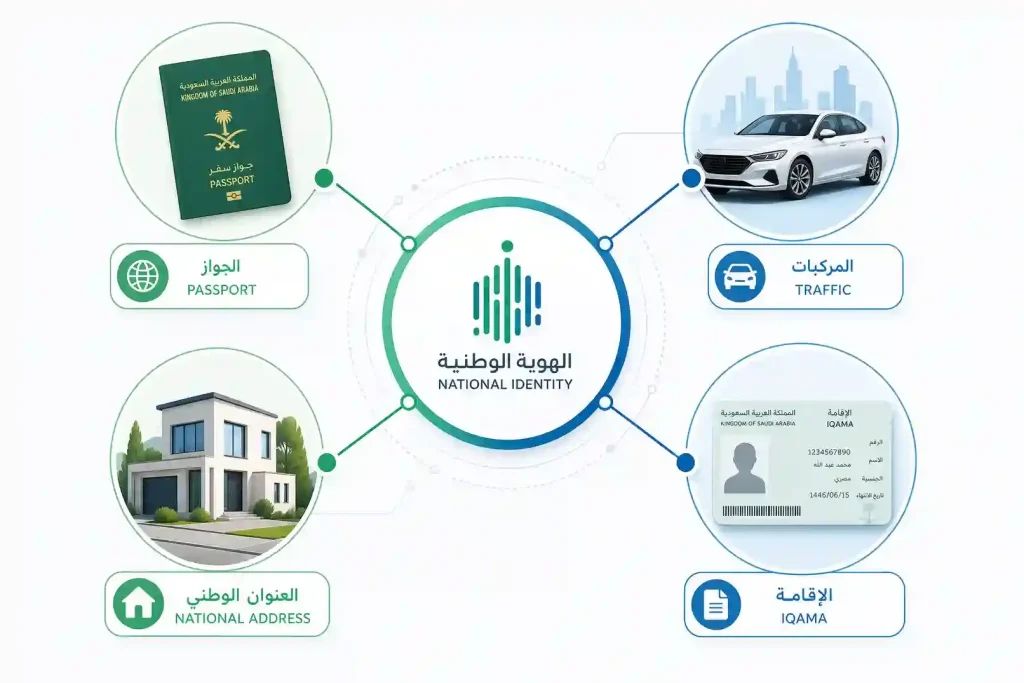
The table below highlights the main service categories available through the platform.
| Service Category | Available Services |
|---|---|
| Iqama Services | Iqama renewal, validity inquiry, residency information, replacement services where eligible, and eligible personal information updates. |
| Passport Services | Passport renewal, passport issuance for eligible users, replacement requests, passport status inquiries, and related passport services. |
| Visa Services | Exit and re-entry visas, final exit visas, visit visa services, visa extensions where available, and visa status inquiries. |
| Driving Services | Driving license issuance for eligible users, license renewal, driving license information, vehicle registration services, insurance-related services, and driving record management. |
| Traffic Services | Traffic violation inquiries, traffic fine payments, vehicle ownership information, traffic reports, and eligible violation objection services. |
| Family Services | Dependent management, family member services, birth registration where supported, family visa services, and authorization-related services. |
| Employment Services | Domestic worker services, employee transfers where eligible, employer services, employee-related transactions, and labor-related digital services. |
| National Address Services | National Address registration, address updates, address verification, and related address management services where available. |
| Payment Services | Government fee payments, traffic fines, passport fees, visa fees, Iqama fees, and payments through SADAD for supported services. |
One Account for Hundreds of Services
An activated Absher Account gives you access to more than 330 digital government services through a single secure login. Instead of managing separate accounts for different government agencies, you can complete many official transactions from one trusted platform.
New services are added and existing services may change over time. The exact features available in your account depend on official eligibility requirements and the government authority providing each service.
Common Absher Account Problems
Most Absher Account issues have simple solutions. Many problems happen because of incorrect login details, outdated contact information, or incomplete account activation.
Before contacting support, check the troubleshooting guide below.
| Problem | Possible Cause | Recommended Solution |
|---|---|---|
| OTP not received | Network delay, incorrect mobile number, or temporary service issue. | Confirm your registered mobile number, wait a few minutes, then request a new OTP. |
| Invalid password | Incorrect password or typing error. | Check Caps Lock, enter the correct password, or use Forgot Password to reset it. |
| Account locked | Multiple unsuccessful login attempts or security protection. | Wait for the security lock period if applicable, then reset your password or complete identity verification. |
| Mobile already registered | The mobile number is linked to another Absher Account. | Update the registered number through the official process or contact Absher support if needed. |
| Account activation failed | Incomplete identity verification or unsupported activation method. | Repeat the activation using an approved bank, ATM, self-service kiosk, government service center, or Nafath where available. |
| Login failed | Incorrect username, password, or temporary service interruption. | Verify your login details and try again later if the platform is temporarily unavailable. |
| Username forgotten | Username not remembered. | Use the official account recovery option to retrieve your username after identity verification. |
| Email verification failed | Incorrect email address or delayed verification message. | Confirm your email address, check your spam folder, and request another verification email if necessary. |
| Browser problems | Outdated browser, cached data, or unsupported settings. | Clear your browser cache, update your browser, or try another supported browser. |
| App crashes | Outdated application or device software. | Update the official Absher app and your device operating system, then restart the app. |
When Should You Contact Support?
If the problem continues after following the recommended steps, contact the official Absher support channels. Avoid creating another account, as each eligible user should maintain only one verified account.
How to Secure Your Absher Account
Your Absher Account contains sensitive personal and government information. Following good security practices helps protect your digital identity and reduces the risk of unauthorized access.
Use this checklist to keep your account secure.
✔ Use a Strong Password
Create a password that is difficult to guess.
Your password should:
- Include uppercase and lowercase letters.
- Contain numbers.
- Use special characters when supported.
- Be unique to your Absher Account.
Avoid using names, birthdays, or simple number sequences.
✔ Never Share Your OTP
Your One-Time Password (OTP) is a private security code.
Never share your OTP with:
- Friends
- Family members
- Bank employees
- Government officials
- Anyone claiming to represent Absher
Official support staff will never ask for your OTP.
✔ Recognize Phishing Attempts
Fraudsters may try to steal your login details through fake websites, emails, or text messages.
Watch for warning signs such as:
- Unexpected login requests.
- Suspicious links.
- Messages asking for your password or OTP.
- Websites that do not belong to the official Absher platform.
Always verify the website before signing in.
✔ Keep Your Contact Details Updated
Your registered mobile number and email address help protect your account.
Update them immediately if they change. This ensures you continue receiving:
- OTP verification codes.
- Security alerts.
- Account notifications.
- Password recovery messages.
✔ Review Your Login History
Check your recent account activity regularly.
Look for:
- Unknown login attempts.
- Unrecognized devices.
- Unexpected account changes.
- Services you did not request.
If you notice suspicious activity, change your password immediately.
✔ Secure Your Devices
Protect the devices you use to access Absher.
Good practices include:
- Enable a screen lock.
- Keep your operating system updated.
- Install trusted security updates.
- Avoid using public computers.
- Log out after every session on shared devices.
Quick Security Checklist
- ✔ Use a strong, unique password.
- ✔ Never share your OTP.
- ✔ Sign in only through the official Absher website or app.
- ✔ Keep your mobile number and email current.
- ✔ Review your account activity regularly.
- ✔ Protect your phone and computer with strong security settings.
- ✔ Log out when using shared devices.
These simple habits help keep your government account safe and your personal information protected.
Frequently Asked Questions
What is an Absher Account?
An Absher Account is a secure personal account that gives eligible users access to Saudi government digital services through the official Absher platform.
Is an Absher Account free?
Yes. Creating and using an Absher Account is free. However, some government services require official service fees.
Can expatriates register for an Absher Account?
Yes. Residents with a valid Iqama can register and activate an Absher Account.
Can I have multiple Absher Accounts?
No. Each eligible user should maintain only one verified Absher Account.
How do I change my mobile number?
Sign in to your account, open Account Settings, update your mobile number, and complete the required verification process.
How do I activate my account?
You can activate your account through participating Saudi banks, online banking, ATMs, self-service kiosks, approved government service centers, or Nafath, where available.
What if I forget my password?
Use the Forgot Password option on the login page and complete the identity verification process to create a new password.
Why is my account locked?
Your account may be temporarily locked after several unsuccessful login attempts or unusual security activity.
Can I use Absher outside Saudi Arabia?
Yes. Many online services remain available outside Saudi Arabia, provided you can complete the required identity verification.
How do I recover my username?
Use the official account recovery option and verify your identity to retrieve your username.
How long does account activation take?
Activation is often completed within a few minutes when using approved digital channels, although processing times can vary.
Can I delete my Absher Account?
Account closure depends on official policies and your account status. Check the latest guidance through the official Absher platform if you wish to close your account.
Is biometric verification required?
Biometric authentication is available on supported mobile devices. Some services may also require additional identity verification.
How do I update my profile?
Sign in to your dashboard, open Profile or Account Settings, and update eligible information.
Which services require account activation?
Most government services become available only after your Absher Account has been successfully activated.
Can I use only the mobile app?
Yes. Many users access services through the official Absher mobile app. The web portal remains available for users who prefer a browser.
How do I contact Absher support?
Use the official support options available through the Absher website or mobile application.
Is my personal information secure?
Absher protects user information through secure authentication, OTP verification, identity verification, and other security measures.
Can I change my password anytime?
Yes. You can change your password through your account settings whenever needed.
What should I do if I receive a suspicious login alert?
Change your password immediately, review your recent account activity, and verify that your contact information is correct.
Final Thoughts
An Absher Account is the key to accessing Saudi Arabia’s growing range of digital government services. Whether you are a Saudi citizen or an eligible resident, one verified account lets you manage important services from a single secure platform.
Keeping your account information up to date is just as important as creating the account. Review your profile regularly, update your mobile number and email when they change, and protect your login credentials with a strong password and secure verification methods.
Good account management saves time, improves security, and helps you complete government transactions more efficiently. Simple practices such as reviewing your recent activity, protecting your devices, and never sharing your OTP can significantly reduce security risks.
Finally, always use the official Absher website and mobile application for registration, login, activation, account recovery, and all government transactions. Following official procedures helps protect your digital identity and ensures you receive accurate, secure, and up-to-date government services.