
Qiwa Login Absher 2026: Sign In via Nafath
Qiwa is Saudi Arabia’s main digital platform for labor services. It operates under the Ministry of Human Resources and Social Development (HRSD). The platform connects employees, employers, government, and private establishments through digital labor servicesIf you search for Qiwa login Absher, you may wonder if Qiwa uses your Absher password. It does not work that way. Qiwa provides its own login system and also offers Login with Nafath. You can use your National ID, Iqama, or email on the Qiwa login page.
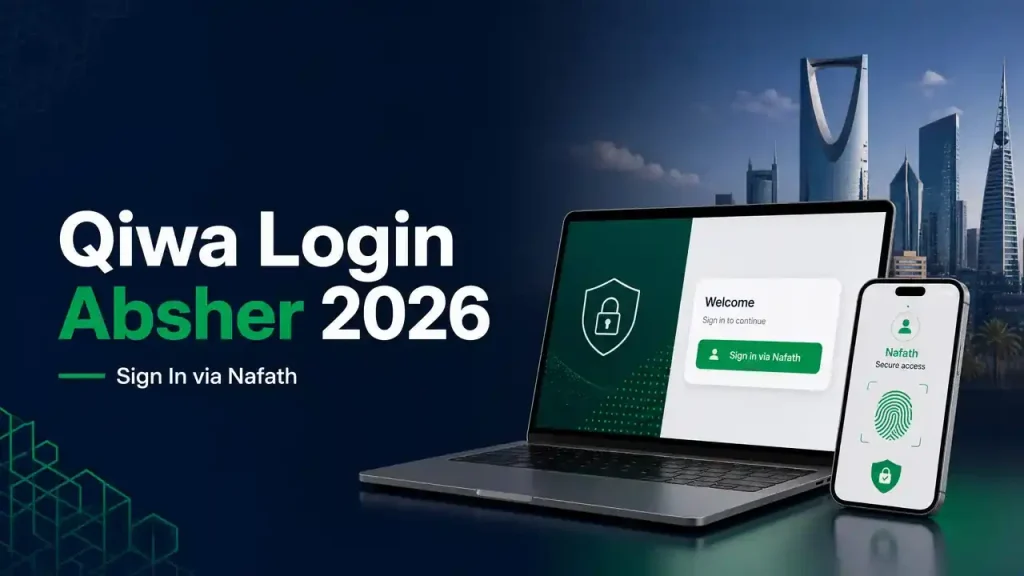
Absher supports your Saudi digital identity. Nafath handles digital identity authentication for supported services. Qiwa can use Nafath to verify your identity during login.Employees, Saudi residents, employers, and establishments may need Qiwa for labor-related services. These include employment contracts and workforce services.
Important: Qiwa, Absher, and Nafath are separate platforms. This guide is independent and has no official affiliation with Qiwa, HRSD, Absher, or Nafath.
Qiwa Login Absher – Quick Answer
Qiwa has its own account and login system. You do not use your Absher password as your Qiwa password. Qiwa also provides a Login with Nafath option for digital identity verification.
Absher plays an important role in Saudi digital identity services. Nafath connects that verified identity with supported online services. During the Qiwa login process, you may use your National ID or Iqama, depending on the available login option. Qiwa then directs you through the required verification steps.
The relationship is simple: Qiwa provides labor services, Absher supports digital identity, and Nafath handles authentication. HRSD oversees Qiwa as part of Saudi Arabia’s labor-services system.
| Service | Purpose |
|---|---|
| Qiwa | Labor and employment services |
| Absher | Saudi government digital identity and services |
| Nafath | Digital identity authentication |
| HRSD | Ministry responsible for Qiwa |
This distinction helps you choose the right login method and avoid confusion between Qiwa, Absher, and Nafath.
What Is Qiwa?
Qiwa is a Saudi digital platform for labor and employment services. The Ministry of Human Resources and Social Development (HRSD) oversees the platform. HRSD describes Qiwa as a unified platform for labor-sector services. It connects employees, employers, government entities, and private establishments.
Qiwa Platform in Saudi Arabia
Qiwa brings many labor services into one digital platform. Employees can use Qiwa to access employment-related services. Employers can manage workforce and establishment services through their accounts. Businesses can also handle various labor transactions online.
Qiwa supports services related to employment contracts, workforce management, employee services, and labor processes. This reduces the need for in-person visits for many transactions.
The platform also supports Saudi Arabia’s wider digital transformation goals. It helps employers and workers complete labor-related processes through online channels.
Who Uses Qiwa?
Qiwa serves several groups across Saudi Arabia:
- Employees who need employment-related services.
- Saudi citizens using labor and workforce services.
- Residents and expatriate workers managing employment matters.
- Employers managing their workforce.
- Company representatives handling business-related labor services.
- Establishments managing employees and labor transactions.
The exact services depend on your account type and eligibility. Qiwa therefore works as a central digital gateway for many Saudi labor-system services.
Is Qiwa Login Available Through Absher?
Qiwa login via Absher does not mean using your Absher password on Qiwa. Qiwa has its own account and login process. It also supports digital authentication through Nafath, depending on the available login option.
Absher plays an important role in Saudi Arabia’s digital identity system. Absher confirms that users can activate their Absher-based digital identity through the Nafath app. This process requires Absher credentials, a mobile verification code, and identity verification.
Nafath then provides the digital authentication layer for supported Saudi government services. For example, HRSD provides a dedicated Nafath login that asks users for their National ID or Iqama number.
This makes the relationship easier to understand:
Absher account → Digital identity → Nafath authentication → Qiwa access
So, Absher and Qiwa are not the same account. You should not enter your Absher password into a Qiwa password field unless Qiwa specifically asks for it through an official authentication flow. Nafath verifies your identity when you select its login option.
This distinction matters for Saudi citizens, residents, employees, and employers who search for Qiwa login Absher. It also helps avoid confusion when Qiwa redirects you to Nafath for identity verification.
Qiwa Login via Nafath
What Is Nafath?
Nafath is Saudi Arabia’s national digital identity and authentication platform. It helps users verify their identity when accessing supported government and private-sector services. The National Digital Identity platform supports secure online identification and authentication across Saudi Arabia.
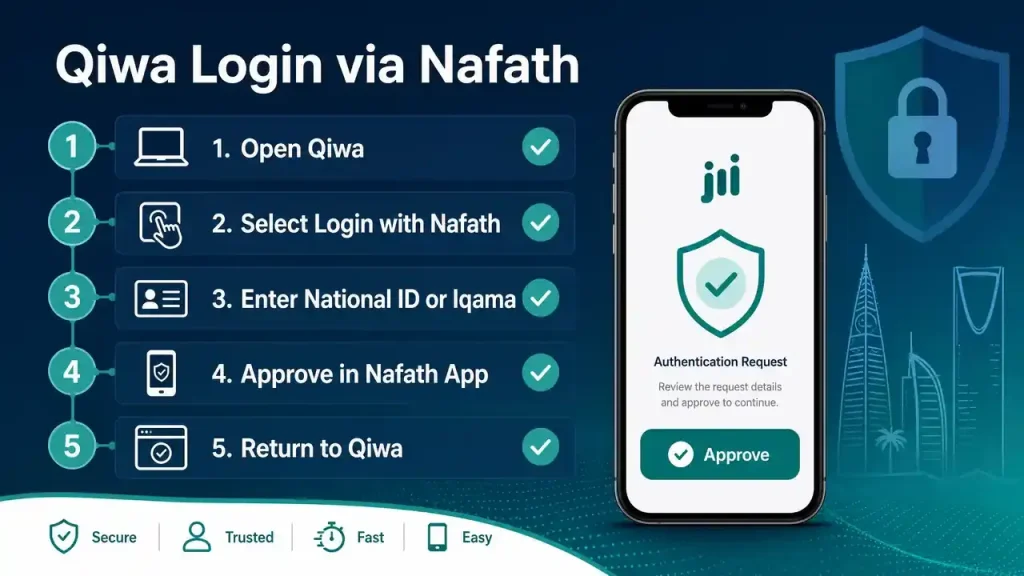
Nafath also connects with the digital identity linked to Absher. This creates a trusted authentication route for online services. You do not need to share your Absher password with Qiwa.Qiwa currently provides a dedicated “Log in with Nafath” option. Its official login page accepts a National ID or Iqama number for Nafath authentication.
How to Login to Qiwa Using Nafath
Follow these steps to access your Qiwa account through Nafath:
- Open the official Qiwa login page.
- Look for the available Nafath login option.
- Select the Nafath option to start authentication.
- Enter your National ID or Iqama number when requested.
- Continue to the Nafath authentication process.
- Open the Nafath app on your mobile phone.
- Check the authentication request shown in the app.
- Review the request before approving it.
- Complete the required identity verification.
- Return to Qiwa after successful verification.
- Wait for Qiwa to complete the sign-in process.
- Confirm that your Qiwa dashboard opens.
Qiwa’s official instructions confirm this login flow. They state that users can select “Log in with Nafath” and enter their National ID, Iqama number, or email address.
Important: Qiwa can change its login interface over time. Always follow the options shown on the current official Qiwa page. Never approve an unexpected Nafath request. Check the identity and service before confirming authentication.
Qiwa Login with Iqama or National ID
You can use your Iqama or National ID during supported Qiwa login methods. The required information depends on the authentication option shown on the Qiwa login page. Qiwa’s official guidance confirms that users can use a National ID or Iqama for supported login and Nafath authentication.
Qiwa Login with Iqama Number
An Iqama is the residence identification document used by foreign residents in Saudi Arabia. Expatriate employees and other eligible residents commonly use their Iqama number for digital services.
If Qiwa asks for an Iqama number, enter the number exactly as shown on your valid Iqama. Check every digit before continuing. An incorrect number can prevent identity verification.
Qiwa Login with National ID Number
A National ID identifies Saudi citizens. Citizens can use their National ID when Qiwa requests it during a supported authentication process.
The National ID also works with Nafath authentication for supported services. Nafath uses verified identity information to confirm the user’s identity before granting access.
Which Number Should You Use?
The answer depends on your status and the login method available on Qiwa.
- Saudi citizen: Use your National ID when requested.
- Saudi resident: Use your Iqama when requested.
- Nafath login: Follow the identification details displayed by Qiwa.
Do not enter your Iqama or National ID on unofficial websites. Always start from the official Qiwa login page and follow its current instructions.
Qiwa Individuals Login
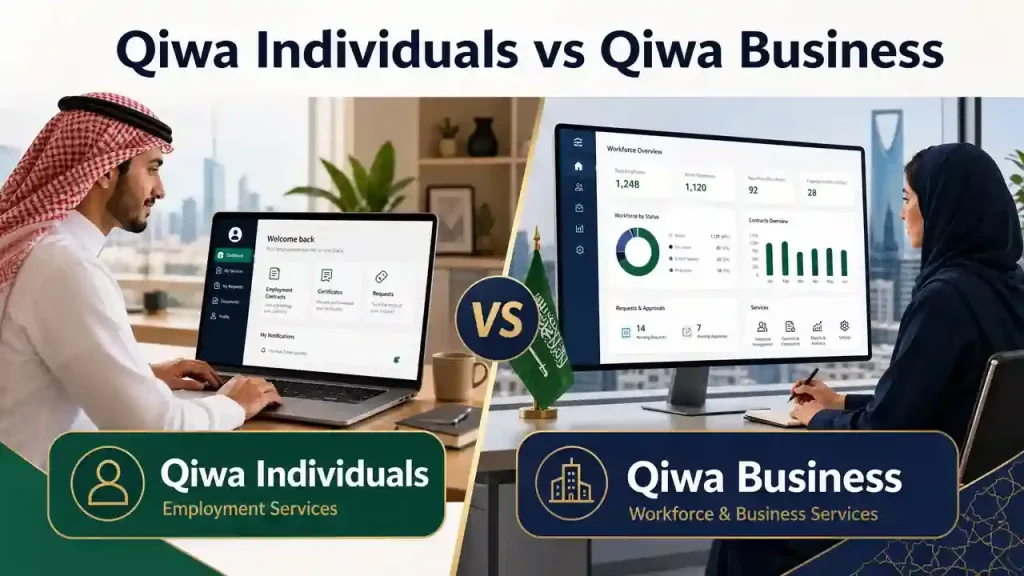
Qiwa Individuals login gives employees access to personal labor and employment services online. Saudi citizens and eligible residents can use Qiwa to manage services linked to their employment. Expatriate workers can also access relevant workforce services through their Qiwa accounts.
How Employees Access Qiwa
Follow these basic steps for your Qiwa individual login:
- Open the official Qiwa login page.
- Choose the available individual login option.
- Enter your National ID, Iqama, or other requested details.
- Complete the verification step shown on the page.
- Use Nafath if Qiwa presents its digital authentication option.
- Approve the authentication request through the Nafath app.
- Return to Qiwa after successful verification.
- Check your individual dashboard.
Qiwa’s official guidance confirms that users can access the platform through supported login methods. It also provides a Login with Nafath option for identity authentication.
Qiwa Services for Individuals
A Qiwa employee login can provide access to several employment-related services. The available services depend on your identity, employment status, and eligibility.
Individuals may use Qiwa for:
- Employment information: Review information connected to your employment.
- Employment contracts: Access and manage eligible digital contracts.
- Job-related services: Use available services related to employment and workforce processes.
- Workforce services: Access services provided for employees and workers.
- Employment mobility: Access eligible mobility-related services when applicable.
Qiwa supports both Saudi employees and expatriate workers within Saudi Arabia’s labor system. HRSD identifies Qiwa as a unified platform for labor-sector services.
If you are an expatriate worker, keep your Iqama information and registered mobile number accurate. These details can affect identity verification and access to digital services.
Qiwa Business Login
Qiwa Business login helps employers and establishments access digital workforce services. Company representatives can use the platform to manage eligible labor-related transactions. Qiwa also supports authorized users who act for an establishment.
Who Uses Qiwa Business?
Qiwa Business generally serves:
- Employers managing their workforce.
- Establishments using Qiwa labor services.
- Company representatives handling employment matters.
- Authorized users acting on behalf of an establishment.
The exact services depend on the user’s authority and the establishment’s eligibility.
Qiwa Business Login Steps
Follow these steps for your Qiwa employer login:
- Open the official Qiwa login page.
- Select the available business or establishment login option.
- Enter the requested National ID, Iqama, or account details.
- Choose the available Nafath authentication option when shown.
- Complete the identity verification process through Nafath.
- Approve the authentication request in the Nafath app.
- Return to Qiwa after successful verification.
- Select the relevant establishment if your account manages multiple entities.
- Confirm that your business dashboard loads correctly.
A Saudi government investor guide identifies the Qiwa login portal and describes business access through Nafath using the legal representative’s National ID or Iqama.
Qiwa Business vs Qiwa Individuals
| Feature | Qiwa Individuals | Qiwa Business |
|---|---|---|
| Main user | Employee or individual | Employer or establishment |
| Identity | Personal identity | Authorized business representative |
| Main purpose | Employment services | Workforce and business services |
Choose the correct account type before completing your Qiwa company login. Your access depends on your role, identity, and authorization within the establishment. HRSD describes Qiwa as a unified platform for Saudi labor-sector services.
How Absher Helps With Qiwa Registration and Verification
Absher, Nafath, and Qiwa are connected through Saudi Arabia’s digital identity ecosystem, but they serve different purposes. Qiwa provides labor services, while Absher supports government digital identity services. Nafath provides secure identity authentication for supported digital services.

When you create or manage a Qiwa account, identity verification helps confirm that your personal details belong to you. Qiwa’s official guidance states that registration can require identity details and verification through Absher. The process may also involve the mobile number registered with Absher.
Absher and Mobile Verification
Your Absher-linked mobile number can matter during Qiwa account processes. Qiwa uses verification codes for certain account actions. Its official guidance states that OTP verification can use the mobile number registered with Absher. This helps confirm ownership of the account and supports secure access.
Nafath and Digital Identity
Nafath adds another layer to the authentication process. It lets users confirm their identity through a trusted digital identity service. Absher provides the underlying digital identity used for supported authentication processes.
For example, Qiwa may direct you to Nafath when you select its supported authentication option. You then review and approve the authentication request through the Nafath app.
Remember that Qiwa and Absher are separate accounts. Your Qiwa account does not simply become your Absher account. Each platform serves a different purpose.
This relationship is easier to understand as:
Absher → Digital identity → Nafath authentication → Qiwa access
Keeping your Absher mobile number and identity details accurate can help prevent verification problems.
Qiwa Login Not Working? Common Problems and Fixes
A Qiwa login not working can have several causes. The problem may involve your login details, OTP, Nafath verification, mobile number, or browser. Start with the simplest checks before trying account recovery.

Qiwa’s official guidance also notes that repeated unsuccessful login attempts can lock an account. After four unsuccessful attempts, users can reactivate their account through the available recovery options.
Common Qiwa Login Problems and Solutions
| Problem | Possible solution |
|---|---|
| Qiwa login not working | Check your details and try again. |
| Nafath request not appearing | Open the Nafath app and check pending requests. |
| OTP not received | Check your registered mobile number and network connection. |
| Qiwa account locked | Use Qiwa’s account reactivation process. |
| Verification failed | Check your National ID, Iqama, and other identity details. |
| Mobile number problem | Verify the mobile number linked to your account. |
| Qiwa page not loading | Try another browser or a stable network. |
| Login repeatedly fails | Stop repeated attempts and use the recovery process. |
Qiwa Login Error
First, check the information you entered. A wrong National ID, Iqama number, email, or verification detail can stop the login process.
If the information looks correct, close the Qiwa session. Then reopen the official Qiwa login page and try again.
Qiwa Nafath Not Working
If the Nafath request does not appear, open the Nafath app manually. Check whether a pending authentication request appears there.
Also check your internet connection. Make sure you use the same mobile device linked to your digital identity when required.
Never approve a Nafath request that you did not start.
Qiwa OTP Not Received
A missing OTP can prevent account access. First, check your mobile signal and confirm that your registered number works correctly.
Qiwa’s official guidance states that certain verification processes use the mobile number registered with Absher.
If the code does not arrive, avoid requesting many codes quickly. Wait briefly and try again.
Qiwa Account Locked
Repeated failed attempts can trigger account protection. Qiwa states that four unsuccessful login attempts can lock an account. You can then use the available reactivation process to restore access.
Qiwa Page Not Loading
A Qiwa login page not working may result from a browser or network issue. Try these basic checks:
- Refresh the page.
- Open Qiwa in another browser.
- Clear the browser cache.
- Check your internet connection.
- Disable problematic browser extensions.
- Try again from a secure network.
If the problem continues, use Qiwa’s official support channels instead of entering your credentials on third-party websites.
Qiwa Nafath Login Not Working
A Qiwa Nafath login problem can stop you from accessing your account. The issue may involve the Nafath app, mobile number, identity details, or an expired login session.Fqiwa
Check Your Nafath App
If the Qiwa Nafath request is not received, open the Nafath app directly. Check for any pending authentication request.
Make sure your app has a working internet connection. Also check that you use the latest available version. Never approve a Nafath request that you did not initiate.
Check Your Mobile Number
Your registered mobile number can affect identity verification. Qiwa states that some verification processes use the mobile number registered with Absher.
Check that your mobile receives SMS messages. Also confirm that your SIM has network coverage.
Check Your Identity Information
A Qiwa Nafath verification failure may occur when your identity details do not match the information required by the service.
Check your National ID or Iqama number carefully. Make sure you enter every digit correctly.
If Qiwa asks for an email or another account detail, enter the information linked to your Qiwa account.
Try Again After Closing the Session
Sometimes an authentication session can expire. Close the Qiwa page and exit the current login attempt.
Then reopen the official Qiwa login page. Start a new Nafath authentication request and complete the process again.
Avoid repeated attempts if the same error continues. Repeated unsuccessful Qiwa login attempts can lead to account protection or temporary locking.
When to Contact Official Support
Contact Qiwa’s official support if the problem continues after these checks. Use support information provided directly through the official Qiwa website.
Do not share your Absher password, Nafath approval, OTP, National ID details, or account credentials with unofficial support accounts. Never pay a third party to “unlock” your Qiwa account.
Qiwa OTP Not Received
A Qiwa OTP not received issue can prevent you from completing login or account verification. The problem often relates to your mobile network, registered number, or repeated code requests.
What to Do When the Qiwa Verification Code Does Not Arrive
- Check your mobile signal. Make sure your phone has stable network coverage.
- Check your registered mobile number. Qiwa uses the mobile number linked to your account for certain verification processes.
- Wait before requesting another code. A new request may invalidate an earlier OTP.
- Avoid repeated requests. Sending many requests quickly can complicate the verification process.
- Check your mobile details. Make sure the number linked to your Qiwa account and relevant Absher verification process is correct.
- Use official recovery options. Follow Qiwa’s current account recovery or support process if the code still does not arrive.
If you receive an OTP you did not request, do not share or enter it. Someone else may be attempting to access your account.
Qiwa’s official guidance confirms that certain account verification processes use the mobile number registered with Absher.
For persistent Qiwa SMS not received problems, use Qiwa’s official support channels. Avoid third-party services that request your OTP, password, or Nafath approval.
Forgot Qiwa Password? How to Reset It
If you forgot your Qiwa password, you can reset it from the official Qiwa login page. Qiwa provides a dedicated password recovery option for users who cannot remember their login password.
Qiwa Password Reset Steps
- Open the official Qiwa login page.
- Select “I forgot my password.”
- Enter your National ID or Iqama number.
- Submit the requested identity information.
- Complete the verification step shown by Qiwa.
- Check your registered mobile or recovery channel for the verification message.
- Follow the recovery instructions.
- Create a new Qiwa password.
- Return to the login page.
- Sign in with your updated password.
Qiwa’s current password-reset page asks users to enter their National ID or Iqama number to start the recovery process.
If you still cannot access your account, use Qiwa’s official recovery or support options. Avoid third-party services that ask for your password, OTP, or Nafath approval.
Important: Qiwa can update its login and recovery screens. Always follow the instructions shown on the current official Qiwa website. This keeps your Qiwa password recovery process accurate and secure.
How to Reactivate a Locked Qiwa Account
Your Qiwa account can become locked after repeated unsuccessful login attempts. Qiwa’s official guidance states that four unsuccessful login attempts can lock the account. You can then use the available reactivation options to restore access.
Qiwa Account Reactivation Steps
- Open the official Qiwa login page.
- Start the account recovery or reactivation process.
- Enter your National ID or Iqama number when requested.
- Complete the required identity verification.
- Follow the recovery instructions shown by Qiwa.
- If Qiwa offers Absher-based reactivation, complete the requested verification.
- Create or confirm your account credentials.
- Return to Qiwa and try logging in again.
Qiwa’s official guidance indicates that users can reactivate a locked account through their registered email or through Absher, using an activation code sent to the mobile number registered with Absher.
If the Qiwa account reactivation process does not work, avoid repeated login attempts. Use Qiwa’s current official support or recovery options instead.
Important: Qiwa can change its account recovery process. Always follow the instructions displayed on the official Qiwa website. Never give your OTP, Absher password, or Nafath approval to another person.
Qiwa Login on Mobile
You can access Qiwa from a mobile device using a compatible browser and the available Qiwa login options. Qiwa mobile login can also involve the Nafath app when you choose digital identity authentication.
Qiwa Login From Mobile Browser
Open the official Qiwa website in a modern mobile browser. Enter the requested login information and follow the verification steps shown on screen.
If Qiwa offers Nafath authentication, keep the Nafath app available on your phone. Complete the authentication request before returning to Qiwa.
Qiwa App Login
Qiwa may provide mobile access through its official digital channels. Always use the current official Qiwa website to confirm whether an official application is available for your device.
Avoid downloading APK files from unknown websites. They can expose your account credentials or personal information.
Check These Mobile Settings
Before starting your Qiwa mobile sign in, check the following:
- Keep your browser updated.
- Allow required browser permissions.
- Make sure your mobile receives SMS messages.
- Check your registered mobile number.
- Keep the Nafath app updated.
- Use a stable and secure internet connection.
- Avoid public Wi-Fi when entering sensitive information.
If you need an OTP, wait for the verification message before requesting another code. Never share your OTP or approve an unexpected Nafath request.
For security, access Qiwa through its official website and follow the current login instructions. Qiwa can update its mobile login process, so avoid relying on outdated screenshots or unofficial applications.
Qiwa Login vs Absher Login vs Nafath Login
Qiwa, Absher, and Nafath serve different purposes within Saudi Arabia’s digital ecosystem. Understanding their roles can prevent login confusion.
| Platform | Main role |
|---|---|
| Qiwa | Labor and employment services |
| Absher | Government digital services and identity |
| Nafath | Digital identity authentication |
| HRSD | Ministry overseeing labor services |
Qiwa Login
Qiwa login gives employees, workers, employers, and establishments access to labor-related services. Qiwa supports services linked to employment, workforce management, and employment contracts. HRSD identifies Qiwa as a unified platform for labor-sector services.
Absher Login
Absher login provides access to Saudi government digital services. Absher also plays a role in the country’s digital identity ecosystem. Users can activate their digital identity through supported Nafath processes.
Absher and Qiwa are not the same account. Your Qiwa credentials should not be treated as your Absher credentials.
Nafath Login
Nafath login verifies your digital identity for supported online services. It can authenticate users through their National ID or Iqama. Qiwa provides a supported Nafath authentication option for account access.
Why the Difference Matters
The terms often appear together in searches like Qiwa login Absher because these services connect through Saudi Arabia’s digital identity ecosystem.
Think of them this way:
Qiwa = labor services
Absher = government digital services
Nafath = identity authentication
HRSD = ministry overseeing the labor system
Knowing this difference helps you choose the correct login method and avoid entering your credentials on the wrong platform.
What Can You Do After Qiwa Login?
After Qiwa login, your available services depend on your account type, role, and eligibility. Qiwa brings many Saudi labor services into one digital platform. HRSD identifies Qiwa as a unified platform for labor-sector services.
For Individuals
Employees and workers can use Qiwa to access services related to their employment. These services can help users manage important workforce information online.
Common individual services include:
- Employment information: Review details connected to your employment.
- Employment contracts: Access eligible digital employment contracts.
- Workforce services: Use services related to your employment status.
- Job-related services: Access available employment and labor services.
Employees can also explore related guides on Qiwa employment contracts, Qiwa employee services, and other workforce processes.
For Businesses
Employers and establishments can use Qiwa for workforce and labor-related activities. Business access depends on the user’s authorization and establishment status.
Common business functions include:
- Employee management: Manage eligible workforce information.
- Establishment services: Access services linked to your business.
- Employment contracts: Manage eligible digital employment contracts.
- Labor transactions: Complete available workforce and labor processes.
Qiwa helps reduce the need for separate manual processes. Employers can manage many labor services through one digital platform.
The exact services shown after Qiwa business login can change based on your role and eligibility. Always check the current Qiwa dashboard for the services available to your account.
If you need a specific service, use the relevant Qiwa guide rather than changing your account details unnecessarily.
Qiwa Login Security Tips
Protecting your Qiwa login matters because your account can contain sensitive employment and identity information. A few simple habits can reduce security risks.
- Never share your OTP. Qiwa verification codes are private. No legitimate support agent should ask you to reveal one.
- Never share Nafath approval requests. Only approve a request that you started yourself.
- Protect your Absher password. Never give it to another person, even if they claim to provide Qiwa support.
- Use official websites only. Start your login from the official Qiwa website or a trusted Saudi government portal.
- Avoid random login links. Do not open Qiwa login links from unknown SMS messages, emails, or social media accounts.
- Check the domain first. Look carefully at the website address before entering your National ID, Iqama, password, or OTP.
- Reject unexpected Nafath requests. If you did not start a login, do not approve the request.
- Avoid unofficial APK files. Download mobile applications only from trusted official sources.
Nafath provides digital identity authentication for supported services. This makes it especially important to verify every authentication request before approving it.
If you suspect someone accessed your account, stop using the suspicious session. Then use the official Qiwa recovery or support channels to secure your account.
Your identity details, passwords, OTPs, and Nafath approvals should always remain private.
Frequently Asked Questions
Can I log in to Qiwa with Absher?
Qiwa does not use your Absher password as your regular Qiwa password. Qiwa has its own login system and supports Nafath authentication. Absher can support identity verification and account-related processes. Use the login method shown on the official Qiwa website for your account.
Is Qiwa login connected to Absher?
Yes, Qiwa can use Absher-linked identity information for certain verification processes. Qiwa’s official guidance references verification through Absher and the mobile number registered with Absher. However, Qiwa and Absher remain separate platforms with different purposes.
How do I log in to Qiwa through Nafath?
Open the official Qiwa login page and select the available Nafath option. Enter your National ID, Iqama, or requested account details. Continue to Nafath and open the Nafath app. Review the authentication request and approve it only if you started the login. Then return to Qiwa.
Does Qiwa require Nafath?
Nafath may be required for supported Qiwa authentication flows. Qiwa provides a dedicated Nafath login option. Other Qiwa login or account processes can use different verification methods. Always follow the current authentication options displayed on the official Qiwa website.
Can I log in to Qiwa with my Iqama?
Yes, Qiwa supports Iqama-based identification for eligible residents. Qiwa’s official login guidance includes the Iqama number among supported identification details. Enter your Iqama number exactly as requested. Then complete the verification method shown by Qiwa.
Can I use my National ID to log in to Qiwa?
Yes, eligible Saudi citizens can use their National ID for supported Qiwa login methods. Qiwa also supports National ID identification during Nafath authentication. Enter the number carefully and complete any required identity verification.
How do I access Qiwa Individuals?
Open the official Qiwa website and start the individual login process. Enter your requested identification or account information. Complete OTP or Nafath verification when prompted. After successful authentication, Qiwa should open the services available to your individual account and eligibility.
How do employers log in to Qiwa?
Employers and authorized representatives can access Qiwa Business through the available business login flow. Start from the official Qiwa login page and enter the requested details. If Qiwa provides Nafath authentication, complete the identity verification through the Nafath app. Your available services depend on your authorization and establishment status.
Why is my Qiwa login not working?
Check your National ID, Iqama, email, and other requested details first. Then check your internet connection and browser. If you use Nafath, check for pending authentication requests. Avoid repeated failed attempts because Qiwa states that four unsuccessful login attempts can lock an account.
Why am I not receiving the Qiwa OTP?
Check your mobile signal and confirm that your registered mobile number works. Qiwa states that certain verification processes use the mobile number registered with Absher. Wait before requesting another code and avoid repeated requests. If the OTP still does not arrive, use Qiwa’s official recovery or support options.
What should I do if Qiwa Nafath verification fails?
Check your National ID or Iqama details and make sure your Nafath app works correctly. Close the current Qiwa session and start a new login attempt. Review every Nafath request before approving it. If verification continues to fail, use Qiwa’s official support channels instead of third-party services.
How do I reset my Qiwa password?
Open the official Qiwa login page and select the password recovery option. Enter your National ID or Iqama number when requested. Complete the verification process and follow the recovery instructions. Create a new password, then return to Qiwa and try logging in again. Qiwa’s recovery flow can change over time.
How do I reactivate my Qiwa account?
Qiwa allows users to reactivate accounts after certain login failures. Its official guidance states that four unsuccessful login attempts can lock an account. Follow the current Qiwa reactivation process using the available email or Absher-based option. Complete the required verification before attempting to log in again.
Can I change the mobile number linked to Qiwa?
Yes, Qiwa provides processes for changing account information, including the registered mobile number. Some changes require verification through the mobile number registered with Absher. Follow the current instructions inside Qiwa. If you cannot access the old number, use the official Qiwa recovery or support process.
Final Takeaway
Qiwa is Saudi Arabia’s digital platform for labor and employment services. It serves employees, workers, employers, and establishments. HRSD oversees Qiwa as part of the Saudi labor-services system.
Absher provides government digital services and supports Saudi digital identity processes. It is not the same platform as Qiwa. Your Qiwa password should not be treated as your Absher password.
Nafath provides digital identity authentication for supported online services. Qiwa can use Nafath to verify your identity during supported login flows.
The simplest way to remember the relationship is:
Qiwa → Labor and employment services
Absher → Government digital services and identity
Nafath → Digital authentication
HRSD → Ministry overseeing labor services
If you need to access Qiwa, start from the official Qiwa website. Choose the login method currently displayed for your account. Use Nafath when Qiwa requests digital authentication. Never share your OTP, password, or Nafath approval with anyone.