
Absher Business: Complete Guide to Login, Services, Registration & App
Absher Business is Saudi Arabia’s electronic platform for businesses and establishments. It provides Ministry of Interior services that help eligible business owners manage employee and workforce transactions online. The platform supports electronic services such as Resident ID (Iqama) issuance, Iqama renewal, visa services, and employee service transfers.
Absher Business helps establishments complete many government-related workforce transactions without visiting a physical government office. It gives business owners a digital way to access services for employees through the Absher platform. The service launched in 2017 and continues to expand its electronic services.
The platform serves businesses and establishments in Saudi Arabia that meet the relevant service requirements. Available services can change as government systems and requirements develop. Therefore, users should always check the official Absher platform before starting a transaction.
Absher Business is a Saudi Arabia government e-platform that provides Ministry of Interior services to businesses and establishments. It helps eligible business owners complete employee-related electronic services, including Resident ID (Iqama) transactions, without unnecessary office visits.
For accurate requirements, eligibility rules, and current service availability, always verify the latest information through the official Absher platform.
What Is Absher Business Used For?
Absher Business helps eligible establishments manage employee-related government transactions online. The platform provides Ministry of Interior services through a digital business portal.
Business owners can use it to manage key Resident ID (Iqama) services for eligible employees. These services include issuing and renewing Resident IDs. The platform also supports visa-related transactions, including exit and re-entry visas.
Absher Business also helps establishments manage employee service transfers between employers. Eligible users can transfer employee services when they meet the current service requirements.
Another useful feature is authorization. An establishment owner can authorize another registered Absher user to perform selected services on the establishment’s behalf. This can help businesses delegate specific government tasks to trusted users.
The platform also provides access to employee and establishment information. Other available services cover areas such as profession changes, passport information updates, resident reports, document delivery, and vehicle-related services.
The official Absher Business homepage currently highlights Iqama issuance, Iqama renewal, exit and re-entry visa issuance, and sponsorship transfer among its most-used services. Service availability and requirements can change, so check the official platform before starting any transaction.
Main Absher Business Services
| Service | What it does |
| Iqama Issuance | Issues Resident ID for eligible employees |
| Iqama Renewal | Renews Resident ID |
| Exit & Re-entry Visa | Issues exit and re-entry visas |
| Sponsorship Transfer | Transfers employee services |
| Authorizations | Allows another registered user to perform selected services |
Overall, Absher Business gives establishments a centralized way to handle many workforce-related government services electronically.
Who Can Use Absher Business?
Absher Business is designed for businesses and establishments that use Saudi government electronic services for their workforce. Establishment owners can access available services through the platform and manage eligible employee-related transactions.
Establishment owners can use Absher Business to complete services available to their business. They may also use the platform to manage employee information and workforce-related transactions.
The platform also supports authorized users. An establishment owner can issue an authorization for another registered Absher user to perform selected services. This allows a trusted person to handle specific transactions on the establishment’s behalf.
People acting under an authorization can access the services included in that authorization. The authorized user must meet the applicable requirements for the relevant service.
Employees may also be involved in transactions managed through Absher Business. However, access and eligibility depend on the specific service and the user’s circumstances.
Absher Business service requirements can differ from one transaction to another. Requirements may also change when government systems or regulations change. Users should therefore verify the latest information before submitting any request.
Important: Eligibility and individual service requirements can vary. Always check the current official service requirements before starting a transaction.
Absher Business Login
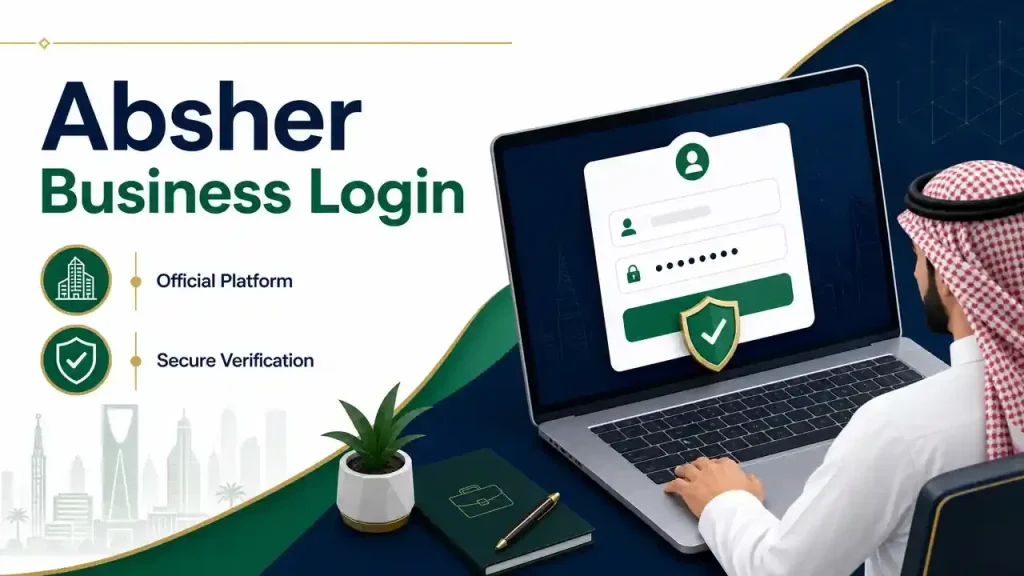
How to Login to Absher Business
The Absher Business login process uses the official Absher platform. Users with an active Absher account can use their existing Absher login credentials to access Absher Business.
Step 1 — Open the Official Platform
Start by visiting the official Absher website at the absher.sa domain. Select the Absher Business platform and open its login page.
Always check the domain before entering your username or password. Avoid unofficial websites that copy the Absher Business name or login design.
Step 2 — Enter Your Username or ID Number
The official login page provides a Username or ID Number field. Enter the username or ID number associated with your Absher account.
Make sure you enter the information correctly. Incorrect login details can prevent access to your account.
Step 3 — Enter Your Password
Enter your current Absher password in the Password field. Then continue with the login process.
If you cannot remember your password, use the Forgot Password? option. The official platform directs users to the Absher Individuals password-reset process.
Step 4 — Complete Verification If Requested
Absher may request an additional security or verification step during login. Follow the instructions shown on the official platform.
Verification methods can change over time. Therefore, follow the current instructions displayed during your login session instead of relying on outdated steps.
Step 5 — Access Your Business Services
After successful authentication, you can access the Absher Business services available to your establishment and account.
Available services can include Resident ID transactions, visa services, sponsorship or service transfers, and other establishment services. The exact services depend on the account and applicable requirements.
Important: Can I use my Absher login for Absher Business?
Yes. The official Absher Business platform states that users who already have an Absher account can use the same login credentials for Absher Business. Users without an Absher account must register through Absher first.
How to Register for Absher Business
Registering for Absher Business does not necessarily mean creating a completely separate username and password. The official platform connects Absher Business access with your existing Absher account.
If you already have an Absher account, you can use the same login credentials to access Absher Business. If you do not have an Absher account, the official platform directs you to register through Absher first.
Registration Requirements
Users should complete the registration requirements specified by the official Absher platform. The exact requirements can depend on the registration process and the services you want to use.
Avoid relying on third-party websites that list additional requirements without official confirmation. Always use the official Absher platform for registration and account-related information.
Account Activation
After registration, account activation may be required before you can access certain electronic services. Follow the activation instructions provided by Absher during the registration process.
Once your Absher account is active, you can use your credentials to sign in to Absher Business. Your available services can depend on your establishment and the requirements of each service.
What If Registration Doesn’t Work?
Registration problems can result from incorrect information, account issues, or verification problems. First, review the information you entered and follow the instructions shown by Absher.
If you still cannot register or access your account, check the Absher Business troubleshooting section in this guide. It covers common login, password, verification, and access problems.
Absher Business Services
Absher Business provides electronic services for establishments and their employees in Saudi Arabia. These services cover Resident ID transactions, visas, employee service transfers, authorizations, and other workforce-related needs.
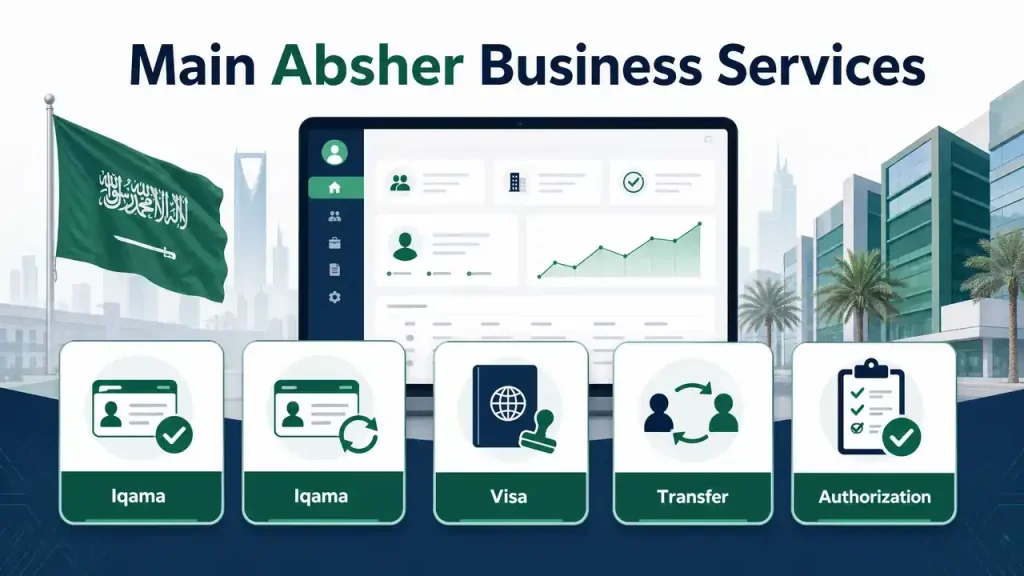
The exact services available can depend on the establishment and the specific transaction. Requirements can also change, so users should verify the current official conditions before submitting any request.
Iqama Issuance
Iqama issuance allows an establishment to electronically issue a Resident ID for an eligible employee. The service helps businesses complete the employee’s residency-related transaction through Absher Business.
Users can find the service within the available business services after signing in. Before submitting the request, check the current requirements, employee information, payments, and any other conditions shown by the official platform.
Iqama Renewal
Iqama renewal helps establishments renew an eligible employee’s Resident ID electronically. It reduces the need to handle the transaction through a physical government office.
The establishment should review the employee’s information before starting the renewal. Current requirements can include service-specific conditions related to the employee and establishment. Always verify the requirements displayed by the official Absher platform before payment or submission.
Exit and Re-Entry Visa
An exit and re-entry visa allows an eligible employee to travel outside Saudi Arabia and return during the visa’s validity.
Establishments can use Absher Business to handle the electronic issuance process. Before submitting the request, confirm the employee’s details and review the current visa requirements. Do not rely on older instructions if the official service page shows updated conditions.
Sponsorship Transfer
Sponsorship transfer, also known as an employee service transfer, moves an employee’s services from one employer to another when the applicable requirements are met.
This service supports businesses when an employee changes employers. The transaction can involve conditions related to the employee, current employer, new employer, documentation, payments, and other government requirements.
Because transfer conditions can change, verify the latest requirements before starting the process. Absher Business currently highlights sponsorship transfer among its most-used services.
Final Exit Visa
A final exit visa supports an eligible employee’s departure from Saudi Arabia when the employment relationship or stay is ending.
Establishments can access the relevant electronic service through Absher Business. The applicable conditions depend on the employee and transaction. Check the official service requirements before issuing a final exit visa.
Visa Cancellation
Absher Business also provides electronic visa cancellation services for applicable transactions.
These include exit and re-entry visa cancellation and final exit visa cancellation. The appropriate cancellation service depends on the visa involved.
Users should confirm the current cancellation conditions before submitting a request. This helps prevent mistakes when managing an employee’s travel status.
Resident Report
The resident report service allows an establishment to request relevant resident information through Absher Business.
Businesses may use this service when they need an electronic report connected with an employee or resident. The information and use of the report depend on the service available through the platform.
Profession Change
The profession change service supports updating an employee’s profession information when the applicable requirements are satisfied.
Accurate profession information helps keep employee records consistent with the relevant government records. Establishments should review the current conditions before requesting a profession change.
Passport Information Update
Employees may need updated passport information after renewing or changing their passports. Absher Business provides a service for establishments to update resident passport information.
The establishment or an authorized user can handle the applicable transaction through the business platform. Service-specific conditions apply, so users should confirm the employee’s passport details and current requirements before submitting the update.
Across all Absher Business services, the safest approach is simple: select the required service, review the current official requirements, confirm the employee information, and submit only when all conditions are satisfied.
Absher Business Authorization
What Is Absher Business Authorization?
Absher Business authorization allows an establishment owner to let another registered user perform a specific business service on the establishment’s behalf.
The authorized person uses their own Absher Business access to complete the service covered by the authorization. This can help business owners delegate selected government transactions without sharing their login credentials.
According to the official Absher guide, the authorized person must be registered and activated on Absher. Additional conditions can apply when the authorized person is a resident. For example, the official guide specifies requirements concerning the resident’s sponsorship.
The authorization applies to the selected service. It does not mean the authorized user automatically receives access to every establishment service.
How to Issue an Authorization
The general process is:
- Log in to your Absher Business account.
- Open My Business Services.
- Select Issuance of Authorization.
- Choose the relevant service you want to delegate.
- Enter the required information for the authorized user.
- Submit the authorization request.
- Confirm the authorization according to the instructions shown by Absher.
The official guide identifies Issuance of Authorization as the service used to create an authorization. The available options and interface labels may change as Absher updates its platform.
Before creating an authorization, verify the authorized user’s information and the current service conditions. Use only the official Absher platform for account and authorization transactions.
Absher Business App
The Absher Business app gives businesses mobile access to Absher Business services. It provides a convenient way to access supported business services from a smartphone.
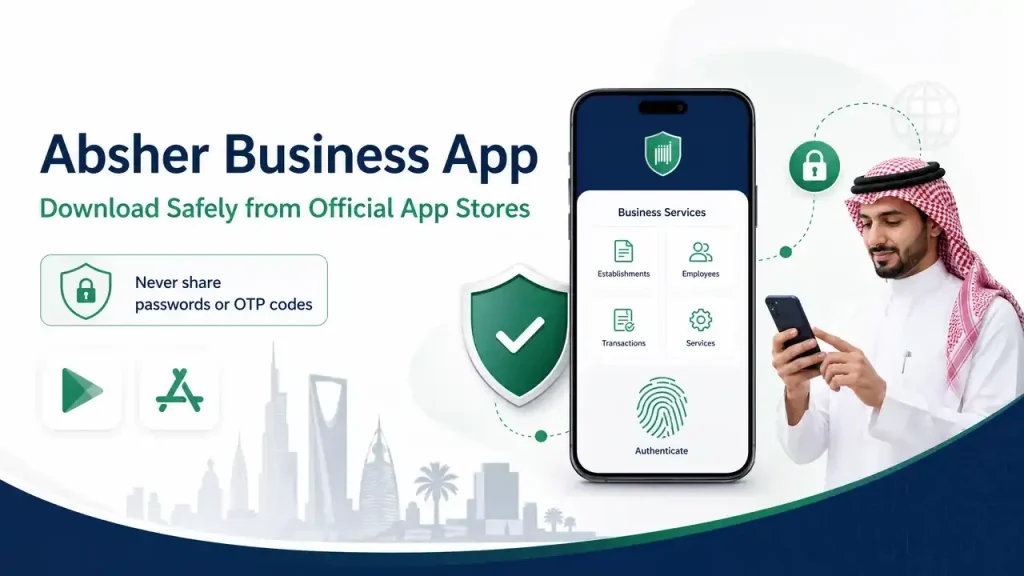
The official Absher Business mobile app is published by the National Information Center. Current official listings are available for both Android and iPhone users. The app provides access to Absher Business portal services and supports features such as fingerprint login on supported devices.
Absher Business App Download
For an Absher Business app download, use the official Google Play Store or Apple App Store listing. Search for ABSHER Business and verify the publisher before installing the application.
Android users should avoid websites offering modified or unofficial Absher Business APK files. These files may contain unwanted software or request unnecessary permissions. Downloading from an official app store provides a safer way to obtain the legitimate application.
Absher Business App Login
After installing the app, users can sign in with their existing Absher Business credentials. The available login and verification options can depend on the current application version and device.
Keep the app updated to receive the latest improvements, security updates, and supported features. Users should also install updates only through the official app store.
For security, never share your Absher password or verification codes with another person. If you experience login or account problems, use the official Absher resources rather than downloading another application or APK.
Tip: Always verify the developer name, app listing, and official Absher resources before installing an Absher Business app.
Absher Business Requirements and Eligibility
Absher Business requirements vary by service. An establishment may meet the general access conditions but still need to satisfy additional requirements for a specific transaction.
Users should maintain accurate account and employee information before starting a service. The official platform displays the applicable conditions for individual services, so users should review those requirements before submitting a request.
| Requirement | Why it matters |
| Active Absher account | Required for access to Absher Business |
| Correct login credentials | Needed to sign in securely |
| Eligible establishment | Determines available services |
| Eligible employee | Service-specific conditions can apply |
| Valid information | Helps prevent transaction problems |
| Required documents/data | Depends on the specific service |
Why Service Requirements Matter
Different Absher Business services can have different conditions. For example, an Iqama transaction can require different information from a passport update or service transfer.
Employee status, account information, documentation, payments, and other conditions can affect whether a transaction can proceed. These requirements may also change when government regulations or systems are updated.
For this reason, users should not assume that meeting one service’s requirements automatically qualifies them for another service.
Before starting any transaction, select the relevant service in Absher Business and review its current requirements. This approach helps businesses avoid outdated instructions and incomplete submissions.
Important: The table above provides general guidance, not a universal eligibility checklist. Always verify the current official requirements for the exact Absher Business service you intend to use.
Does Absher Business Have Fees?
Absher Business transactions can involve fees depending on the service and transaction. There is no single fee that applies to every Absher Business service.
Some government services may display applicable charges as part of their individual requirements or transaction process. Other services may not state a separate fee on the relevant Absher Business information page.
For this reason, avoid relying on third-party websites that publish one fixed Absher Business fee for all services. Prices, government charges, and service conditions can change.
Before completing a transaction, open the specific service through the official Absher Business platform and check the current fee information shown there. If the official service page does not state a fee, do not assume or publish a price without an authoritative source.
Important: Fees depend on the specific service and transaction. Always verify the latest official information before making a payment.
Forgot Absher Business Password
If you forgot your Absher Business password, use the official Absher password recovery process. The Absher Business login page directs users to the Absher Individuals password-reset option to reset their current password.
You do not need to rely on third-party password-recovery websites. Use the official Absher platform and follow the verification instructions shown during the reset process.
Password Reset Steps
- Open the official Absher platform and select the password recovery option.
- Enter your ID number and registered mobile number.
- Enter the displayed verification code.
- Complete the required security question and provide its answer.
- Enter the verification code sent during the recovery process.
- Create a new password according to the requirements shown by Absher.
- Return to the Absher Business login page and sign in with your updated credentials.
The exact screens or verification prompts may change as Absher updates its services. Follow the instructions currently displayed on the official platform.
What If the Verification Code Does Not Arrive?
First, check that the registered mobile number is correct and can receive messages. Wait briefly and follow any resend option provided on the official Absher page.
If the problem continues, review the information entered during password recovery and follow the official support instructions. Avoid sharing verification codes or passwords with anyone claiming to offer account recovery services.
Important: Use only the official Absher password-reset process for Absher Business password recovery.
Common Absher Business Login Problems
Login problems can happen because of incorrect account details, verification issues, activation status, or temporary service problems. Use the following checks before trying unofficial fixes.
Absher Business Login Not Working
Problem: You cannot sign in to Absher Business.
Possible cause: Your login information may be incorrect, or the account may need attention.
Safe solution: Recheck your username or ID number and password. If the problem continues, use the official Absher account-recovery options.
Wrong Username or ID Number
Problem: Absher rejects your username or ID number.
Possible cause: You may have entered incorrect account information.
Safe solution: Carefully re-enter the information shown on the official login page. Avoid repeatedly entering guessed credentials.
Forgot Password
Problem: You cannot remember your Absher Business password.
Possible cause: The password is unavailable or no longer remembered.
Safe solution: Use the official Absher password-reset process. The Absher Business login page directs users to the Absher Individuals password-reset option.
OTP or Verification Code Not Received
Problem: The required verification code does not arrive.
Possible cause: A verification or mobile-delivery issue may prevent the code from reaching you.
Safe solution: Confirm your registered mobile information and follow any resend option shown by Absher. Do not share verification codes with anyone.
Account Not Activated
Problem: You cannot access your account after registration.
Possible cause: The account may require activation.
Safe solution: Complete the activation process provided by Absher before attempting to access business services.
Service Unavailable
Problem: A specific Absher Business service is unavailable.
Possible cause: The service may have specific eligibility or availability conditions.
Safe solution: Check the service information on the official platform and review its current requirements.
Website Not Loading
Problem: The Absher Business website does not load correctly.
Possible cause: The issue may relate to your browser, connection, or temporary platform availability.
Safe solution: Check your internet connection and try accessing the official Absher domain again later. Avoid unofficial mirror websites.
Mobile App Not Working
Problem: The Absher Business mobile app does not work correctly.
Possible cause: The app may need an update, or your device may experience a temporary issue.
Safe solution: Check the official Google Play Store or Apple App Store listing for available updates. Avoid downloading unofficial APK files.
Security reminder: Never provide your Absher password, verification code, or account details to unofficial support services.
Absher vs Absher Business
Absher Individuals and Absher Business are two parts of Saudi Arabia’s Absher platform with different primary audiences. Absher Individuals focuses on electronic government services for citizens, residents, and visitors. Absher Business focuses on services for businesses and establishments.
The main difference is the purpose and audience. Absher Individuals supports personal government transactions. Absher Business supports establishment owners with workforce and business-related government transactions.
| Feature | Absher Individuals | Absher Business |
| Main audience | Citizens, residents, and visitors | Businesses and establishments |
| Main purpose | Individual government services | Business and workforce services |
| Employee management | Limited/not primary | Core purpose |
| Iqama services | Individual context | Establishment employee context |
| Business authorizations | Not the primary focus | Available |
| Establishment services | Limited | Core focus |
Which Absher Platform Should You Use?
Use Absher Individuals when you need to manage your own eligible government services as an individual. This platform serves citizens, residents, and visitors.
Use Absher Business when you manage an establishment and need available workforce-related services for employees. These can include Iqama services, visa transactions, employee service transfers, and authorizations.
The two platforms can also share account credentials. The official Absher Business platform states that users with an existing Absher account can use the same login credentials to access Absher Business.
The exact services available depend on the platform, account, and applicable requirements. Always check the current official Absher service information before starting a transaction.
Is Absher Business Safe?
Absher Business is safest when you access it through the official Absher platform and follow basic account-security practices. Users should verify the website domain before entering login details or completing transactions.
How to Use Absher Business Safely
- Use the official Absher domain: Check the browser address before signing in.
- Avoid fake login pages: Do not enter your credentials on websites that imitate Absher.
- Never share passwords or OTP codes: Legitimate services should not require you to give these details to another person.
- Avoid unknown APK files: Download the Absher Business app only from official app stores or trusted official resources.
- Keep the app updated: Install available updates through the official Google Play Store or Apple App Store.
- Use secure networks: Avoid entering sensitive account information through unsecured public networks when possible.
- Check links carefully: Be cautious with login links received through unexpected messages or emails.
Scammers can create websites and applications that imitate government services. A familiar-looking logo does not prove that a website or application is genuine.
Before every login, check the domain and make sure you are using an official Absher resource. This simple step can help protect your account credentials and verification codes.
Frequently Asked Questions
What is Absher Business?
Absher Business is Saudi Arabia’s electronic platform for businesses and establishments. It provides Ministry of Interior services for eligible establishment and workforce transactions. Businesses can use available services for employees, including Resident ID, visa, service transfer, authorization, and other government transactions.
Who can use Absher Business?
Absher Business is designed for businesses, establishments, and establishment owners using eligible government services. Authorized users can also perform selected services when an establishment owner grants them authorization. Eligibility depends on the account, establishment, employee, and specific service requirements.
How do I log in to Absher Business?
Open the official Absher platform and select Absher Business. Enter your username or ID number and password. Complete any verification requested by the platform. After successful authentication, you can access the business services available to your establishment.
Can I use my Absher account for Absher Business?
Yes. The official Absher Business platform states that users who already have an Absher account can use the same login credentials for Absher Business. Users without an Absher account must register through Absher before accessing the business platform.
How do I reset my Absher Business password?
Use the official Absher password-reset process. The Absher Business login page directs users to the Absher Individuals password-reset option. Follow the displayed recovery steps and complete the required identity and verification information before creating a new password.
What services are available on Absher Business?
Absher Business provides various electronic services for establishments. These include Iqama issuance, Iqama renewal, exit and re-entry visas, final exit visas, service transfers, visa cancellations, authorizations, profession changes, passport information updates, and resident reports. Available services can change over time.
Can I renew an employee’s Iqama through Absher Business?
Yes, eligible establishments can renew an employee’s Resident ID through Absher Business. The service has specific requirements that can apply to the employee and establishment. Always review the current official requirements before submitting an Iqama renewal request.
Can I issue an exit/re-entry visa through Absher Business?
Yes. Absher Business provides an electronic service for issuing exit and re-entry visas for eligible employees. Before submitting the request, confirm the employee’s information and review the current requirements displayed by the official platform.
Can I transfer an employee’s sponsorship?
Yes, Absher Business provides an employee service transfer service for applicable transactions. The transfer process has specific conditions involving the employee and employers. Requirements can change, so check the current official conditions before starting a sponsorship or service transfer.
Is there an Absher Business mobile app?
Yes. An official ABSHER Business mobile app is available for supported Android and iPhone devices. The application is published by the National Information Center. Download it through official app stores and avoid unofficial APK websites or modified applications.
Why can’t I log in to Absher Business?
Login problems can result from incorrect credentials, password issues, verification problems, activation status, or temporary service issues. Recheck your login information and use official recovery options when necessary. If the problem continues, follow the current support instructions provided by Absher.
Is Absher Business the same as Absher Individuals?
No. They are different parts of the Absher platform with different primary purposes. Absher Individuals focuses on services for citizens, residents, and visitors. Absher Business focuses on services for businesses and establishments, particularly workforce-related government transactions.
Final Verdict
Absher Business is Saudi Arabia’s electronic platform for businesses and establishments. It helps eligible users manage workforce-related government transactions through digital services.
Its main services include Iqama issuance and renewal, exit and re-entry visas, final exit visas, employee service transfers, visa cancellations, authorizations, profession changes, and passport information updates.
Users with an existing Absher account can use the same login credentials to access Absher Business. The official ABSHER Business mobile app also provides supported mobile access for Android and iPhone users.
Absher Business can simplify many establishment transactions by providing electronic access to Ministry of Interior services. However, eligibility, fees, documents, and service conditions can vary.
Trust statement: Government services and requirements can change. Always verify important transaction details on the official Absher platform before submitting an application.