
How to Get Muqeem Paper from Absher in Saudi Arabia
If you need a Muqeem paper from Absher, look for the official service called تقرير مقيم (Muqeem Report). Absher lets eligible users issue this report electronically and print it. The current route is Absher → My Services → Passport Services → Muqeem Report.
Eligible users can request the report when the resident meets Absher’s requirements. The current service fee is SAR 29. Absher issues the report immediately after the request and payment. The report remains valid for 30 days from its issuance date.
Many people call this document a “Muqeem paper,” “Muqeem print,” or “resident report.” These terms usually refer to the same Absher report service. It provides basic resident information for official use. Always check the requesting authority’s requirements before submitting it.
Muqeem paper = تقرير مقيم (Muqeem Report) on Absher.
- Route: Absher → My Services → Passport Services → Muqeem Report
- Eligible users: Users who meet Absher’s service requirements
- Fee: SAR 29
- Processing time: Immediate after payment
- Validity: 30 days from issuance
- Format: Electronic report that you can print
For the latest service details, verify the information on the official Absher platform before requesting the report.
What Is a Muqeem Paper?
“Muqeem paper” is a common search term for a resident report in Saudi Arabia. On Absher, the official service is called تقرير مقيم (Muqeem Report).
The service provides basic information about a resident. Eligible users can issue the report electronically through Absher. They can also print the issued report for use when needed.
The term “Muqeem paper” can cause confusion. Several Saudi services use the words Muqeem, Iqama, and resident. However, these terms do not describe the same document or platform.
Muqeem Report vs. Iqama vs. Digital Iqama vs. Muqeem Platform
Muqeem Report: This is an electronic resident report issued through Absher. It contains basic resident information. You can print the report after issuance.
Iqama: This is the resident identity document used in Saudi Arabia. It identifies a resident and supports their legal residency records. A Muqeem Report does not replace the Iqama.
Digital Iqama: This is the electronic version of the resident identity available through authorized digital services. It is different from a Muqeem Report.
Muqeem Platform: Muqeem is a separate government-linked platform for establishments. It helps organizations manage resident employee information and passport transactions electronically. Its services include resident reports and report verification.
Therefore, Muqeem Report, Iqama, Digital Iqama, and Muqeem Platform are separate entities. Knowing this difference helps you choose the correct Saudi government service.
Who Can Request a Muqeem Report?
Saudi citizens and residents can access Absher services based on their account and eligibility. For a Muqeem Report (تقرير مقيم), the resident must be registered under the user’s sponsorship.
This makes the service useful for sponsors who manage resident records. A Saudi citizen may request a report for an eligible sponsored resident. An eligible resident sponsor may also use the service for residents under their sponsorship.
Family sponsors can use the service for eligible family members when the sponsorship record meets Absher requirements. Employers may also request reports for sponsored workers when eligible.
The same principle applies to sponsored domestic workers. The worker must appear under the sponsor’s records in Absher.
Can a Resident Get a Muqeem Report for Anyone?
No. A Muqeem Report is not available for every resident in the system.
The resident must have a valid sponsorship relationship with the person requesting the report. Absher uses the sponsorship record to determine which residents the user can access.
If the resident does not appear in the service, check the sponsorship and resident records first. You should also confirm that the resident’s information remains valid in Absher.
Absher also provides services for displaying employees and sponsored individuals. This supports the management of eligible resident records through the platform.
Requirements to Get a Muqeem Paper From Absher
Before requesting a Muqeem Report (تقرير مقيم), make sure you meet the current Absher requirements. The main Muqeem report requirements include:
- Active Absher account: You need an active Absher digital identity to access the service.
- Valid Iqama: The resident’s Iqama must be valid. Absher currently lists Iqama validity as a service requirement.
- Eligible sponsored resident: The resident must be registered under your sponsorship in Absher.
- Service fee: You must pay the applicable Muqeem Report fee before the report is issued.
- Resident information: You may need the required resident details shown by the service.
Does the Iqama Need to Be Valid?
Yes. The official service requirements include a valid Iqama for the resident. Check the resident’s records before starting the request.
A valid Iqama also helps ensure that the resident appears correctly in your eligible sponsored records.
Can I Request It for Any Resident?
No. Absher does not make the report available for every resident in the system.
The resident must be registered under your sponsorship. Your Absher account must also have access to that resident’s record.
This sponsorship rule is important for Muqeem report eligibility. It also applies when you need a report for a sponsored worker or eligible family member.
In Arabic, users may search for these requirements as شروط تقرير مقيم or متطلبات تقرير مقيم. Always check the current Absher service requirements before submitting your request.
How to Get Muqeem Paper From Absher
You can get a Muqeem paper online through Absher. The official service name is Muqeem Report (تقرير مقيم). Absher issues the report electronically after you complete the request and pay the service fee.
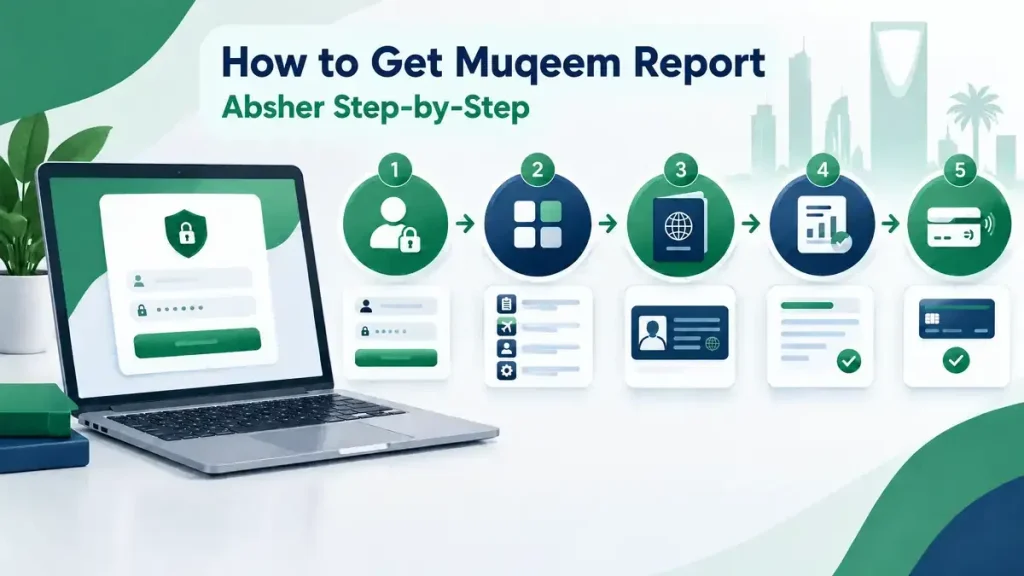
Follow these steps to request your report.
Step 1: Open the Official Absher Website
Start with the official Absher platform. Avoid websites that offer unofficial Muqeem reports or downloads.
Use the official Saudi government service whenever you submit resident information or make a payment.
Step 2: Log In to Absher
Open Absher and sign in with your account details.
Make sure you use the Absher account that has access to the sponsored resident’s record. The resident must appear under your sponsorship.
Step 3: Open “My Services”
After logging in, open My Services (خدماتي).
This section contains electronic services available to your Absher account.
Step 4: Select “Passport Services”
From My Services, open Passport Services (خدمات الجوازات).
The Muqeem Report service appears within the relevant Passport Services area.
Step 5: Select “Muqeem Report”
Select Muqeem Report (تقرير مقيم).
This is the official Absher service for issuing a resident report. Do not confuse it with the separate Muqeem platform used by establishments.
Step 6: Enter the Required Resident Information
Follow the fields shown by the current Absher service.
Enter the required information for the eligible resident. Use the resident’s information exactly as it appears in the official records.
Do not enter information from unofficial documents or outdated records.
The available fields can change with Absher updates. Therefore, this guide does not list unconfirmed field names.
Step 7: Submit the Request
Review the information before submitting your request.
Then submit the Muqeem Report request through Absher. The service processes the request electronically.
If the resident does not appear, check the sponsorship relationship and resident records first.
Step 8: Pay the Service Fee
The current official service fee is 29 SAR.
Complete the payment through the available payment process. The report is issued after you submit the request and pay the required fee.
Always check the amount shown by Absher before payment. Government service fees can change.
Step 9: View the Muqeem Report
Absher states that the report is issued immediately after submitting the request and completing payment.
Once issued, review the report carefully. Check the resident information before using the document.
The report provides basic resident information. It does not replace the resident’s Iqama.
Step 10: Print or Save the Report
The service supports electronic printing of the Muqeem Report.
Open the issued report and use the available printing option. You can print a physical copy when an organization requests one.
You can also save an electronic copy when your device or browser provides that option.
Keep the report available if you need it for an administrative process. Also check its validity before submitting it.
The official service currently lists the report as valid for 30 days from its issuance. Therefore, avoid relying on an old report when a fresh copy is required.
Quick Step Summary
Absher → My Services → Passport Services → Muqeem Report → Enter required information → Submit → Pay 29 SAR → View → Print
This is the main process for getting a Muqeem paper from Absher. Always use the current Absher interface because menu names or screen layouts may change.
Muqeem Report Fee in Absher
The current official Muqeem Report fee is 29 SAR.
This fee applies to the Muqeem Report (تقرير مقيم) service available through Absher. If you search for the Muqeem paper fee, Muqeem report price, or how much is Muqeem report, the current amount is 29 Saudi Riyals.
In Arabic, users may search for رسوم تقرير مقيم or كم رسوم تقرير مقيم. These searches refer to the same report service.
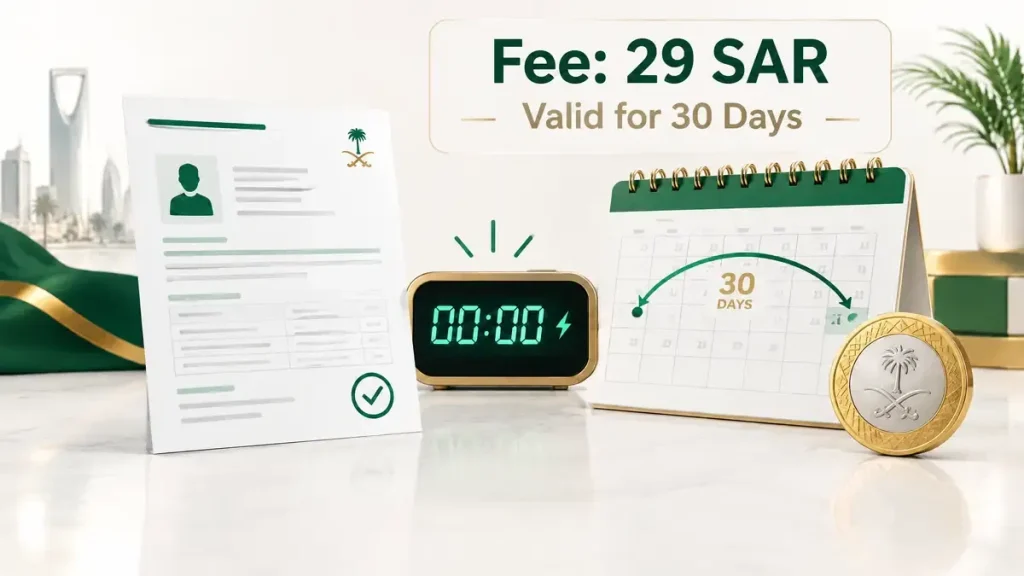
You should check the fee shown on the official Absher service page before making payment. Government service fees can change over time. Older websites may show different amounts because they use outdated information.
Always confirm the current fee in Absher before submitting your payment. This helps you avoid relying on old third-party figures.
How Long Does a Muqeem Report Take?
The official Absher service says the Muqeem Report is issued immediately after you submit the request and pay the service fee.
This makes the Muqeem report instant for eligible users who complete the request successfully. You do not normally need to visit a government office to request the report.
The service works electronically through the Absher platform. You can request the report online and access it after issuance.
Absher lists the service as available 24/7. This means you can use the service outside normal office hours.
If the report does not appear immediately, check your request status and payment first. Also confirm that the resident meets the service requirements.
In Arabic, users may search for this service as تقرير مقيم فوري. The key point remains simple: Absher issues the report immediately after successful submission and payment.
How to Print Muqeem Paper From Absher
After Absher issues your Muqeem Report (تقرير مقيم), you can view the electronic report through the service. The official service supports electronic printing, so you can print the report when required.
First, open the issued report and review the resident information. Make sure the details match the resident’s official records.
Next, use the available print option to print the Muqeem Report. Your browser or device may also provide options for saving the printable document electronically.
Keep a saved copy only when your device or browser supports that option. The exact screen and available options can change when Absher updates its interface.
Use the printed or electronic report only for the purpose requested by the relevant organization. Different authorities may have different document requirements.
Can I Print the Muqeem Report Online?
Yes. You can print the Muqeem Report online after Absher issues it. The official service specifically provides an electronic printing option.
You do not normally need to visit an office just to print the report.
Can I Download the Muqeem Report?
You may be able to save an electronic copy through your device or browser. However, printing and downloading are not necessarily the same Absher function.
Do not rely on a specific PDF download button unless it appears in the current Absher interface. Instead, use the options currently provided after you open the report.
Remember that the report has a 30-day validity period from its issuance date. Check its validity before submitting it to an organization.
Muqeem Report Validity
The official Absher service states that a Muqeem Report is valid for 30 days from its issuance date. The validity period starts when Absher issues the report.
After 30 days, the report becomes invalid. You should not treat an expired report as a current resident report.
If an organization asks for a recent Muqeem paper, check the report’s issuance date before submitting it. This simple check can prevent delays in administrative procedures.
If your report is more than 30 days old, request a new Muqeem Report (تقرير مقيم) through Absher. A new report gives you a fresh validity period.
How Long Is a Muqeem Report Valid?
A Muqeem Report remains valid for 30 days from the date of issuance. The report expires after this period.
The same rule applies when people search for Muqeem paper validity, Muqeem report expiry, or how long is Muqeem report valid.
In Arabic, common searches include صلاحية تقرير مقيم and مدة صلاحية تقرير مقيم.
Always check the report’s issuance date before using it. If the requesting authority requires a current report, generate a new one through the official Absher service.
How to Verify a Muqeem Report
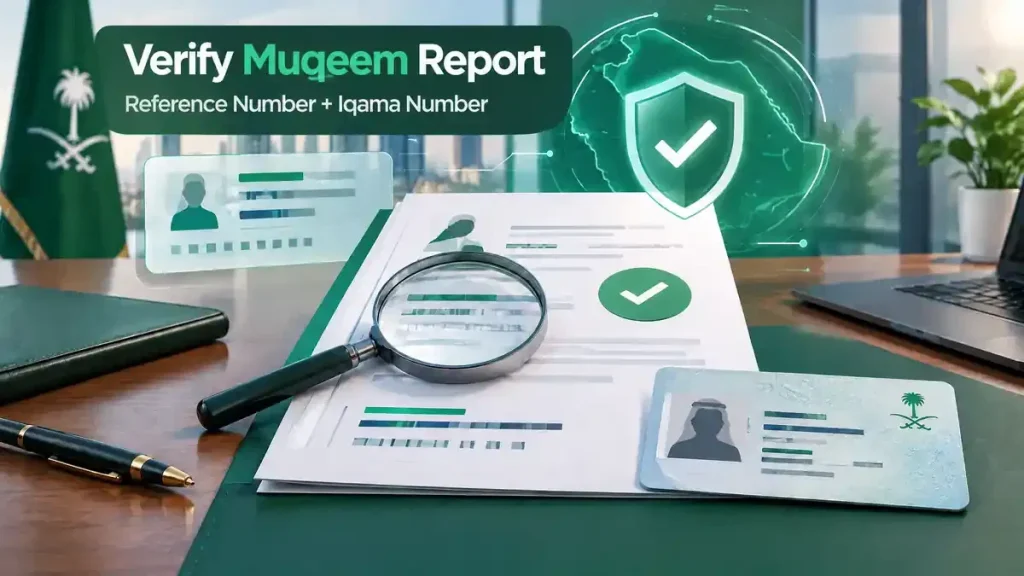
Organizations can verify a Muqeem Report (تقرير مقيم) using Absher’s available inquiry functionality. The official documentation identifies two key details for verification:
- Muqeem Report reference number
- Resident Iqama number
These details help match the report with the relevant resident record. They also give the receiving organization a way to check the report through the appropriate electronic service.
What Is the Muqeem Report Reference Number?
The report reference number is a unique number associated with the issued Muqeem Report. An organization can use this number with the resident’s Iqama number during the verification process.
Keep the reference number available when submitting the report to an organization. Do not confuse it with the resident’s Iqama number.
Can an Organization Verify the Report?
Yes. An organization can verify the report when the relevant Absher inquiry service is available to it.
The organization can use the report reference number and resident Iqama number to check the report.
This verification feature adds an important layer of confidence when organizations receive a Muqeem Report. It also helps distinguish a current electronic report from an old or invalid copy.
Muqeem Paper vs Iqama
A Muqeem Report is not the same as an Iqama. They serve different purposes in Saudi Arabia.
The Muqeem Report provides basic resident information. The Iqama serves as the resident’s identity document. Absher also clarifies that the Muqeem Report is not an official document proving resident identity or status.
| Feature | Muqeem Report | Iqama |
| Purpose | Resident information report | Resident identity document |
| Issued through | Absher service | Saudi residency system |
| Validity | 30 days from issuance | Separate Iqama validity |
| Identity document? | No | Yes |
| Can be printed electronically? | Yes | Depends on the available digital or physical document |
| Verification | Report reference number + Iqama number | Different verification mechanisms |
Is Muqeem Paper the Same as Iqama?
No. A Muqeem paper, or Muqeem Report (تقرير مقيم), does not replace an Iqama.
The report supports administrative processes that require resident information. The Iqama remains the resident identity document.
This distinction matters when an organization requests a specific document. If it asks for an Iqama, do not submit a Muqeem Report instead unless the organization confirms acceptance.
Similarly, a resident report and an Iqama have different roles. Check the requesting authority’s document requirements before submitting either one.
Is Muqeem Report the Same as Muqeem?
No. Muqeem Report and the Muqeem platform are related, but they are not the same thing.
A Muqeem Report (تقرير مقيم) is a specific resident information report. Eligible users can request it through the relevant Absher service. The report contains basic resident information and supports electronic printing.
The Muqeem platform is a broader Saudi platform designed for organizations and business users. It supports various electronic services related to resident employees and passport transactions.
This distinction matters when searching for a Muqeem paper. If you need a resident report from Absher, look for Muqeem Report (تقرير مقيم) rather than general Muqeem platform services.
The two services can also have different users, procedures, and service purposes. Therefore, do not treat “Muqeem,” “Muqeem Report,” and “Muqeem paper” as interchangeable terms.
For an individual resident report, focus on the Absher Muqeem Report service. For broader business or establishment services, the Muqeem platform may be the relevant system.
Muqeem Report on Absher vs Muqeem Print on Absher Business
The term Muqeem print can refer to different services on Saudi government platforms. Absher provides an individual Muqeem Report, while Absher Business provides a separate Muqeem Print Request service.
Understanding this difference helps you choose the correct service.
Individual Absher
The individual service is called Muqeem Report (تقرير مقيم). Eligible users can request a resident report through Absher. The service provides basic resident information and supports electronic printing.
Absher Business
Absher Business offers Muqeem Print Request for establishment owners. The current Business documentation states that owners can extract and print workers’ basic information through My Business Services → Request Muqeem Print.
| Feature | Absher Individuals | Absher Business |
| Service | Muqeem Report | Muqeem Print Request |
| Main audience | Citizens and residents | Companies and establishment owners |
| Purpose | Resident information report | Worker information |
| Platform | Absher | Absher Business |
| Validity | 30 days from issuance | 30 days, according to the official Business guide |
The two services share similar terminology, but their purposes differ. Muqeem Report targets the individual Absher service flow. Muqeem Print Request targets business and establishment users.
If you need a report for a resident under your personal sponsorship, use the relevant Absher Muqeem Report service. If you manage workers through an establishment, check Absher Business instead.
Always confirm the service name before submitting a request. This prevents confusion between تقرير مقيم and طلب طباعة مقيم.
What Information Is Included in a Muqeem Report?
A Muqeem Report (تقرير مقيم) contains basic resident information, according to the official Absher service description.
The report helps authorized users provide resident information for relevant administrative purposes. It does not serve as a replacement for the resident’s Iqama or another identity document.
The exact information displayed can depend on the current Absher service and the resident’s government records. Therefore, you should not rely on unofficial lists of report fields.
Absher may update its services, screens, or displayed information over time. The information shown in your report reflects the records available when you issue it.
Before submitting the report, open it and review the displayed details. Confirm that the resident information appears correct.
If an organization requests specific information, check whether the Muqeem Report meets its requirements. Some authorities may require additional documents.
This careful approach avoids treating a basic resident report as a complete identity record. It also helps ensure you use the correct Saudi government document for your purpose.
Muqeem Report Not Showing in Absher? Try These Solutions
Sometimes users cannot find or complete the Muqeem Report service. Use the following checks before assuming the service has failed.
| Problem | Possible reason | Solution |
| Muqeem Report option is missing | Account eligibility, service location, sponsorship status, or temporary service issue | Check your Absher account and current service menu. Confirm that the resident is under your sponsorship. |
| Resident does not appear | The resident may not be registered under your sponsorship | Check the resident’s sponsorship and Absher records. |
| Iqama is not valid | Absher lists a valid Iqama as a requirement | Check the resident’s Iqama status before requesting the report. |
| Payment fails | Bank, card, or payment-method issue | Check your payment method and try the transaction again. |
| Report cannot be verified | Incorrect reference number, Iqama number, or expired report | Recheck both numbers and confirm that the report remains within its validity period. |
| Old report | The report has passed its 30-day validity period | Request a new Muqeem Report through Absher. |
What If the Muqeem Paper Is Not Downloading?
Printing and downloading are not always the same function. If the report opens but does not save, use the available print option and your browser’s supported saving options.If the Muqeem report is not available, first check your eligibility and sponsorship relationship. Also confirm that the resident’s Iqama remains valid.
These checks address common searches such as muqeem report not showing in Absher, muqeem report error, cannot get Muqeem report, and تقرير مقيم لا يظهر في أبشر.If the issue continues, use the official Absher support channels for the latest service-specific guidance.
Can I Use a Muqeem Report for a Visa or Embassy Application?
A Muqeem Report (تقرير مقيم) may be useful for some administrative or visa-related processes. However, whether it is accepted or required depends on the organization or authority requesting the document.
Do not assume that every embassy, visa office, or government authority requires a Muqeem Report. Each authority can set its own document requirements.
Before submitting your Muqeem paper, check the current instructions from the specific embassy, visa center, government department, or organization handling your application.
If the authority requests a resident information report, you can provide the relevant Muqeem Report when it meets their requirements. Make sure the report remains within its 30-day validity period.
You should also check whether the authority requires additional documents. A Muqeem Report does not replace an Iqama or serve as official proof of resident identity or status.
This approach is especially important for searches such as Muqeem report for visa, Muqeem paper for embassy, and resident report for visa application. Always follow the requesting authority’s latest document checklist.
Frequently Asked Questions About Muqeem Paper
What is a Muqeem paper in Saudi Arabia?
A Muqeem paper commonly refers to the Muqeem Report (تقرير مقيم) on Absher. It provides basic resident information and supports electronic printing.
How do I get a Muqeem paper from Absher?
Log in to Absher and open My Services → Passport Services → Muqeem Report. Enter the required resident information, submit the request, and pay the fee. The report is issued immediately after successful payment.
How much is the Muqeem report?
The current official fee is 29 SAR. Check the Absher service before payment because government fees can change.
How long does a Muqeem report take?
Absher states that the report is issued immediately after submitting the request and paying the fee. The service operates electronically and is listed as available 24/7.
How long is a Muqeem report valid?
The report remains valid for 30 days from its issuance date. It becomes invalid after that period.
Can I print the Muqeem report online?
Yes. Absher provides an electronic printing option for the issued Muqeem Report. You can print it after accessing the report.
Can I get a Muqeem report for any resident?
No. The resident must be registered under your sponsorship. Your Absher account must also have access to the resident’s record.
Can a resident get a Muqeem report?
An eligible resident can use Absher services based on their account and service eligibility. The report also requires the relevant resident to be registered under the user’s sponsorship.
Is Muqeem paper the same as Iqama?
No. A Muqeem Report provides basic resident information. An Iqama serves as the resident identity document. The Muqeem Report does not replace an Iqama.
Can I verify a Muqeem report?
Yes. The relevant inquiry service can verify a report using the report reference number and the resident’s Iqama number.
What is the Muqeem report reference number?
It is the reference number associated with an issued Muqeem Report. Organizations can use it with the resident’s Iqama number for report verification.
Why can’t I see the Muqeem report in Absher?
Check your account, sponsorship relationship, resident records, and Iqama validity. Also check whether the service appears in the current Absher menu.
What is the difference between Muqeem Report and Muqeem Print?
Muqeem Report is the individual Absher service called تقرير مقيم. Muqeem Print Request is a separate Absher Business service for establishment owners and worker information.
Can I use the Muqeem report for an embassy?
That depends on the specific embassy or authority. Check its current document requirements before submitting a Muqeem Report.
Does the Muqeem report prove my identity?
No. The Muqeem Report is not an official document proving resident identity or status. Do not use it as a replacement for the Iqama when an identity document is required.