
Absher Download 2026: Official App for Android, iPhone and Huawei
Looking for Absher Download? Use the official app from a trusted app store. The official Absher app serves citizens, residents, and visitors in Saudi Arabia. It provides access to many Ministry of Interior electronic services through your phone.
You can Absher Download on Android, iPhone, iPad, and Huawei devices. Android users can get it through Google Play. iPhone and iPad users can use the App Store. Huawei users can use the official AppGallery option provided by Absher.
The official app appears as “Absher | أبشر”. The developer name is National Information Center. Always check these details before installing the app. This step helps you avoid fake or modified applications.
The app supports both Arabic and English. It also follows privacy and security standards for its electronic services.
This guide explains how to تحميل أبشر and تحميل تطبيق أبشر safely. You will also learn how to install and update the app. We cover Absher Individuals, login, Nafath, and common download problems.
Use official sources whenever possible. Avoid unknown websites that offer modified Absher APK files. Your account contains sensitive personal information. A trusted Absher Download source provides a safer starting point.
Absher Download — Official Links
Choose your device below to find the correct Absher Download app source. Always use an official store when installing the application.

| Device | Official source | What to search |
|---|---|---|
| Android | Google Play | Absher | أبشر |
| iPhone/iPad | App Store | Absher | أبشر |
| Huawei | AppGallery | Absher |
The Android listing names the app Absher | أبشر. It identifies the National Information Center as the developer. The Apple listing also uses the same app name and developer. It supports both iPhone and iPad.
Before you tap Install, check the developer name. This simple step helps you avoid fake applications. You should also check the app name and official description.
Official Absher App Developer
The official Absher Individuals app comes from the National Information Center. The app provides electronic services for citizens, residents, and visitors.
The official listing uses the name Absher | أبشر. Avoid apps with similar names or unknown developers. Some unofficial copies may imitate the Absher brand.
Never enter your personal details into an untrusted application. Do not install modified versions from unknown websites. Use Google Play, the App Store, or the official Huawei route instead.
Is Absher Download Free?
Yes. The official Absher app is free to download. The Apple App Store lists it as free. Google Play also provides the official application for download.
However, downloading the app does not mean every government service costs nothing. Some Absher services may have applicable government fees. The app gives you access to those services from your mobile device.
For تحميل أبشر or تحميل تطبيق أبشر, always start with an official source. This protects your account and helps you install the genuine application.
What Is the Absher App?
The Absher app is the official mobile application for Saudi Arabia’s Ministry of Interior services. It lets citizens, residents, and visitors access government services from their mobile devices.
Absher Individuals focuses on services for individual users. The app supports Arabic and English. It also follows privacy and security standards for its digital services.
Absher has grown into a major Saudi digital government platform. The official platform now offers more than 350 electronic services. It also serves more than 25 million digital IDs.
The platform connects users with services from several Ministry of Interior sectors. Users can complete many tasks without visiting a government office. The mobile app makes these services available from almost anywhere.
What Can You Do Through Absher?
The Absher mobile app brings many government services into one platform. Available services can change as Absher adds or updates features.
Users can access services related to:
- Civil Affairs: Manage selected identity-related services.
- Passports: Access eligible passport and travel services.
- Traffic: Check and manage supported traffic services.
- Residency: Access selected services for residents.
- Appointments: Use supported appointment services.
- Documents: View or manage eligible digital documents.
- Family services: Access supported services for family members.
- Other e-services: Complete various Ministry of Interior transactions.
The official Absher platform continues to expand its digital services. This makes the app useful for routine government tasks.
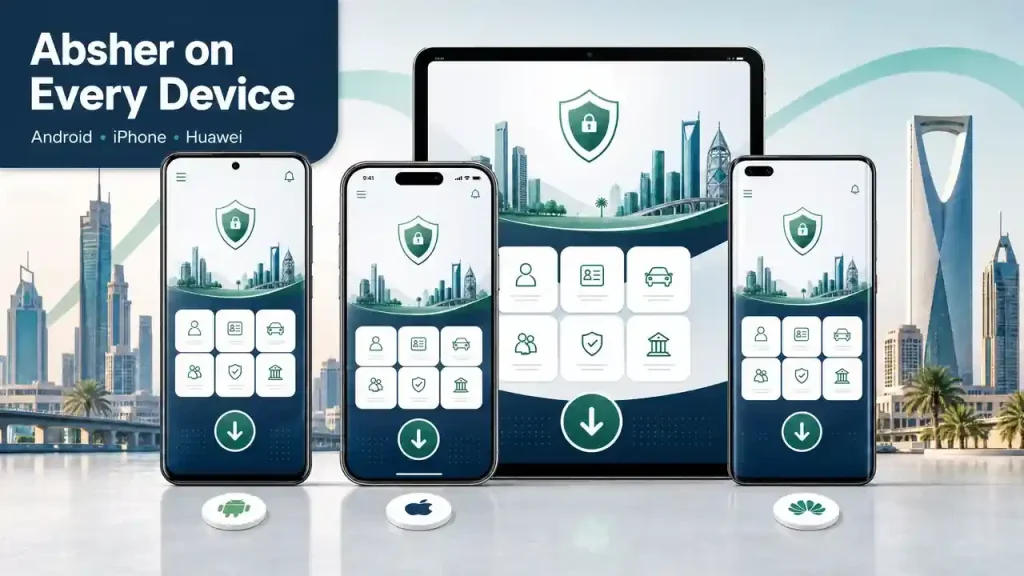
Absher Download for Android
Android users can Absher Download the official Absher app through Google Play. Search for “Absher | أبشر” and verify the developer before installing it.
The official Google Play listing identifies National Information Center as the developer. It also identifies Absher as the official application for Ministry of Interior services.
Download Absher From Google Play
Follow these steps to Absher Download on Android:
- Open the Google Play Store on your Android phone.
- Search for Absher | أبشر.
- Check that the developer shows National Information Center.
- Review the app name and description.
- Tap Install.
- Wait for Google Play to complete the download.
- Open the Absher app after installation.
Avoid choosing an app with a similar name. Several unrelated apps can appear for Absher-related searches. The official listing helps you identify the genuine application.
Android Requirements
Your phone needs a compatible Android version to install Absher. Google Play determines compatibility based on your device and the current app requirements.
You should also have enough free storage for the installation. A stable internet connection helps prevent download interruptions.
App requirements can change with future updates. Always check the current Google Play listing before installing or updating the app.
The official listing currently supports phones and tablets. Google Play also shows the app as a government application.
How to Install Absher on Android
After downloading the application, Android completes most of the installation automatically.
Open Absher from your app list. Allow only permissions that the application genuinely needs. Then follow the on-screen instructions to access your account.
Keep Google Play updates enabled when possible. Updates can improve compatibility, security, and app performance.
Absher APK — Is It Safe?
Many users search for Absher APK or “Absher APK download.” An APK can install an Android application outside Google Play. However, unknown APK websites can create security risks.
Use the official Google Play listing whenever possible. Check the developer before installing the application. Avoid modified, cracked, or repackaged Absher files.
Never enter your Absher credentials into an unofficial app. Also, never share verification codes with another person.
Nafath can support digital identity processes linked with Absher. Official Absher guidance uses verification steps for digital identity activation.
For safer Absher Download, use the official app source. This approach reduces the risk of installing a fake application or exposing your personal information.
Absher Download for iPhone and iPad
Apple users can download the official Absher app from the App Store. Search for “Absher | أبشر” and check the developer before installing. The official listing identifies NATIONAL INFORMATION CENTER as the provider.
Download Absher From the App Store
Follow these steps to Absher Download on an Apple device:
- Open the App Store on your iPhone or iPad.
- Search for Absher | أبشر.
- Check that the developer shows NATIONAL INFORMATION CENTER.
- Review the app name and official listing.
- Tap Get.
- Confirm the download with Face ID, Touch ID, or your Apple ID.
- Wait for the installation to finish.
- Open Absher from your home screen.
The official listing describes Absher as the electronic platform application for Ministry of Interior services. It supports Arabic and English.
iPhone Compatibility
Apple lists iOS 15.0 or later as the current requirement for Absher. The listing also provides compatibility details for supported Apple devices.
Requirements can change with future updates. Check the live App Store listing before downloading the app. This approach helps you avoid compatibility problems.
How to Install Absher on iPhone
The App Store handles the installation automatically after you confirm the download. Keep enough free storage available before installing the app.
After installation, open Absher and follow the on-screen instructions. Use your existing account details when you reach the login screen.
Can I Use Absher on iPad?
Yes. The official App Store listing supports iPad. It currently requires iPadOS 15.0 or later.
The listing also identifies Absher as a free application. It supports services for citizens, residents, and visitors.
Absher Download for Huawei
Huawei users can access apps through HUAWEI AppGallery. Huawei describes AppGallery as its official app distribution platform. Users can search, download, and manage apps through the service.
Absher Download From AppGallery
If Absher appears in your regional AppGallery, follow these steps:
- Open AppGallery on your Huawei device.
- Search for Absher or أبشر.
- Check the official app details.
- Confirm that the listing matches the genuine Absher application.
- Tap Install.
- Wait for the download to finish.
- Open Absher after installation.
Absher on Huawei Without Google Play
Huawei users do not need to rely on random APK websites. AppGallery provides Huawei’s official app distribution route.
Availability can vary by country, device, and software configuration. Therefore, check your local AppGallery before using another download method.
Avoid modified APK files from unknown websites. They can create security and privacy risks.
Huawei Compatibility
Absher availability can vary across Huawei devices and regional software versions. Your device may also show different app availability based on its region.
Keep your Huawei software and AppGallery updated. Then search for the latest official Absher listing.
If the app does not appear, check the official Absher app information before installing an alternative file. This helps protect your account and personal information.
Absher App Latest Version and Updates
Keeping the Absher app updated helps maintain compatibility and performance. Updates can also fix bugs and improve the user experience. The official Google Play listing shows regular app maintenance and updates.
Do not rely on old version numbers from third-party websites. App versions can change at any time. Always check the official store listing for the current Absher latest version.
How to Update Absher on Android
Android users can update Absher through Google Play.
- Open Google Play Store.
- Search for Absher | أبشر.
- Open the official app listing.
- Check the developer name.
- Tap Update if an update appears.
- Wait for the installation to finish.
- Open Absher after the update.
If you see Open instead of Update, Google Play currently shows no available update for your device.
How to Update Absher on iPhone
iPhone and iPad users can update Absher through the App Store.
- Open the App Store.
- Tap your profile icon.
- Open the available updates section.
- Find Absher | أبشر.
- Tap Update.
- Wait for the update to complete.
- Open the app and check that it works normally.
The official App Store listing provides the current version history. Check that listing whenever you need the latest Absher update.
How to Update Absher on Huawei
Huawei users should update apps through HUAWEI AppGallery when the app appears there. Huawei identifies AppGallery as its official app distribution platform.
Open AppGallery, then check Me > Updates. Find Absher and select Update when available.
Huawei also supports automatic app updates through AppGallery. Update availability can depend on the developer’s release and AppGallery’s distribution process.
Should I Always Update Absher?
Yes, keeping Absher updated is generally recommended.
Updates can provide:
- Security improvements for safer digital services.
- Bug fixes for known application problems.
- Better compatibility with newer devices and operating systems.
- New features and service improvements.
- Performance improvements for smoother use.
For تحديث تطبيق أبشر, use the same official store where you installed the app. Avoid downloading updates from unknown APK websites.
The safest approach is simple. Check the official store and install updates when they become available.
How to Log In After Downloading Absher
After you complete the Absher Download, you can open the app and access your account. The login process connects your account with Absher’s electronic government services.
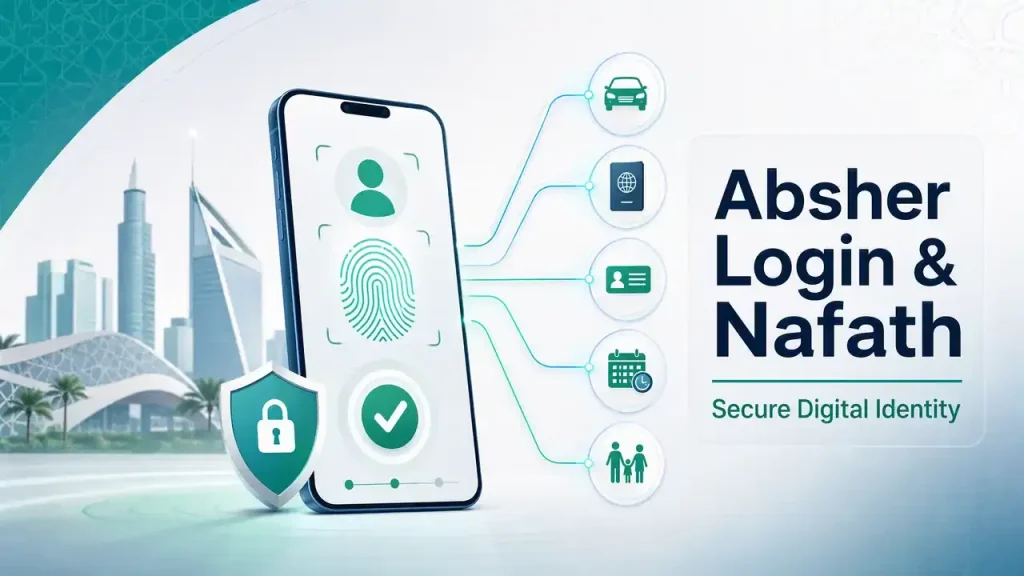
Use the official app you downloaded from Google Play, the App Store, or AppGallery. Make sure you have the latest version installed.
Absher Individuals Login
Follow these steps for Absher Individuals login:
- Open the official Absher app on your phone.
- Select the Individuals service when required.
- Enter your registered username or identification details.
- Enter your password.
- Complete any required verification step.
- Access your Absher account and available services.
Keep your login details private. Never give your password or verification code to another person.
Your available services depend on your account and eligibility. Absher may also require additional verification for certain services.
Login Through Nafath
Nafath and Absher work together, but they are different digital platforms.
Absher provides electronic government services. Nafath supports digital identity verification across participating Saudi services.
When an Absher process uses Nafath, you may need to verify your identity through the Nafath system. Follow the verification instructions shown on your screen.
Do not approve an unexpected Nafath request. Always confirm that you started the login or service request yourself.
This distinction matters when users search for Absher Nafath login. Nafath does not replace your Absher account. It supports identity verification for eligible digital processes.
What If Absher Login Does Not Work?
A failed login can have several causes. Check your username and password first. Then confirm that your internet connection works properly.
You should also update the app if a newer version exists. Restarting the app or your device can resolve temporary problems.
If the problem continues, avoid repeated attempts that could affect account access. Check the official Absher support information for current guidance.
For detailed solutions, see our Absher app troubleshooting section. It covers login errors, verification problems, app failures, and other common issues.
How to Register and Activate Absher
Downloading the Absher app does not create an active account by itself. You must register and activate your Absher account first. The official Absher platform separates registration from account activation. (absher.sa)
Can I Register Through the Absher App?
You can use Absher services through the mobile app after activating your account. New users must provide their required identity and contact details during registration.
The official registration page asks for an ID, Iqama, or Border Number. It also requires a valid mobile number and account details. (absher.sa)
Absher sends a verification code to the registered mobile number. You then complete the registration process and activate your account through an approved channel.
Absher Account Activation
Absher provides several official activation channels. These include:
- Bank accounts
- Self-service kiosks
- Nafath app
- Passport and Civil Affairs offices
The available activation method can depend on your situation. After activation, you can log in through the Absher website or mobile app. (absher.sa)
Some participating banks also provide Absher activation through their websites, mobile apps, or ATMs. Absher lists these channels on its official website. (absher.sa)
Absher Registration Through Nafath
Nafath supports digital identity verification linked to Absher. It does not replace your Absher account.
The official Absher guide provides a specific process for activating the digital identity originating from Absher through Nafath. The process uses your Absher credentials, mobile verification, and biometric verification. (absher.sa)
Always follow the instructions shown by the official Absher or Nafath service. Never approve an unexpected identity request.
What You Need Before Registration
Prepare the required information before starting Absher registration:
- A valid Saudi National ID, Iqama, or eligible Border Number
- Your personal mobile number
- A valid email address, where required
- Required account information
- Access to the registered mobile number for verification
Use your own identity information during registration. Absher warns users against registering with another person’s identity. (absher.sa)
For detailed registration instructions, see our Absher Registration guide.
Absher Individuals vs Absher Business
Choosing the right Absher service helps you avoid downloading the wrong application. Absher Individuals serves personal users. Absher Business serves companies and establishments that manage workers. (absher.sa)
| Feature | Absher Individuals | Absher Business |
|---|---|---|
| Main users | Citizens, residents, and visitors | Business and establishment owners |
| Main purpose | Personal government services | Workforce and business services |
| Mobile access | Yes | Yes |
| Account access | Personal account and verification | Business account and verification |
| Typical services | Traffic, passports, appointments, and personal services | Employee and establishment transactions |
Choose Absher Individuals if you need services for yourself or your family. Choose Absher Business if you manage an establishment or its workforce.
The official Absher Business guide describes the platform as a service for company and establishment owners. It supports electronic transactions for their workers. (absher.sa)
Absher App Features and Services
The Absher app brings many Saudi government services to mobile users. Absher operates as the Ministry of Interior’s electronic platform. It serves citizens, residents, and visitors. (absher.sa)
Traffic Services
Users can access eligible traffic services through Absher. These include vehicle services, driver services, and traffic appointments. The official service guide lists options such as vehicle management and accident-related services. (absher.sa)
Passport Services
Absher supports several passport services for eligible users. These include passport appointments and selected travel-related services. (absher.sa)
Residency Services
Residents can access eligible services linked to residency and related government records. Available options depend on the user’s status and service requirements.
Civil Affairs Services
The platform also provides selected Civil Affairs services. Users can access eligible identity-related transactions and appointments.
Appointments and Digital Services
Absher lets users book certain government appointments electronically. Its official portal includes Civil Affairs and Passport appointments among its available services. (absher.sa)
Digital Identity and Verification
Some Absher processes use digital identity verification through Nafath. This adds an identity layer to eligible electronic services.
Service availability can change over time. Always check the official Absher platform for the current service list and requirements.
Absher App Not Working? Common Problems and Solutions
The Absher app can sometimes fail to open, load, update, or complete a login. Most problems have simple troubleshooting steps.
Start with your internet connection and app version. Then check your device storage and software compatibility. Use the official app store when you need to reinstall Absher.
Absher App Will Not Open
Try these steps in order:
- Close the Absher app completely.
- Restart your phone.
- Check your internet connection.
- Update Absher from the official app store.
- Check available device storage.
- Restart the app.
- Reinstall Absher from the official store if needed.
Reinstalling can remove temporary application files. Make sure you remember your login details first.
Absher App Keeps Loading
A loading screen can result from several causes. Check your internet connection first. Try switching between Wi-Fi and mobile data.
Then close and reopen the application. Check for an available Absher app update. A device restart can also resolve temporary software issues.
If the problem affects many users, the service may face a temporary technical issue. Check official Absher support channels for current information. Absher provides technical support through its official communication channels.
Absher Download Is Not Working
If your Absher Download fails, check your device first.
Make sure you have enough storage space. Check your internet connection and app-store account. Then confirm that your device supports the current application requirements.
Store availability can also vary by device and region. Use the official Google Play, App Store, or Huawei AppGallery route.
Absher App Will Not Update
Open your official app store and search for Absher manually. Check whether an Update button appears.
If updating fails, check your storage and internet connection. Restart your device and try again.
Avoid downloading an update from an unknown APK website. Official stores provide a safer update path.
Absher Login Problem
An Absher login problem can involve incorrect credentials, verification, an outdated app, or a temporary service issue.
Check your login information carefully. Update the application before trying again. Also confirm that your registered mobile number can receive required verification codes.
Do not share your password or verification codes with anyone. Absher provides official support channels if the problem continues.
Nafath Verification Problem
Nafath supports secure digital identity verification for participating services. It can also handle incoming authentication requests from service providers.
If verification fails, check that your Nafath app works correctly. Confirm that your device has internet access. Follow the verification instructions shown on your screen.
Never approve a Nafath request that you did not start. Nafath’s official guidance tells users to protect their login information and confidential data.
Is Absher APK Safe to Download?
Many users search for Absher APK, Absher Download APK, and Absher Android APK. An APK can install an Android app outside Google Play. However, an unknown APK can expose your device to security risks.
The safest option is the official Google Play listing. Check the application name and developer before installing it.
Avoid modified or cracked Absher applications. Do not use unknown websites that promise an “unlocked” or “premium” Absher APK.
Fake applications can attempt to collect passwords, verification codes, or other personal information. Your Absher account connects to sensitive government services. Protecting those credentials should remain a priority.

Also avoid anyone who asks you to share an OTP. Never approve an unexpected Nafath request. Nafath provides identity verification services, including request acceptance and biometric verification.
Security rule: Never share your Absher password or verification code. Never approve a Nafath request you did not initiate.
For تحميل أبشر APK, use the official app-store route whenever possible. It provides a safer way to download and update the genuine application.
Absher Download Security Tips
Your Absher app connects to sensitive government services and personal information. Use safe download and login habits.
Follow these security practices:
- Download from official stores: Use Google Play, the App Store, or the official Huawei route.
- Verify the developer: The official Absher app lists National Information Center as its developer.
- Keep Absher updated: Install updates through your device’s official app store.
- Use your own device: Avoid logging into Absher on shared or public phones.
- Protect your OTP: Never give your verification code to another person.
- Check Nafath requests: Never approve a Nafath request you did not start.
- Avoid unofficial APKs: Unknown files can create security and privacy risks.
- Use secure internet: Avoid sensitive account activity on unsecured public networks.
- Lock your device: Use a PIN, password, fingerprint, or Face ID.
- Sign out when appropriate: Always protect your account when using another device.
The official Absher app states that it follows privacy and security standards. It also provides access to personal and family information.
Nafath provides digital identity verification for participating services. Its official app also supports secure request acceptance.
These simple steps reduce common security risks. They also help you identify the genuine official Absher app before entering your information.
Frequently Asked Questions About Absher Download
How do I download Absher?
Absher Download the official app from your device’s trusted app store. Android users can use Google Play. iPhone and iPad users can use the App Store. Huawei users should check AppGallery. Search for Absher | أبشر and verify the official developer before installing.
Where can I download the official Absher app?
You can Absher Download through official app distribution channels. Google Play lists Absher | أبشر under National Information Center. The App Store lists the same official app. Absher also confirms availability across Apple, Android, and Huawei devices.
Is Absher available for Android?
Yes. The official Absher Android app is available through Google Play. Search for Absher | أبشر and check the developer before installing. The current Google Play listing identifies National Information Center as the developer.
Can I download Absher on iPhone?
Yes. You can Absher Download for iPhone through Apple’s App Store. The official listing supports iPhone and identifies National Information Center as the provider. The current listing requires iOS 15 or later.
Is Absher available on Huawei?
Yes. Absher’s official information states that its mobile applications are available on Huawei devices. Huawei users should check the official AppGallery listing for availability on their device and region.
Is the Absher app free?
Yes. The official Absher app is free to download. Apple currently lists the application as free. Downloading the app does not mean every government service has no fee. Some services can have applicable government charges.
What is the official Absher app?
The official application is named Absher | أبشر. National Information Center appears as its developer on Google Play and the App Store. The app provides individual electronic services from the Ministry of Interior platform.
How do I update Absher?
Open the official app store on your device and search for Absher. Select Update when a newer version appears. Android users should use Google Play. Apple users should use the App Store. Huawei users should check AppGallery. Always avoid unofficial update files.
Can I download Absher APK?
You may find websites offering an Absher Download APK, but an unofficial APK creates additional security risks. Use the official Google Play listing whenever possible. Check the developer name before installation. Avoid modified or cracked versions of the Absher Android app.
Why is my Absher app not working?
Check your internet connection first. Then restart the app and your device. Check for an available update and confirm that your device has enough storage. Reinstall Absher from the official store if necessary. Check official Absher support if the problem continues.
How do I log in to Absher after downloading it?
Open the official Absher app and select the appropriate individual service. Enter your registered login details and complete any required verification. Keep your password and verification codes private. Absher may use additional identity verification for certain services.
Can I log in to Absher through Nafath?
Yes, eligible Absher processes can use Nafath for digital identity verification. Nafath and Absher are separate platforms with different roles. Nafath verifies identity for participating digital services. Never approve a Nafath request that you did not initiate.
How do I register for Absher?
New users must complete the official Absher registration process before using their account. Registration requires eligible identity information and a valid mobile number. You may then need to activate the account through an approved activation method. Follow the official Absher registration instructions for current requirements.
What is the difference between Absher Individuals and Absher Business?
Absher Individuals serves citizens, residents, and visitors with personal government services. Absher Business focuses on business and establishment services. Choose Individuals for personal transactions. Choose Business when you manage eligible establishment or workforce services.
Final Verdict — Download Absher Safely
The safest way to complete your Absher Download is to use the official application. Select the store that matches your device. Android users should use Google Play. iPhone and iPad users should use the App Store. Huawei users should check AppGallery.
Before installation, verify the app name and developer. Look for the official Absher | أبشر application and confirm the listed developer.
Keep the app updated through your official app store. Updates can improve security, compatibility, and performance.
After installation, use official Absher and Nafath channels for registration, login, and identity verification. Never share your password or verification codes.
For تحميل أبشر or تحميل تطبيق أبشر, always choose a trusted official source. This gives you a safer way to access Absher’s digital government services.