
Absher Individuals: Your Comprehensive Guide to Digital Services in Saudi Arabia
The Kingdom of Saudi Arabia has embarked on an ambitious journey of digital transformation under its Vision 2030, and a cornerstone of this initiative is the Absher Individuals platform. Whether you are a Saudi citizen, a resident (expatriate), or even a visitor, Absher has become an indispensable part of daily life in the Kingdom. This robust platform, operating under the Ministry of Interior (MOI), aims to streamline government services, making them accessible from the comfort of your home or office, thereby eliminating the need for tedious visits to government departments.
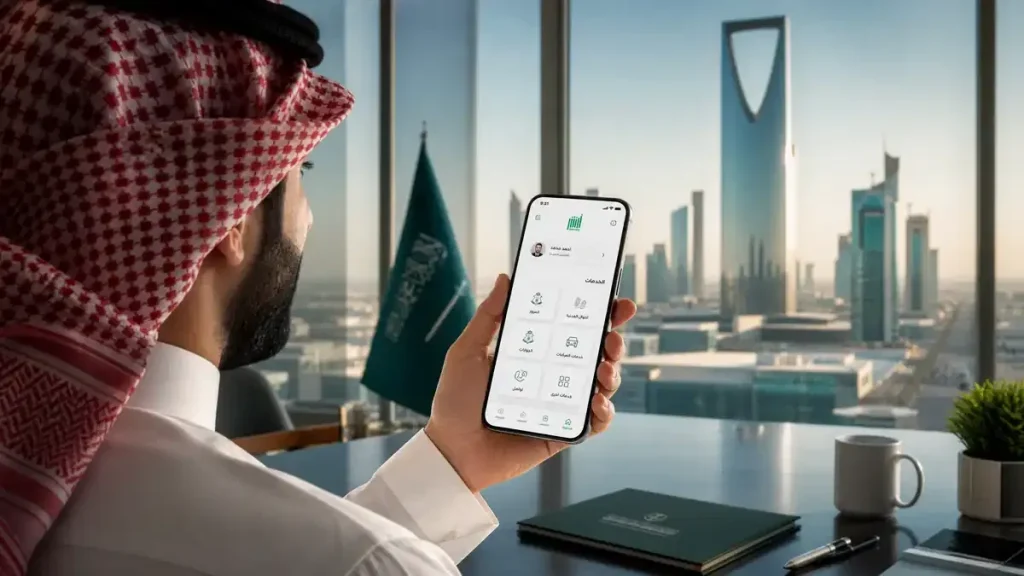
This in-depth blog post will explore every facet of Absher Individuals that is crucial for you to understand. From the step-by-step registration process to essential services like Iqama renewal, traffic violation management, and a comprehensive FAQ section, we will cover everything you need to know, ensuring you have a single, reliable resource at your fingertips.
What is Absher Individuals?
Absher Individuals is an advanced electronic service introduced by the Saudi Ministry of Interior. This platform offers over 280 diverse online services, transforming the way citizens and residents interact with government agencies. Tasks that once required long queues and multiple visits to departments like Jawazat (Passport Office) or Muroor (Traffic Office) can now be completed with just a few clicks.
Absher is broadly divided into two main segments: Absher Individuals, designed for general citizens and residents, and Absher Business, tailored for companies and sponsors managing their employees. Our focus today will exclusively be on the “Absher Individuals” platform.
The Multifaceted Benefits of Using Absher Individuals
The adoption of the Absher platform brings forth a multitude of advantages, significantly enhancing the user experience and contributing to the Kingdom’s digital agenda. Here are some of the key benefits:
| Benefit | Description |
| Time Efficiency | Absher eliminates the necessity of visiting government offices, saving users invaluable time that can be better spent on personal or professional endeavors. |
| 24/7 Accessibility | The platform is operational around the clock, seven days a week, allowing users to access services at their convenience, regardless of time zones or public holidays. |
| Digital Transparency | All transactions conducted through Absher are digitally recorded, ensuring a high level of transparency and significantly reducing the chances of errors or discrepancies. |
| Paperless Operations | Absher promotes an eco-friendly, paperless environment by digitizing all official processes, contributing to environmental sustainability and reducing administrative burden. |
| Enhanced Security | Built with robust security protocols by the Ministry of Interior, Absher ensures the protection of personal data and transactions through features like One-Time Passwords (OTPs) and biometric verification. |
| Increased Accessibility | It extends government services to individuals in remote areas, bridging geographical gaps and ensuring equitable access for all citizens and residents. |
| Economic Contribution | By improving the efficiency of government operations and fostering a digital ecosystem, Absher plays a vital role in supporting Saudi Arabia’s economic growth and diversification goals under Vision 2030. |
Comprehensive Guide to Registering on Absher Individuals
If you haven’t yet created an Absher account, you are missing out on a plethora of convenient services available in Saudi Arabia. The registration process is straightforward, but it involves several crucial steps that need to be followed carefully.
1. Online Registration via the Official Website
The first step involves visiting the official Absher website at www.absher.sa. Once there, select the “Individuals” option. Then, click on “New User” and provide the following information accurately:
•Iqama Number / Saudi ID: Enter your 10-digit identification number. This is your primary identifier on the platform.
•Mobile Number: It is imperative that the mobile number you provide is registered under your name and has not been previously used for another Absher account. This number will be used for all future communications, including One-Time Passwords (OTPs) and important notifications.
•Username: Choose a unique username that is easy for you to remember. This will serve as your login ID.
•Password: Create a strong password that includes a combination of uppercase and lowercase English letters, numbers, and special characters (e.g., !, @, #, $, %). A robust password is essential for securing your account.
•Email Address: Provide a valid and active email address to receive notifications and updates from Absher.
•Preferred Language: You can select your preferred language (Arabic or English) during registration. This can typically be changed later within your account settings.
2. Account Activation: Bringing Your Account to Life
Simply filling out the online form is not sufficient; you must activate your account to gain full access to Absher services. There are three primary methods for account activation:
A. Self-Service Kiosk Machines
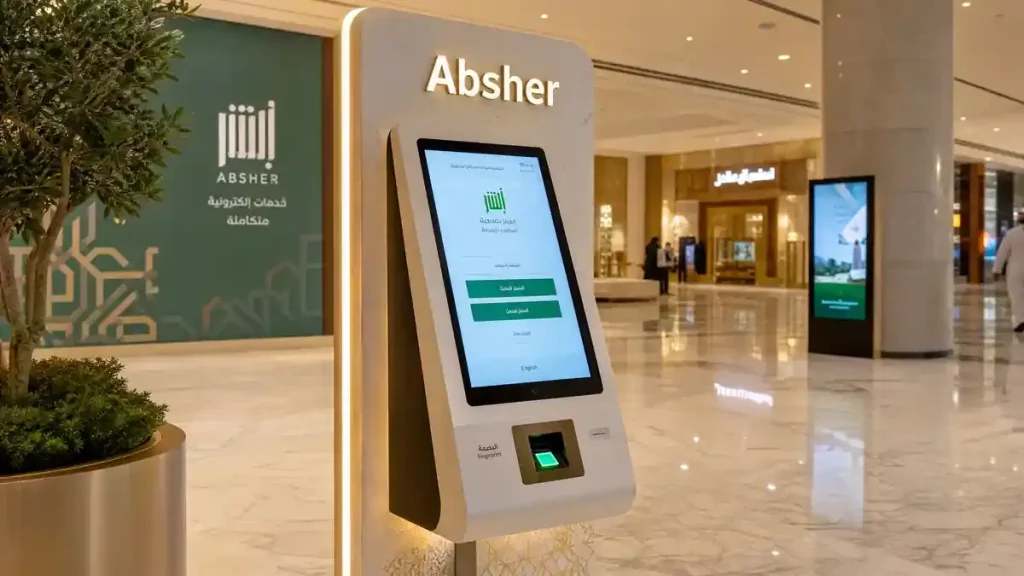
Absher kiosk machines are conveniently located in various malls, supermarkets, and government offices across Saudi Arabia. The activation process at a kiosk is as follows:
1.Select your preferred language (Urdu might also be available in some machines).
2.Choose the “Activate Absher Account” option.
3.Enter your Iqama number or Saudi ID number.
4.Place your right thumb on the fingerprint scanner. If it doesn’t register, try your left thumb. Occasionally, the machine might request other finger scans.
5.An OTP will be sent to your registered mobile number. Enter this code into the machine.
6.Upon successful verification, your account will be activated, and you will receive a confirmation message.
B. Activation Through Commercial Banks
If you hold an account with any major Saudi bank (such as Al Rajhi Bank, Saudi National Bank (SNB), Alinma Bank, Riyad Bank, etc.), you can activate your Absher account through their mobile banking app or internet banking portal. Log in to your bank account and navigate to the “Government Services” or “SADAD” section to find the “Absher Activation” option. This method is ideal for those who have bank accounts and prefer not to visit a kiosk.
C. Activation via the Nafath App
The Nafath App is Saudi Arabia’s official digital identity verification application. It is seamlessly integrated with Absher and offers the most modern and convenient way to activate your Absher account from home. You don’t necessarily need an existing Absher account to use Nafath for activation. Simply download the Nafath app, enter your Iqama number, and complete the face verification process to activate your account. This method is increasingly becoming the preferred choice due to its ease of use and accessibility.
Key Services Offered by Absher Individuals: A Detailed Overview
Absher platform hosts hundreds of services, but some are particularly essential for citizens and residents in their daily lives. Let’s delve into these critical services in detail.
1. Passport (Jawazat) Services
All crucial tasks related to passports and residency permits can now be managed effortlessly through Absher, significantly simplifying administrative procedures for both citizens and expatriates.
Iqama Renewal (Residency Permit Renewal)
For expatriates residing in Saudi Arabia, Iqama renewal is arguably the most vital service. While the responsibility for Iqama renewal primarily lies with the sponsor or company, Absher Individuals allows you to conveniently check your Iqama’s expiry date and verify if the renewal fees have been paid.
•Prerequisites: Valid payment of Iqama fees, active medical insurance, and no outstanding traffic violations are essential for successful renewal.
•Process: Typically accessed via My Services > Passports > Renew Iqama. Users can track the status of their renewal application through the platform.
Exit Re-entry Visa Issuance/Cancellation
If you plan to travel outside Saudi Arabia for a vacation or business trip and intend to return, an Exit Re-entry Visa is mandatory. Absher empowers you or your sponsor to issue this visa seamlessly.
•Single Exit Re-entry Visa: Allows for one departure and one return to the Kingdom within a specified period.
•Multiple Exit Re-entry Visa: Grants the flexibility to travel in and out of Saudi Arabia multiple times within its validity period.
•Fees: The fees for an Exit Re-entry Visa typically depend on its duration. For instance, a single visa for two months usually costs around 200 SAR, with additional charges for extended periods.
Final Exit Visa (Permanent Departure Visa)
When an expatriate intends to leave Saudi Arabia permanently, a Final Exit Visa is required. This service is also available on Absher, provided there are no legal impediments or outstanding debts against the individual.
•Conditions: All traffic fines must be paid, no outstanding loans or legal cases, and the Iqama must be valid until the departure date.
•Process: Users can apply for this visa through Absher and monitor its approval status, ensuring a smooth departure process.
Passport Issuance/Renewal for Citizens
Saudi citizens can utilize Absher for the issuance and renewal of their passports. This service often includes options for appointment booking at passport offices and even document delivery to their registered address, enhancing convenience.
Updating Passport Information
Absher allows individuals to update their passport information, ensuring that their records with the Ministry of Interior are always current and accurate. This is particularly useful after passport renewals or changes in personal details.
2. Traffic (Muroor) Services
Traffic-related services on Absher have significantly streamlined the management of driving licenses, vehicle registrations, and traffic violations, making the process more efficient and user-friendly.
Driving License Issuance/Renewal
The renewal of a Saudi Driving License is now entirely digital. The process typically involves undergoing a medical examination at an authorized center, the results of which are automatically updated on Absher. Following this, you can submit an online renewal request.
| Service | Estimated Fees (SAR) | Validity Period |
| Private Driving License | 400 | 10 Years |
| Private Driving License | 200 | 5 Years |
| Private Driving License | 80 | 2 Years |
Vehicle Registration (Istimarah) Renewal
To renew your vehicle’s Istimarah (vehicle registration card), it is mandatory to undergo a
mandatory “Fahas” (Motor Vehicle Periodic Inspection) and ensure you have valid vehicle insurance. Once both the Fahas and insurance are updated, you can renew your Istimarah online through Absher and have the new card delivered via postal service.
Traffic Violations (Mukhalaft) Inquiry and Payment
One of the most frequently used features of Absher is the ability to check and manage traffic violations. Violations captured by Saher cameras are promptly updated on the Absher platform.
•How to Check: Navigate to My Services > Inquiries > Traffic > Public Query Overtime Traffic Violations. This allows you to view details of any infractions.
•Benefits: You can often see the location of the violation and, in some cases, even an image of the incident, providing clarity and transparency. Payments for these fines can also be made directly through Absher.
Vehicle Transfer (Ownership Transfer)
Gone are the days of needing to visit showrooms or traffic departments for vehicle transfers. Absher now facilitates online vehicle ownership transfers through its “Vehicle Services” section. This includes the “Absher Pay” feature, which ensures secure financial transactions between the buyer and seller, making the process safe and efficient.
Authorization for Driving
If you wish to authorize another individual to drive your vehicle, Absher provides a service to issue a temporary driving authorization. This is particularly useful for individuals who lend their vehicles to friends or family members, ensuring legal compliance.
Civil Affairs and Other Essential Services on Absher Individuals
Absher extends beyond just Jawazat and Muroor services, offering a wide array of crucial Civil Affairs (Ahwal Al Madani) services that cater to various personal and family needs.
1. Civil Affairs (Ahwal Al Madani)
For Saudi citizens, Absher facilitates important tasks such as obtaining Birth Certificates, Death Certificates, and Marriage Registrations. For expatriates, the most critical service in this category is Appointment Booking. If you need to replace a lost Iqama, or if any procedure necessitates a visit to a government office, Absher allows you to conveniently book an appointment, saving you waiting time.
2. Digital Wallet (Digital ID)
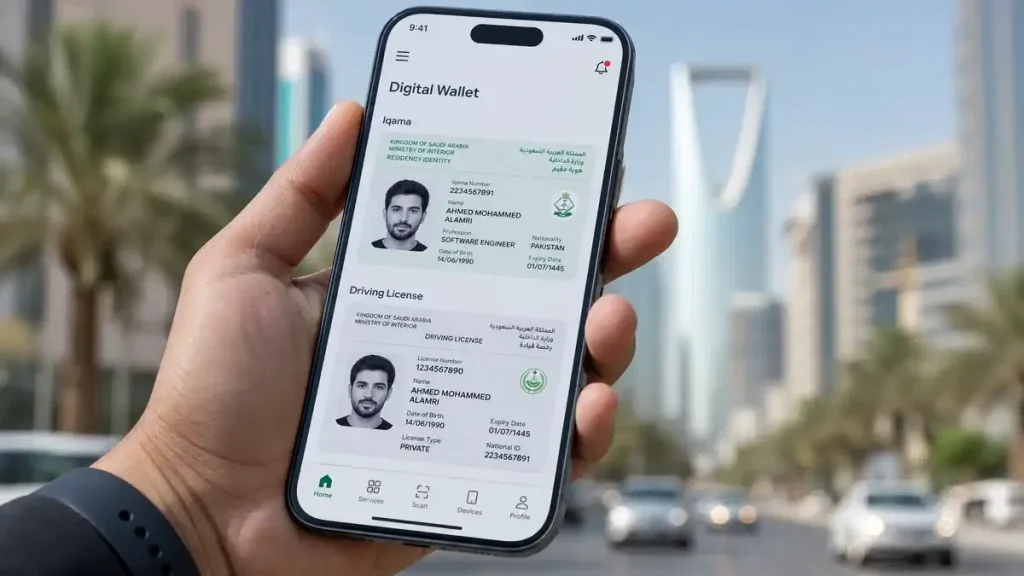
An outstanding feature within the Absher App is the “Digital Wallet.” This feature securely stores digital versions of your Iqama, Driving License, and Vehicle Registration (Istimarah). In situations where traffic police or other authorities request identification, you can present your digital ID via your mobile phone, which is legally accepted and recognized.
3. Hajj and Umrah Services
During the Hajj season, Absher serves as a vital platform for issuing Hajj permits. Both citizens and residents can track the status of their Hajj applications and download their permits directly through the platform, simplifying the pilgrimage process.
4. Family Members and Domestic Workers Management
If you are a head of a family or employ domestic workers (such as drivers, housemaids, or gardeners), Absher provides comprehensive tools to manage their details efficiently.
•Sponsoree Details: You can view a list of all individuals under your sponsorship, check their Iqama validity, and review their passport details, ensuring all records are up-to-date.
•Medical Insurance Status: Absher allows you to easily verify the active status of medical insurance for your family members. An active insurance policy is a prerequisite for Iqama renewal.
•Travel Authorization: For family members or workers traveling alone, you can issue a travel permission through Absher, ensuring their journey is legally compliant and hassle-free.
5. General Services
This section encompasses various services that, while not tied to a specific department, are essential for day-to-day needs.
•Report Lost Documents: In the unfortunate event of losing your passport, Iqama, or driving license, the first crucial step is to report it on Absher. This helps prevent misuse and initiates the process for obtaining new documents.
•Request Document Delivery: Absher, in collaboration with Saudi Post (SPL), offers a convenient document delivery service. After renewing documents like a driving license or Istimarah, you can opt for “Postal Delivery,” and your renewed document will be sent directly to your registered home address.
•Digital Visitor Card: For visitors to Saudi Arabia, carrying physical documents at all times is no longer a necessity. They can download their Digital Visitor Card from Absher, which serves as valid identification.
6. Electronic Appointments
Booking appointments before visiting government offices has become mandatory. Absher allows you to book appointments for various departments, including:
•Jawazat (Passports)
•Muroor (Traffic)
•Ahwal Al Madani (Civil Affairs)
•Expatriate Affairs
•Weapons and Explosives (for specific cases)
When booking an appointment, you can select your preferred city, office, and time slot. Upon confirmation, you receive a barcode that needs to be presented at the office entrance.
Absher Individuals Mobile App: Your Digital Saudi Arabia in Your Pocket
The Absher mobile application, available on both Android and iOS platforms, has revolutionized access to government services, effectively placing digital Saudi Arabia in the palm of your hand. The app boasts a highly user-friendly interface and incorporates advanced features like Face ID or fingerprint login for enhanced security and convenience.
App Download and Installation
The Absher app can be downloaded from the Google Play Store (for Android users) or the Apple App Store (for iOS users). Simply search for “Absher” and ensure you download the official application. After installation, you will need to log in using your Absher username and password.
Key Features of the Absher App
•Digital ID/Wallet: This is arguably the most significant feature of the app. It securely stores digital versions of your Iqama, Driving License, and Vehicle Registration (Istimarah). This eliminates the need to carry physical documents, as the digital ID is legally accepted and recognized by police and other government entities.
•Biometric Login: For added security and ease of access, the app supports biometric login methods such as Face ID or fingerprint authentication, making your login process swift and secure.
•Instant Notifications: The app keeps you informed with instant notifications regarding important updates, such as Iqama renewal reminders, traffic violations, or announcements of new services.
•Seamless Service Access: Most services available on the Absher website are also accessible through the app, allowing you to manage your affairs conveniently on the go.
•Appointment Management: You can easily book and manage appointments for various government departments directly through the app, streamlining your interactions with official bodies.
Safeguarding Your Absher Account: Essential Security Tips
Given that your Absher account contains highly sensitive and personal information, ensuring its security is paramount. Adhering to the following security tips will help protect your account from unauthorized access and potential misuse:
1.Utilize a Strong Password: Always choose a long and complex password that combines uppercase and lowercase letters, numbers, and special characters. Never share your password with anyone, and make it a practice to change it periodically.
2.Protect Your One-Time Password (OTP): Every critical transaction on Absher requires an OTP sent to your registered mobile number. Never share this OTP with anyone, even if they claim to be an Absher representative. Your OTP is the key to your account.
3.Use Official Websites and Apps Only: Always access Absher through its official website (https://absharsa.com/) or download the application from official mobile app stores (Google Play Store, Apple App Store). Be wary of fake websites and applications designed to steal your information. Always double-check the URL.
4.Avoid Public Wi-Fi for Sensitive Transactions: Public Wi-Fi networks are often unsecured and vulnerable to cyber threats. When logging into your Absher account or performing sensitive transactions, always use a secure and private internet connection.
5.Monitor Account Activity: Regularly review your Absher account activity for any unusual or unauthorized actions. If you notice anything suspicious, immediately contact Absher support.
6.Secure Your Mobile Number: Your mobile number is intrinsically linked to your Absher account. Keep it secure, and if your SIM card is lost or stolen, contact your telecom operator immediately to block it.
7.Be Vigilant Against Phishing Attempts: Pay close attention to email alerts from Absher. If you receive a suspicious email, do not click on any links and report it as spam. Absher will never ask for your password via email.
Common Issues and Their Detailed Solutions on Absher Individuals
While Absher is designed for ease of use, users may occasionally encounter common issues. Knowing how to resolve these problems can save you time and frustration.
1. Changing Your Mobile Number
If your mobile number has changed or your old number is no longer active, you must update it on your Absher account. There are primarily two methods for this:
•Via Absher Kiosk Machine: This is the most straightforward method. Visit any Absher kiosk machine, select the “Update Mobile Number” option, enter your Iqama number, and then your new mobile number. After biometric verification, your number will be updated.
•Through Bank ATMs: Some bank ATMs also offer the facility to update your Absher mobile number. Look for the “Government Services” or “Absher Services” option at your bank’s ATM.
2. Forgotten Password or Account Lockout
If you have forgotten your password, click on the “Forgot Password” option on the Absher login page. You will need to enter your Iqama number and registered mobile number. A verification code will be sent to your mobile, which you can use to set a new password.
If you enter an incorrect password multiple times, your account may be temporarily locked for security reasons. In such cases, wait a few hours or contact Absher support. In most instances, the account automatically unlocks after a short period.
3. Not Receiving OTP (One-Time Password)
Issues with receiving OTPs are common and can stem from several reasons:
•Network Issues: There might be a problem with your mobile network. Check your network coverage.
•Incorrect Mobile Number: Ensure that the mobile number registered with Absher is correct and active. If you have changed your number, refer to the section above on how to update it.
•Spam Filter: Occasionally, OTP messages might be filtered into your spam or junk folder. Check these folders.
•Delay: Due to network congestion, there might be a slight delay in receiving the OTP. Wait for a few minutes.
If the problem persists, contact Absher support for assistanc.
FAQs: Frequently Asked Questions About Absher Individuals
Here are some of the most common questions users have about Absher Individuals, along with their detailed answers.
1. Can visitors (on a visit visa) register on Absher?
Yes, the Saudi Ministry of Interior has extended Absher registration facilities to visitors as well. Visitors can register using their Border Number, which is typically found on their passport upon entry. This allows them to access certain services relevant to their stay.
2. Is it mandatory to visit a kiosk machine to activate an Absher account?
No, it is not always mandatory. If you have an active bank account with a Saudi bank, you can activate your Absher account online through your bank’s mobile app or internet banking portal. Additionally, the Nafath app provides a convenient way to activate your account from home, making kiosk visits optional for many.
3. Can I create my Absher account using someone else’s mobile number?
No, it is a strict requirement that the mobile number used for Absher registration must be registered under your own Iqama or Saudi ID. Using a mobile number registered to another individual will lead to registration issues and is not permitted for security and verification purposes.
4. What is the difference between Absher Individuals and Absher Business?
Absher Individuals is designed for citizens, residents, and visitors to manage their personal government services. In contrast, Absher Business is tailored for companies and establishments, particularly those sponsoring 100 or more employees, to manage their organizational and employee-related services.
5. How can I dispute a traffic violation on Absher?
If you believe a traffic violation has been issued incorrectly, you can file an objection through Absher. Navigate to “Traffic Services” and select “Objection to Traffic Violations.” You will need to provide details and any supporting evidence for your dispute.
6. Are there any fees for creating an Absher account?
No, registration and creating an Absher account are completely free of charge. Fees are only applicable for specific government services you utilize, such as visa issuance, driving license renewal, or other transactional services.
7. How does Absher help if my Iqama is lost?
In the event of a lost Iqama, you can use the “Report Lost Documents” service on Absher. This allows you to officially report the loss, which is crucial for preventing misuse and initiating the process for obtaining a replacement Iqama. You can also book an appointment for a replacement through the platform.
8. How can I change my mobile number on Absher if my old SIM is lost?
If your old SIM card is lost or inactive, you will need to visit an Absher Kiosk machine. There, you can select the “Update Mobile Number” option and, after biometric (fingerprint) verification, register your new mobile number. This ensures your account remains secure and accessible.
9. Can an Absher account be deleted?
Directly deleting an Absher account is generally not an available option. If you are leaving Saudi Arabia permanently and your Iqama is canceled, your account will automatically become inactive. For specific circumstances, you may contact Absher support for guidance.
10. How do I update my personal information on Absher?
Most core personal information (such as name, date of birth) cannot be updated directly by the user through Absher. For such changes, you typically need to contact the Civil Affairs (Ahwal Al Madani) department. However, you can update your mobile number and email address through the Absher platform.
11. Does the Absher app work offline?
No, the Absher app requires an internet connection to function, as it provides online government services. While some features like the Digital ID/Wallet might be accessible offline for viewing purposes, all transactional services necessitate an active internet connection.
12. How can I contact Absher customer support?
You can reach Absher customer support through the “Contact Us” section on their official website. They typically provide toll-free numbers and email support. The mobile app also often includes a support or help section for direct assistance.
13. Can I book driving school appointments through Absher?
Yes, Absher allows you to book appointments for driving schools, especially for those applying for a new driving license. This option is usually found within the “Traffic Services” section under “Issue Driving License.”
14. What is the difference between “My Services” and “E-Services” in Absher?
“My Services” generally refers to services directly related to your personal account and profile, such as viewing your Iqama details, driving license information, or family records. “E-Services” encompasses a broader range of government services from various departments, like checking traffic violations or booking general appointments.
15. Can I extend my visa through Absher?
Yes, certain types of visas, such as the exit re-entry visa, can be extended through Absher, provided you meet all the necessary conditions and pay the applicable fees. This offers flexibility for individuals who need to prolong their stay outside the Kingdom.
Conclusion: Embracing the Digital Future with Absher Individuals
Absher Individuals is far more than just a website or a mobile application; it stands as a living testament to Saudi Arabia’s remarkable digital progress. It has fundamentally transformed the landscape of government services, making them incredibly easy, transparent, and swift to complete. For anyone residing in or visiting Saudi Arabia, mastering the use of Absher not only saves precious time but also safeguards you from numerous legal and administrative complexities.
This comprehensive guide aims to be a valuable resource for you. We hope it has provided clarity and detailed insights into navigating the Absher platform effectively. Should you have any further questions, please feel free to ask in the comments section below or reach out to Absher’s official helpline. Stay informed and connected with the digital services in Saudi Arabia by continuing to follow our blog for the latest updates and guides!