
Absher Muqeem: Complete Guide to Login, Registration, Iqama & Visa Services
Absher Muqeem is a digital platform that helps employers manage expatriate employees in Saudi Arabia. It offers online services for residency, visa, and passport-related tasks. The platform reduces paperwork and speeds up everyday administrative processes.
Businesses, HR professionals, company representatives, and authorized establishments mainly use Muqeem. Individual residents usually access personal government services through Absher, while employers rely on Muqeem to manage employee records and immigration services.
Many people search for Absher Muqeem because both platforms support Saudi digital government services. However, they serve different users and purposes. Absher focuses on individuals, while Muqeem provides employer-focused services for managing expatriate employees and their residency records.
Using the correct platform saves time and helps organizations stay compliant with Saudi regulations. Employers can verify employee information, check Iqama validity, review visa status, manage Exit Re-Entry Visas, process Final Exit Visas, and update passport details through supported services.

This guide explains everything you need to know about Absher Muqeem. You will learn how Muqeem login works, how to register an account, use employer services, check Iqama and visa validity, update passport information, solve common issues, and understand the key differences between Absher and Muqeem. By the end, you will know which platform to use and how to make the most of its digital services.
What Is Absher Muqeem?
Absher Muqeem is an online platform that helps employers manage expatriate employees in Saudi Arabia. It provides secure digital services for residency and immigration-related tasks. Authorized establishments use the platform to complete official procedures without visiting government offices.
The platform supports Saudi Arabia’s digital transformation by moving essential services online. It connects businesses with official residency and visa management services through a centralized system. This approach improves efficiency, reduces paperwork, and helps employers meet government requirements.
Unlike Absher, which mainly serves individuals, Muqeem focuses on businesses and organizations. Companies, HR departments, and authorized representatives use the portal to manage foreign employees throughout their employment.
One of Muqeem’s main purposes is residency management. Employers can review employee records, check Iqama validity, verify residency status, and monitor important expiration dates. These features help organizations maintain accurate records and avoid compliance issues.
The platform also supports several digital services related to immigration. Employers can check visa validity, manage Exit Re-Entry Visas, review Final Exit Visa information, verify passport details, and access other approved services from one dashboard.
Businesses across Saudi Arabia rely on absher muqeem to simplify employee administration. The portal saves time, improves record accuracy, and supports faster decision-making. It also helps organizations maintain compliance with Saudi residency and immigration regulations.
Although many users search for Absher Muqeem, the two platforms serve different purposes. Absher provides government services for individuals, while Muqeem gives employers specialized tools for managing expatriate employees. Understanding this distinction helps users choose the correct platform for each service.
Difference Between Absher and Muqeem
Many users assume Absher and Muqeem are the same platform. They are closely connected, but they serve different audiences. Both support Saudi digital government services, yet each has a distinct role.

Absher provides personal electronic services for citizens and residents. Muqeem helps employers manage expatriate employees and complete residency-related tasks. Choosing the correct platform makes every process faster and more efficient.
| Feature | Absher | Muqeem |
|---|---|---|
| Primary Users | Saudi citizens, residents, and individual users | Employers, companies, HR departments, and authorized representatives |
| Login | Personal Absher account | Authorized employer or establishment account |
| Main Services | Personal government services, document management, appointments, traffic, and family services | Employee residency management, visa services, Iqama verification, and immigration-related tasks |
| Individual Access | Yes | No. The platform is designed for authorized establishments. |
| Employer Services | Limited | Comprehensive employer and workforce management services |
| Residency Management | Personal residency information | Employee residency and Iqama management |
| Visa Management | Personal visa-related services | Exit Re-Entry Visa, Final Exit Visa, visa validity, and employee visa management |
| Passport Services | Personal passport services | Employee passport information and updates where supported |
| Government Authority | Official Saudi Ministry of Interior platform | Official employer portal that supports residency and immigration services for authorized establishments |
If you need to manage your personal government services, use Absher. If you represent a business and need to manage expatriate employees, Muqeem is the correct platform. Understanding this difference prevents confusion and helps you access the right digital services quickly.
Key Features of Absher Muqeem
Absher Muqeem offers a wide range of digital services for businesses that employ expatriate workers in Saudi Arabia. The platform helps organizations manage employee records, monitor residency status, and complete official procedures through a secure online portal. Its centralized dashboard reduces manual work and supports compliance with Saudi regulations.
Employer Dashboard
The absher muqeem Employer Dashboard gives authorized users quick access to essential services and employee information. It displays available transactions, account details, and service shortcuts in one place.
From the dashboard, employers can:
- Access employee profiles
- Review residency information
- Check visa status
- Monitor important expiry dates
- Submit eligible service requests
- Manage organization records
The dashboard helps HR teams complete routine tasks faster while keeping employee information organized.
Residency Management
Residency management is one of Muqeem’s core functions. Employers can manage expatriate employee residency records through a secure digital platform.
Key residency services include:
- Check Iqama validity
- Review residency status
- Verify residency information
- Monitor expiration dates
- Access employee residency details
- Support compliance with Saudi residency requirements
Regular monitoring helps employers avoid delays and administrative issues.
Visa Management
absher muqeem simplifies visa-related processes for authorized establishments. Employers can review visa information and perform supported visa services online.
Common visa services include:
- Check visa validity
- Review Exit Re-Entry Visa status
- Access Final Exit Visa information
- Verify employee visa details
- Monitor visa expiration dates
- Print eligible visa documents where available
These services help businesses manage employee travel and residency efficiently.
Passport Information
The platform also supports passport-related services for expatriate employees. Employers can review passport information linked to employee records.
Available features may include:
- View passport details
- Update eligible passport information
- Verify passport records
- Monitor passport expiry dates
Keeping passport information current helps prevent delays during immigration procedures.
Employee Records
absher muqeem stores important employee information in one secure location. This improves record management and reduces administrative workload.
Employers can access:
- Employee identification details
- Residency information
- Visa records
- Passport information
- Employment-related data linked to supported services
Accurate records support better workforce management and regulatory compliance.
Online Verification
Verification services help employers confirm employee information before completing official procedures.
The platform supports verification of:
- Iqama details
- Residency status
- Visa information
- Passport records
- Employee information linked to authorized services
Quick verification reduces errors and improves processing accuracy.
Reports
absher muqeem provides reports that help organizations monitor employee records and administrative activities.
Reports can help employers:
- Track residency expiry dates
- Review visa status
- Monitor employee records
- Support internal compliance
- Improve workforce planning
These reports make it easier to identify tasks that require immediate attention.
Digital Services
absher muqeem brings multiple government-related services into one digital platform. Employers no longer need to complete many routine procedures manually.
The platform supports faster processing through:
- Online residency services
- Digital visa management
- Employee verification
- Passport information management
- Electronic record access
- Secure online transactions
This digital approach saves time and improves operational efficiency.
Absher Muqeem Login
The Absher Muqeem login process gives authorized employers secure access to employee management services. Only registered establishments and approved users can sign in to the platform.
Login Requirements
Before signing in, make sure you have:
- An active Muqeem account
- Authorized employer or establishment access
- Registered username
- Correct password
- Stable internet connection
- A supported web browser
Some organizations may also require additional identity verification during login.
How to Log In to Muqeem
Follow these steps to access your account:
- Open the official Muqeem login page.
- Enter your registered username.
- Type your password.
- Complete any required security verification.
- Select Sign In.
- Access your employer dashboard after successful authentication.
Always verify that you are using the official Muqeem portal before entering your credentials.
Common Login Errors
Users may face login issues for several reasons.
Common problems include:
- Incorrect username
- Incorrect password
- Expired account credentials
- Browser cache issues
- Unsupported browser settings
- Temporary system maintenance
- Internet connection problems
Double-check your login information before trying again.
Password Reset
If you forget your password, use the account recovery option available on the login page.
During the recovery process, you may need to:
- Verify your account
- Confirm registered information
- Follow security instructions
- Create a new strong password
Choose a unique password that you do not use on other websites.
Security Tips
Protecting your absher muqeem account helps keep employee information secure.
Follow these best practices:
- Use a strong and unique password.
- Keep your login credentials private.
- Sign out after each session.
- Avoid logging in on public computers.
- Enable available security features.
- Update your password regularly.
- Access Muqeem only through the official website.
- Report suspicious account activity immediately.
Good security habits reduce the risk of unauthorized access and help protect sensitive business information.
How to Register on Muqeem
Muqeem registration is available for authorized establishments in Saudi Arabia. The platform is designed for employers who manage expatriate employees. Individual residents cannot create a standard Muqeem account for personal services. They should use Absher instead.
Before you register, make sure your business meets the required eligibility conditions and has the necessary information ready.
Eligibility
Only eligible organizations can register for a absher muqeem account. The platform serves businesses that employ foreign workers and need access to residency and visa management services.
You may be eligible if you are:
- A registered company in Saudi Arabia
- An approved establishment
- An authorized employer
- A government entity with approved access
- An authorized representative acting for an eligible business
Your organization must meet the requirements set by the relevant Saudi authorities.
Business Requirements
Prepare the required business information before starting the registration process. Having accurate records helps avoid delays.
You may need:
- Establishment information
- Business registration details
- Authorized representative information
- Valid contact details
- Official identification for verification
- Any additional documents required during registration
Make sure every detail matches your official business records.
Step-by-Step Registration Process
Follow these general steps to create a Muqeem account:
- Visit the official Muqeem portal.
- Select the registration option if your organization is eligible.
- Enter your business information.
- Provide the required establishment details.
- Add the authorized user information.
- Review all submitted information carefully.
- Submit your registration request.
- Complete any required verification steps.
- Wait for account approval if applicable.
- Activate your account after approval.
The exact registration process may vary based on your organization and service eligibility.
Account Activation
After approval, you must activate your account before using absher muqeem services.
During activation, you may need to:
- Confirm your registered email or mobile number
- Complete identity verification
- Create a secure password
- Accept the platform’s terms and conditions
Once activated, you can access the Muqeem Employer Dashboard and available digital services.
Account Verification
Verification protects your account and helps prevent unauthorized access.
The verification process may include:
- Identity confirmation
- Business verification
- Authorized user validation
- Security authentication
Complete every verification step carefully. Incorrect information may delay account approval.
Muqeem Iqama Services
Iqama services are among the most important features of Absher Muqeem. Employers can monitor employee residency records, verify important information, and stay compliant with Saudi regulations through one secure platform.
These services help businesses manage expatriate employees more efficiently while reducing administrative work.
Check Iqama
Employers can use absher muqeem to check Iqama information for authorized employees. This feature provides quick access to important residency details without visiting government offices.
The service helps employers:
- View employee residency information
- Confirm Iqama records
- Monitor employee status
- Access updated residency details
Checking employee records regularly helps maintain accurate information.
Iqama Validity
The Iqama validity check helps employers confirm whether an employee’s residency permit remains valid.
By reviewing validity dates, organizations can:
- Track Iqama expiration
- Plan renewal activities
- Avoid unexpected compliance issues
- Keep employee records current
Regular monitoring reduces the risk of administrative delays.
Renewal Information
absher muqeem helps employers review residency information related to Iqama renewal. Monitoring renewal timelines allows businesses to prepare required actions before expiration.
Employers should:
- Check upcoming expiry dates
- Keep employee records updated
- Complete required procedures on time
- Follow official Saudi renewal requirements
Timely action helps employees maintain valid residency status.
Residency Status
The platform allows employers to review the current residency status of expatriate employees.
This information may include:
- Active residency records
- Residency validity
- Employee residency details
- Related administrative information
Monitoring residency status helps organizations maintain compliance with Saudi immigration regulations.
Iqama Verification
Iqama verification allows employers to confirm that employee residency information is accurate and up to date.
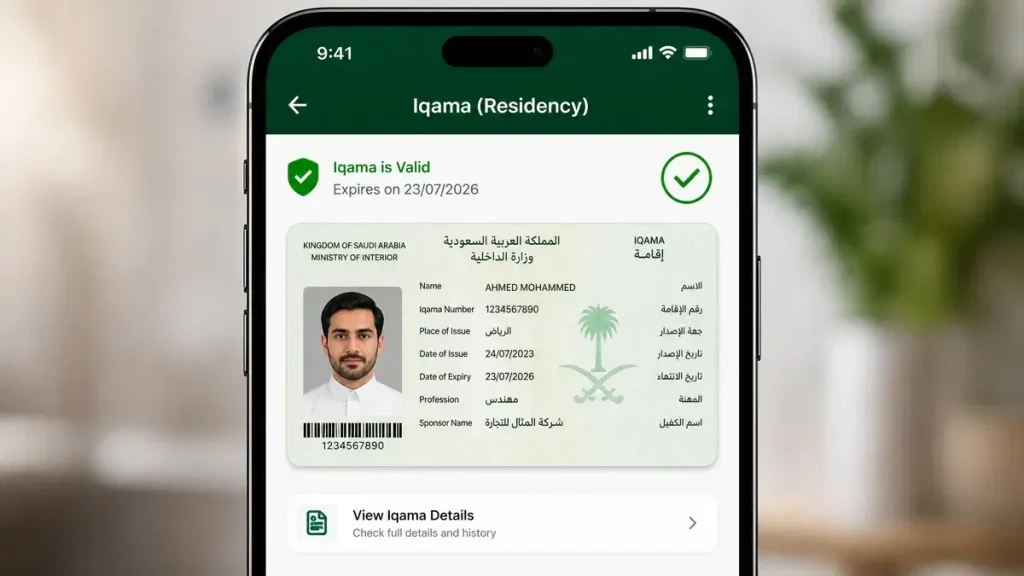
Verification helps businesses:
- Confirm employee identity
- Validate residency records
- Reduce administrative errors
- Improve record accuracy
- Support regulatory compliance
Employers should verify employee information regularly to ensure their records remain accurate and consistent with official data.
Muqeem Visa Services
Muqeem Visa Services help employers manage important visa-related tasks for expatriate employees in Saudi Arabia. The platform provides quick access to visa information and supports several official immigration services. Employers can monitor employee travel status, review visa details, and complete eligible transactions through one secure portal.
Managing visas on time helps businesses avoid delays, maintain compliance, and support uninterrupted workforce operations.
Exit Re-Entry Visa
The Exit Re-Entry Visa allows expatriate employees to leave Saudi Arabia and return before the visa expires. Employers can use absher muqeem to review visa information and access supported services related to employee travel.
Common tasks include:
- Check Exit Re-Entry Visa status
- Verify visa validity
- Review travel dates
- Monitor visa expiration
- Print eligible visa documents
Employers should verify all visa details before an employee travels outside Saudi Arabia.
Final Exit Visa
A Final Exit Visa allows an expatriate employee to leave Saudi Arabia permanently after completing the required procedures.
Through Muqeem, employers can:
- Review Final Exit Visa information
- Check visa status
- Monitor visa validity
- Verify employee records before departure
Before processing a final exit, employers should ensure all employment obligations and legal requirements have been completed.
Visa Validity
The visa validity check helps employers confirm whether an employee’s visa remains active.
Regular checks help organizations:
- Monitor visa expiration dates
- Avoid expired visas
- Plan employee travel
- Maintain compliance with immigration regulations
Reviewing visa validity regularly reduces the risk of travel disruptions.
Visa Inquiry
The visa inquiry service provides access to important visa information for authorized employees.
Employers can use this feature to:
- Review visa details
- Confirm visa status
- Check visa type
- Verify employee travel information
Fast access to accurate records supports better workforce planning.
Visa Extension
Some visa categories may qualify for an extension under applicable Saudi regulations.
Before requesting a visa extension, employers should:
- Confirm employee eligibility
- Review visa expiration dates
- Complete required procedures
- Follow current government requirements
Extension availability depends on the visa type and applicable regulations.
Visit Visas
absher muqeem supports access to information related to certain visit visa services where applicable.
Employers can review:
- Visit visa details
- Visa validity
- Related employee information
Service availability depends on the type of visit visa and official government policies.
Work Visas
Employers use Muqeem to manage information related to employee work visas throughout the employment period.
The platform helps organizations:
- Review work visa details
- Verify employee records
- Monitor visa validity
- Support ongoing workforce management
Accurate work visa records help businesses remain compliant with Saudi labor and immigration requirements.
Printing Visas
absher muqeem supports printing for eligible visa documents after successful processing.
Printing services may include:
- Exit Re-Entry Visa documents
- Approved visa records
- Employee travel documents where supported
Employers should always verify the printed information before providing documents to employees.
Passport Services
Passport Services in Muqeem help employers manage passport information linked to expatriate employees. Accurate passport records support visa processing, residency management, and immigration procedures.
Keeping passport information current reduces administrative delays and improves record accuracy.
Passport Update
Employees may renew or replace their passports during their employment. Employers should keep passport records updated whenever official information changes.
absher muqeem supports eligible passport-related services that help employers:
- Update passport information
- Review passport details
- Maintain accurate employee records
- Reduce processing delays
Always ensure updated information matches the employee’s official passport.
Passport Expiry
Monitoring passport expiry is essential for smooth residency and visa management.
Employers should review passport expiration dates regularly to:
- Prevent service interruptions
- Plan future renewals
- Support visa processing
- Maintain valid employee records
A valid passport is often required for many immigration-related procedures.
Passport Verification
Passport verification helps employers confirm that passport information matches official employee records.
Verification improves:
- Record accuracy
- Employee identification
- Visa processing
- Residency management
- Administrative compliance
Regular verification helps reduce errors before submitting official requests.
Passport Renewal Information
When an employee renews a passport, employers should update related records as soon as possible. Current passport information helps prevent delays during residency and visa services.
After a passport renewal, employers should:
- Verify the new passport details.
- Update employee records where required.
- Review related visa and residency information.
- Confirm that official records remain accurate.
Maintaining updated passport information supports efficient employee management and helps organizations comply with Saudi immigration procedures.
Employer Services
Absher Muqeem provides a complete set of employer services for businesses that manage expatriate employees in Saudi Arabia. The platform helps organizations organize employee information, monitor residency records, and complete official procedures through one secure system.
These services reduce administrative work, improve record accuracy, and support compliance with Saudi regulations.
Employee Management
Employee management is one of Muqeem’s most valuable features. Employers can manage important employee information throughout the employment period.
The platform helps employers:
- Access employee profiles
- Review residency information
- Monitor visa details
- Check passport information
- Track important expiration dates
- Maintain accurate workforce records
Keeping employee information updated helps businesses avoid delays during official procedures.
Company Records
absher muqeem allows authorized establishments to maintain accurate company records in one place. Organized records support faster service requests and improve administrative efficiency.
Businesses can use the platform to:
- Manage establishment information
- Review authorized user details
- Access employee records
- Support internal documentation
- Maintain organized business information
Accurate company records reduce processing errors and improve daily operations.
Residency Management
Managing employee residency is essential for every organization that hires expatriate workers. Muqeem simplifies this process through digital residency services.
Employers can:
- Review employee residency records
- Check Iqama validity
- Monitor residency expiration dates
- Verify residency information
- Maintain compliance with Saudi residency regulations
Regular reviews help businesses avoid compliance issues and administrative delays.
Workforce Management
Muqeem supports better workforce management by giving employers quick access to employee information and residency records.
The platform helps organizations:
- Monitor expatriate employees
- Plan workforce activities
- Track employee documentation
- Improve operational efficiency
- Support HR decision-making
Centralized information allows HR teams to work more efficiently.
Business Portal
absher muqeem serves as a dedicated business portal for authorized establishments. Employers can access multiple government-related services through a single account.
The portal provides convenient access to:
- Employee management
- Residency services
- Visa services
- Passport information
- Verification services
- Administrative reports
Using one centralized platform saves time and simplifies daily business operations.
Reports
Reporting tools help employers monitor important employee information and identify upcoming administrative tasks.
Reports may help organizations:
- Review residency status
- Track visa validity
- Monitor passport expiry
- Identify expiring Iqamas
- Support internal compliance
- Improve workforce planning
Regular reporting helps businesses stay organized and respond quickly to changing employee records.
Verification Services
Verification Services help employers confirm that employee information is accurate before completing official transactions. These services improve record quality, reduce errors, and support compliance with Saudi immigration requirements.
Regular verification also helps businesses maintain reliable employee records.
Visa Verification
Visa verification allows employers to confirm employee visa information before travel or administrative procedures.
The service helps employers:
- Verify visa status
- Confirm visa validity
- Review visa details
- Check employee travel eligibility
Accurate visa information reduces processing delays and prevents avoidable mistakes.
Iqama Verification
Iqama verification helps employers confirm the accuracy of employee residency records.
Employers can use this feature to:
- Verify Iqama details
- Confirm residency information
- Review employee records
- Identify outdated information
Routine verification supports better compliance and record management.
Resident Verification
Resident verification confirms the residency information linked to an expatriate employee.
This service helps organizations:
- Validate residency status
- Review employee residency records
- Maintain accurate documentation
- Support official administrative procedures
Accurate residency information is essential for many employer services.
Employee Verification
Employee verification helps businesses confirm that employee records are complete and up to date.
Verification may include:
- Employee identity information
- Residency records
- Visa information
- Passport details
- Employment-related data
Employers should verify employee records regularly to improve data accuracy and reduce administrative issues.
Passport Verification
Passport verification confirms that passport information matches official employee records.
Employers can use this service to:
- Verify passport details
- Confirm passport validity
- Review employee identification information
- Support residency and visa procedures
Keeping verified passport records helps businesses process employee services more efficiently and maintain compliance with Saudi immigration requirements.
Digital Government Services
Absher Muqeem supports Saudi Arabia’s digital transformation by providing secure online services for employers and authorized establishments. The platform replaces many paper-based procedures with faster digital processes. This approach improves efficiency, reduces manual work, and helps businesses complete official tasks from one location.
Electronic Services
Muqeem offers electronic services that simplify residency and immigration management for expatriate employees.
Employers can use the platform to:
- Check Iqama validity
- Review visa status
- Access Exit Re-Entry Visa information
- Review Final Exit Visa details
- Verify employee records
- Monitor passport information
These services reduce paperwork and improve processing speed.
Online Management
The platform allows employers to manage important employee information online without visiting multiple government offices.
Online management helps businesses:
- Access employee records
- Monitor residency status
- Track visa validity
- Review passport information
- Complete eligible digital transactions
Centralized access saves time and improves productivity.
Automation
Muqeem automates many routine administrative tasks. Automation reduces manual data entry and minimizes processing errors.
Automated features help employers:
- Monitor expiration dates
- Track employee records
- Manage administrative workflows
- Improve reporting accuracy
- Reduce repetitive work
Automation allows HR teams to focus on higher-value responsibilities.
Digital Identity
Authorized users access Muqeem through secure account credentials. Digital identity helps confirm that only approved users can access business information and government services.
This approach strengthens account security and protects sensitive employee data.
Government Integration
Muqeem works as part of Saudi Arabia’s digital government ecosystem. The platform supports official residency and immigration services for authorized establishments.
Government integration helps employers:
- Access approved digital services
- Maintain accurate records
- Complete official procedures efficiently
- Support regulatory compliance
A connected digital system improves service delivery for businesses across Saudi Arabia.
Security and Privacy
Security plays a vital role in Absher Muqeem. The platform protects business accounts and employee information through secure access controls and verification measures. Employers should also follow good security practices to protect sensitive data.
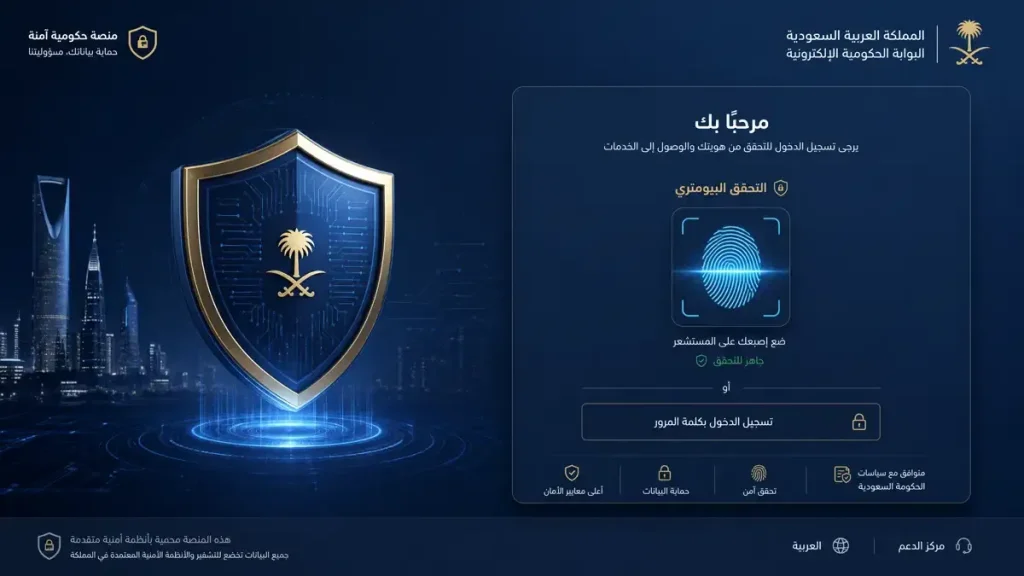
Secure Login
Always use the official Muqeem website when signing in. Secure login reduces the risk of unauthorized access and protects confidential business information.
For better account security:
- Use a strong password.
- Keep login credentials private.
- Avoid public computers.
- Sign out after each session.
Simple security habits can prevent many account-related risks.
Authentication
Authentication confirms that only authorized users can access the platform.
Depending on the service, authentication may require:
- Username
- Password
- Additional security verification
These checks help protect employer accounts from unauthorized access.
Identity Verification
Identity verification confirms the identity of authorized users before granting access to specific services.
Verification helps:
- Protect employee information
- Prevent unauthorized transactions
- Improve account security
- Support trusted digital services
Providing accurate information speeds up the verification process.
Data Protection
Muqeem handles important business and employee information. Employers should protect this data by following basic cybersecurity practices.
Recommended practices include:
- Update passwords regularly.
- Restrict account access to authorized staff.
- Avoid sharing login credentials.
- Use secure internet connections.
- Monitor account activity.
Protecting sensitive information helps reduce security risks.
Account Safety
Maintaining account security requires continuous attention.
To keep your account safe:
- Review account activity regularly.
- Change passwords after suspicious activity.
- Remove access for former employees.
- Keep recovery information updated.
- Report unusual login attempts immediately.
Strong account management protects both your business and employee records.
Common Problems and Solutions
Most Muqeem issues have simple solutions. Understanding the common causes helps employers restore access quickly and continue managing employee services without unnecessary delays.
Login Issues
Login problems usually result from incorrect credentials or temporary technical issues.
Try these solutions:
- Check your username carefully.
- Verify your password.
- Confirm your internet connection.
- Refresh the page.
- Clear your browser cache.
- Try another supported browser.
If the issue continues, contact your organization’s account administrator or the official support channel.
Verification Failed
Verification may fail if submitted information does not match official records.
To resolve the issue:
- Review all entered information.
- Confirm employee details.
- Verify business information.
- Repeat the verification process carefully.
Accurate information improves the success rate of verification requests.
Password Reset
If you forget your password, use the password recovery option available on the login page.
Follow these steps:
- Select Forgot Password.
- Verify your account information.
- Complete the required security checks.
- Create a new strong password.
- Sign in with your updated credentials.
Choose a unique password that is difficult to guess.
Browser Issues
Some browser settings may prevent Muqeem from working correctly.
You can often solve browser problems by:
- Clearing cache and cookies.
- Updating your browser.
- Enabling JavaScript if required.
- Disabling conflicting browser extensions.
- Trying another supported browser.
Keeping your browser updated improves compatibility and security.
Expired Iqama
An expired Iqama may affect access to certain residency-related services.
Employers should:
- Review the employee’s residency status.
- Check the Iqama expiration date.
- Complete any required renewal procedures.
- Keep employee records updated.
Monitoring expiration dates helps prevent service interruptions.
Expired Visa
An expired visa may delay employee travel or related administrative procedures.
To reduce problems:
- Check visa validity regularly.
- Monitor upcoming expiration dates.
- Complete eligible procedures before the visa expires.
- Verify employee records before submitting requests.
Regular monitoring supports better workforce planning.
Technical Errors
Temporary technical issues can occur during maintenance or periods of high system activity.
If you experience a technical error:
- Refresh the page.
- Wait a few minutes and try again.
- Confirm your internet connection.
- Try another browser or device.
- Check whether scheduled maintenance is affecting the service.
If the problem continues, contact the official Muqeem support team for assistance.
Frequently Asked Questions
What is Muqeem?
Muqeem is an official online platform that helps employers in Saudi Arabia manage expatriate employees. It supports residency, visa, passport, and verification services.
Is Muqeem part of Absher?
No. Muqeem and Absher are separate platforms. Both support Saudi government digital services, but they serve different users. Absher focuses on individuals, while Muqeem serves authorized employers.
Who can use Muqeem?
Authorized employers, companies, HR departments, government entities, and approved representatives can use Muqeem.
Can individuals use Muqeem?
No. Individuals should use Absher for personal government services. Muqeem is designed for establishments that manage expatriate employees.
How do I log in to Muqeem?
Visit the official Muqeem portal, enter your username and password, complete any required verification, and sign in to your account.
How do I register for Muqeem?
Eligible businesses can register through the official Muqeem portal by submitting their establishment information and completing the required verification process.
Is Muqeem free?
Service availability and fees depend on the type of transaction and applicable Saudi government policies. Some services may require payment.
What documents are required for registration?
Requirements vary by organization. Businesses typically need establishment information, authorized user details, and other official records requested during registration.
How do I recover my Muqeem account?
Use the Forgot Password option on the login page. Complete the required verification steps and create a new password.
Is Muqeem available in English?
Yes. The platform supports both Arabic and English to help employers and authorized users complete official tasks more easily.
How do I check my Iqama?
Authorized employers can access employee residency records through Muqeem and review Iqama validity and residency information.
How do I check visa validity?
Open the visa services section in Muqeem and review the employee’s visa details and expiration date.
How do I print an Exit Re-Entry Visa?
After confirming eligibility, open the relevant visa record and use the available print option if the service supports document printing.
How do I check Final Exit status?
Employers can review Final Exit Visa information through the visa services section of the Muqeem portal.
Can I update passport information in Muqeem?
Yes. Eligible passport-related updates and verification services are available for authorized employers where supported.
What should I do if login fails?
Check your username, password, internet connection, and browser settings. If the issue continues, contact your account administrator or official support.
Why does verification fail?
Verification usually fails because the submitted information does not match official records. Review all details before trying again.
Can I check employee residency status online?
Yes. Muqeem allows authorized employers to review employee residency status through its digital services.
Can I manage multiple employees from one account?
Yes. Authorized establishments can manage multiple expatriate employees through a single employer account.
How often should I review employee records?
Review employee records regularly. Monitor Iqama, visa, and passport expiration dates to maintain compliance.
Can I verify employee passport details?
Yes. Muqeem provides passport verification services for eligible employee records.
Does Muqeem support workforce management?
Yes. The platform helps employers organize employee records, residency information, and visa data from one dashboard.
Is Muqeem secure?
Yes. Muqeem uses authentication and identity verification to protect employer accounts and employee information.
Can I access Muqeem on mobile devices?
Yes. You can access the platform through a supported mobile browser. Service availability may vary by device and feature.
Why should employers use Muqeem?
Muqeem simplifies employee management, improves record accuracy, supports regulatory compliance, and reduces administrative work.
Tips for Using Muqeem Efficiently
Using Absher Muqeem correctly helps employers save time, improve productivity, and maintain accurate employee records. Following a few best practices also reduces processing delays and supports compliance with Saudi regulations.
Follow Best Practices
Good record management starts with regular monitoring.
You should:
- Review employee records every month.
- Monitor Iqama and visa expiration dates.
- Update passport information promptly.
- Verify employee details before submitting requests.
- Complete official procedures before deadlines.
Routine reviews reduce errors and prevent last-minute issues.
Protect Your Account
Strong account security protects both your business and employee information.
Follow these security practices:
- Use a strong, unique password.
- Never share login credentials.
- Change passwords regularly.
- Sign out after every session.
- Access Muqeem only through the official website.
Good security habits lower the risk of unauthorized access.
Help Your HR Team Work Efficiently
HR teams should maintain organized employee records throughout the employment lifecycle.
Recommended practices include:
- Keep employee documents updated.
- Record every administrative change.
- Track important expiration dates.
- Verify records before processing services.
- Review reports regularly.
Well-organized records improve daily operations.
Maintain Accurate Records
Accurate information supports faster processing and better decision-making.
Employers should:
- Update employee information immediately after changes.
- Review residency and passport details regularly.
- Correct outdated records quickly.
- Store information consistently across business systems.
Accurate records reduce processing delays and improve compliance.
Stay Compliant
Compliance is an ongoing responsibility for every employer.
To maintain compliance:
- Monitor residency status.
- Check visa validity frequently.
- Renew documents before they expire.
- Follow current Saudi government requirements.
- Verify employee information before submitting requests.
A proactive approach helps businesses avoid unnecessary penalties and administrative problems.
Conclusion
Absher Muqeem is an essential digital platform for employers that manage expatriate employees in Saudi Arabia. It brings residency management, Iqama services, visa management, passport information, verification services, and employee administration into one secure system.
The platform helps businesses save time, reduce paperwork, improve record accuracy, and complete official procedures more efficiently. Employers can monitor employee records, verify important information, and manage workforce administration through a centralized online portal.
Security remains a key part of the platform. Strong authentication, identity verification, and responsible account management help protect sensitive business and employee information. Employers should also follow good cybersecurity practices to keep their accounts secure.
Whether you need to manage Iqama validity, check visa status, review passport records, or oversee employee information, absher muqeem provides the digital tools required to simplify these tasks while supporting compliance with Saudi regulations.