
Absher Forgot Password: How to Reset Your Absher Password
Forgot your Absher password? You can reset it through the official Absher password recovery service. Open the Absher login page and select “Forgot Password?” Then follow the verification steps, create a new password, and confirm it. Use only your own Absher account details during the process. The official service supports electronic password recovery through Absher.
Go to the official Absher website and open the login page. Select “Forgot Password?” to start the recovery process.You will need to provide the requested account information. Absher then verifies your identity before allowing you to create a new password. Follow each instruction shown on the official page.Avoid third-party websites that ask for your Absher password, ID details, or verification code. Use the official Absher platform for account recovery.
How to Reset Your Absher Password
You can reset a forgotten Absher password online through the official Absher platform. The current Saudi National Portal lists five main steps: open the reset page, enter your ID number or username, verify your account, create a new password, and confirm it.

Step 1 — Open the Official Absher Website
Start by visiting the official Absher platform. Open the login page and select “Forgot Password?”The current Absher login page shows this option next to the password field. It also accepts a username or ID number for login.Use only the official Absher website for password recovery. Avoid websites that imitate Absher or offer unofficial reset services.Never share your Absher password or verification code with another person. Your account contains sensitive government service information.
Step 2 — Enter Your ID Number or Username
The password reset service asks for your ID number or username. Enter the information linked to your Absher account.Saudi citizens and residents should use their own account information. Do not enter another person’s ID or account details.The Saudi National Portal confirms that the current reset service supports either an ID number or username.If the information does not match your account, check your entry carefully. A simple typing error can prevent the reset process from continuing.
Step 3 — Complete the Verification
After entering your account information, Absher sends a verification code. Enter the code in the required field on the official website.Check the registered contact method linked to your Absher account. Make sure you enter the verification code exactly as received.If you do not receive the code, do not guess or enter random numbers. Check your contact details and follow the available instructions on the Absher page.We cover verification-code and OTP problems later in this guide.
Step 4 — Create a New Password
Once verification succeeds, create your new Absher password.Your new password must follow the current Absher password rules. These rules help protect your account and prevent weak passwords.Choose a password that you can remember but others cannot easily guess. Avoid using simple personal information.
Step 5 — Confirm Your New Password
Enter the new password again in the confirmation field.Both entries must match. Check for typing errors before submitting the form.If the passwords differ, Absher may not accept the new password. Re-enter both fields carefully and make sure they contain the same password.
Step 6 — Log In Again
After completing the reset, return to the Absher login page.Enter your username or ID number and your new password. Then sign in to your account.The official Absher service confirms that the reset process ends after you create and confirm the new password.If the new password works, you have successfully recovered access to your Absher account.
If the reset fails, do not repeat random steps. Check the password requirements, verification code, and account information first. The troubleshooting sections below explain the most common Absher password reset problems.
What Do You Need to Reset Your Absher Password?
Before starting an Absher password reset, keep the required account details ready. This can make the recovery process faster and prevent common errors.
Information You May Need
- Absher username or ID number: The current reset service accepts your username or identification details. Saudi residents may use their Iqama number where applicable.
- Registered contact method: Absher uses your registered contact information during account verification.
- Verification code: You may need the code sent through your registered contact method. Enter the OTP exactly as received.
- Official Absher access: Use the official Absher website or supported app. Avoid unofficial password-reset websites.
- New password: Prepare a password that meets the current Absher password requirements.
Your Absher account must have the information needed for identity verification. The official Saudi National Portal confirms that the password reset service uses account identification and verification before creating a new password.If you use Absher Individuals, make sure your account details are accurate. Check your registered mobile number before starting the password reset.
You should also have access to your phone during the process. You may need it to receive the verification code.If you cannot access your registered contact method, the standard online reset may not complete. In that case, check Absher’s official recovery and support options rather than using an unofficial service.
Absher Password Requirements
A strong password helps protect your Absher account and digital identity. Absher sets specific rules for new passwords. You should check these rules before submitting your reset request.The official Absher password guide requires at least eight characters. It also requires lowercase and numeric characters. The password must not contain too much of your user ID. It also limits repeated characters. Your confirmation password must match the new password.
| Requirement | What to do |
| Length | Use at least 8 characters |
| Uppercase | Include an uppercase letter |
| Lowercase | Include a lowercase letter |
| Number | Include at least one number |
| Username | Avoid prohibited parts of your user ID |
| Repeated characters | Avoid excessive repeated characters |
| Confirmation | Enter the exact same password again |
Use the Current Rules
Password rules can change when Absher updates its services. Some older Absher pages list extra restrictions, such as limits on special symbols and repeated characters.For this reason, do not rely on an old blog or social media post. Follow the rules shown on the current Absher password-reset page.You should also avoid using your name, username, or other easy-to-guess details. Never share your new password with anyone.
Absher also warns users not to share their username, password, or verification code. It recommends using only the official absher.sa website or official Absher applications.If your password meets every requirement but still fails, check each character carefully. A missing uppercase letter, number, or matching confirmation can stop the reset.
What If You Don’t Receive the Absher Verification Code?
An Absher OTP not received issue can stop your password reset. The verification code confirms your identity before you create a new password.Start with the contact information linked to your Absher account. The password reset process uses your registered contact details for verification. Make sure you use the same account information you entered on the official reset page.
Check Your Registered Contact Information
Check that your registered mobile number is active and accessible. A changed or incorrect number can prevent you from receiving the reset code.Do not enter another person’s mobile number or account details. Use information linked to your own Absher Individuals account.If you recently changed your mobile number, your account details may need attention. Review the relevant Absher account settings or official support options.
Wait and Request the Code Again
If you do not receive the code, check the reset page for an option to request another code.Avoid requesting codes repeatedly within a short period. Instead, confirm your details first and then try again.Do not use an old code after requesting a new one. Enter the latest verification code provided by Absher.
Check Your Phone or Email
Check the contact channel shown during the current password-reset process. Look for the verification message from Absher.If Absher sends the code to your mobile number, check your phone’s signal and message inbox. Make sure your phone can receive messages normally.
If the displayed process uses another contact channel, check that account as well.Never share your OTP, password, or verification code with anyone. Absher advises users to protect their account credentials and use official channels.
Make Sure Your Information Is Correct
An Absher verification code problem can result from incorrect account information. Review your ID number or username before continuing.Also check for simple typing mistakes. Make sure every number matches your Absher account details.If the information looks correct but the Absher reset code is not received, continue with the official recovery options.
Still Not Receiving the Verification Code?
If the problem continues, use official Absher support instead of an unofficial recovery service.The current Absher website lists 920020405 as its contact number. You can also use the official Absher support channels available on its website.Do not give your password or OTP to anyone claiming they can reset your account. An official support representative should not require you to disclose your password.This approach protects your account while helping you resolve an Absher forgot password verification problem safely.
Absher Forgot Password Reset Not Working? Try These Fixes
An Absher password reset not working problem can have several causes. Start with the information you entered. Then check verification and password requirements. This simple process can help identify where the reset fails.
Problem 1 — Incorrect ID or Iqama Number
Check your identification details before submitting the request. Use your own information linked to your Absher account.Saudi residents should check their Iqama details carefully. Citizens should also verify their ID number before continuing.A single incorrect digit can prevent the system from finding the correct account.
Problem 2 — Incorrect Registered Mobile Number
Your registered contact information plays an important role during account verification.If you recently changed your mobile number, check whether your Absher account still uses the correct number. An unavailable or incorrect number can prevent you from receiving the required verification code.Do not use someone else’s mobile number during the recovery process.
Problem 3 — Verification Code Problem
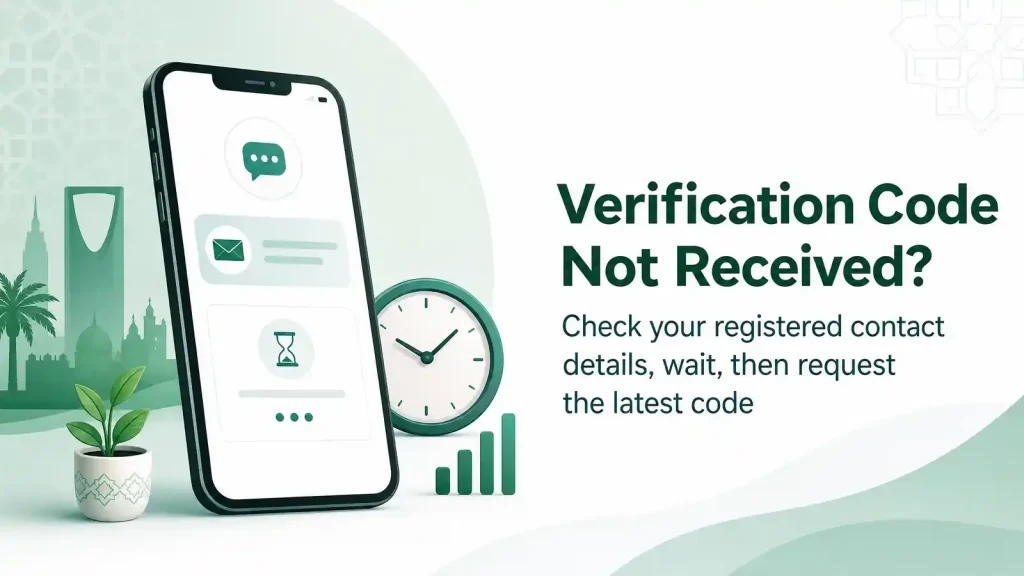
If you cannot receive or enter the verification code, stop at this stage. Check your registered contact method and try the available verification option again.For detailed steps, see our section on [Absher verification code not received].Never share your OTP with another person. Absher advises users to protect their account credentials and use official channels.
Problem 4 — New Password Does Not Meet Requirements
Absher checks your new password against its security rules.Make sure it meets the required length and character rules. Also check the restrictions related to your username and repeated characters.Review the Absher Password Requirements section above before submitting the new password.
Problem 5 — Password Confirmation Does Not Match
Your confirmation must match the new password exactly.Check every character before submitting the form. Pay attention to uppercase letters, lowercase letters, numbers, and special characters.If the two fields differ, enter the new password again in both fields.
Problem 6 — Temporary Website or App Issue
Sometimes a website or app may not complete a request as expected. Do not assume the problem comes from your account.Close the page and try the official Absher platform again. You can also try the supported Absher app if available.Always use the official Absher website or application for account recovery.
Problem 7 — Still Cannot Reset Your Password?
If the Absher forgot password process still fails, use official Absher support channels.Absher also provides password-reset services through its self-service machines.Do not pay an unofficial service to recover your account. Do not give anyone your password or OTP.If the online reset continues to fail, contact Absher through its official support channels and explain where the process stops.
Can I Reset My Absher Password If My Mobile Number Changed?
Yes, but your registered mobile number matters during Absher account verification. If you forgot your password and no longer control the registered number, the normal electronic reset may not complete.
Forgot Password vs. Changed Mobile Number
These are two different account problems.A password reset helps when you cannot remember your Absher password. The process verifies your account before you create a new password.A mobile number update changes the contact information linked to your Absher account. Do not treat it as a password-recovery step.If you still have access to your account, you can use Absher’s Change Mobile Number service. Absher also provides mobile-number changes through its self-service machines.
What If You No Longer Have Your Old Number?
First, check whether you can complete the normal Absher password reset process. Follow the verification instructions shown by Absher.If the system requires access to your registered contact method, you should not try to bypass that verification. Do not use another person’s number or enter incorrect account information.
If you cannot complete electronic verification because your registered mobile number is unavailable, use an official Absher support or self-service channel. These options provide a safer path for account recovery.Do not give your password or OTP to anyone offering an unofficial solution.Keeping your Absher account information updated can also prevent future recovery problems. Once you regain access, review your registered mobile number and update it through the official Absher service when needed.
How to Reset Your Absher Password Using the App
You can use the official Absher app to recover a forgotten password. Absher introduced its electronic password-reset service through the application in 2023.
Step 1 — Open the Official Absher App
Open the official Absher application on your mobile device. Make sure you use the legitimate app from an official app store.Open the login screen and look for the password recovery or Forgot Password? option. App labels may change with updates, so follow the options shown in your current version.
Step 2 — Enter Your Account Details
Enter the requested username or identification details. Use information that belongs to your own Absher account.Check each number carefully before continuing. Incorrect details can prevent the recovery process from moving forward.
Step 3 — Complete Verification
Follow the verification instructions shown in the app. Absher may require a verification code through your registered contact method.Enter the received OTP exactly as provided. Never share this code with another person.
Step 4 — Create a New Password
After successful verification, create a new password that meets the current Absher security requirements.Confirm the password when the app asks you to do so. Both entries must match.If your Absher app password reset does not work, check your account details, verification code, and password requirements first. Use official Absher support if the problem continues.
Can You Reset Your Absher Password at a Self-Service Machine?
Yes. Absher provides self-service machines as an alternative channel for certain account services, including password recovery. This option can help when the online Absher password reset process does not work.
When Is a Self-Service Machine Useful?
An Absher self-service machine may help when:
- Your online password reset does not work.
- You face problems during account verification.
- You cannot complete the recovery process online.
- You prefer an official in-person service channel.
The available services can vary by machine and location. Check the services shown at the machine before starting your request.If you use this option, follow the instructions displayed on the machine. Use only your own identification and account information.
Check Official Absher Information First
Do not rely on old websites for machine locations or available services. Absher can update its service channels and machine locations over time.Instead, check the official Absher platform for current information about self-service machines and available services. This helps you choose an appropriate location and avoid outdated information.
If you cannot access a machine or the service does not resolve your issue, use official Absher support channels.Never give your password, OTP, or verification code to another person. Avoid unofficial agents who claim they can reset your Absher password for a fee.A self-service machine provides an official alternative. However, you should still follow the current instructions displayed by Absher.
Absher Business Forgot Password
Absher Business serves business owners and establishments through Saudi Arabia’s digital government services. Its login process differs from Absher Individuals, but the password recovery route connects the two services.
Can Absher Business Users Reset Their Password?
Yes. If you forgot your Absher Business login password, select “Forgot Password?” when prompted on the login page. The official Absher Business FAQ directs users to the password-reset option available through Absher Individuals.
This means you should not create a separate, unofficial recovery process for an Absher Business password reset. Follow the recovery instructions provided by Absher.
Use your own account information when completing the password reset. Check your username or other requested details before submitting the request.
The verification step also matters. Absher may require a verification code before allowing you to create a new password. Enter the latest code exactly as received.
After you create the new password, return to the appropriate Absher Business login page. Enter your updated credentials and try signing in again.
If the reset does not work, check your account information and password requirements first. You can also review the verification-code troubleshooting steps in this guide.
Avoid anyone who offers to recover your forgot Absher Business password for a fee. Never share your password or OTP with another person. Use official Absher channels for account recovery and support.
What If You Forgot Your Absher Username?
Forgetting your Absher username is different from forgetting your password. The right solution depends on which login detail you cannot remember.
Forgot Password vs. Forgot Username
If you remember your username but cannot remember your password, use the “Forgot Password?” option. This starts the official Absher password-reset process.
If you forgot your username, you may still be able to log in using your ID number. The current Absher login interface provides both Username and ID Number as login options.This can help you regain access without creating a separate username-recovery process.
What Should You Do If You Forgot Both?
If you forgot both your username and password, start by checking whether the login page accepts your ID number. If you can sign in with your ID number, you can then manage your account from within Absher.
If you cannot access your account, use the official Absher support and recovery options. Do not rely on third-party websites that claim to retrieve your username.
Avoid sharing your Absher account credentials with anyone. Use only official Absher channels when recovering access.
This distinction also prevents a common mistake: using the Absher password reset service when the actual problem is a forgotten username.
What’s the Difference Between Resetting and Changing an Absher Password?
An Absher password reset and a password change serve different needs. Choosing the right option can save time and prevent unnecessary login problems.

Password Reset
Use a password reset when you forgot your Absher password or cannot access your account because you do not remember it.
Start from the official “Forgot Password?” option on the Absher login page. Follow the verification steps and create a new password.
Password Change
Use a password change when you know your current password but want to replace it.
You might change your password for security reasons or as part of regular account maintenance. You do not need to use the forgotten-password process if you can already access your account.
In simple terms:Forgot your password? Reset it.
Know your password but want a new one? Change it.
Always use the official Absher platform for either process. Never share your password or verification code with another person.
Frequently Asked Questions About Absher Forgot Password
How do I reset my Absher password?
Open the official Absher login page and select “Forgot Password?” Enter your requested account details and complete verification. Then create and confirm your new password. Absher provides an electronic password-reset service for users who cannot remember their login password.
What should I do if I forgot my Absher password?
Use the official Absher password reset option instead of creating a new account. Enter your ID number or username, complete the verification step, and create a compliant password. Check your account details carefully if the reset process does not continue.
Can I reset my Absher password online?
Yes. Absher provides an electronic password-reset service through its official platform. You can start the process from the “Forgot Password?” option on the login page. Follow the current instructions shown by Absher during the recovery process.
Can I reset my Absher password using my ID number?
Yes. The Saudi National Portal states that the current reset service accepts an ID number or username. Enter your own account information and complete the required verification. Saudi residents should use the identification details linked to their Absher account.
Why am I not receiving my Absher verification code?
First, check the registered contact information linked to your Absher account. Make sure your mobile service works and your details are correct. If the code still does not arrive, follow the available recovery or support options on the official Absher platform.
What are the Absher password requirements?
Your new password must meet Absher’s current security rules. These include minimum length and character requirements. Absher also applies restrictions related to your username and repeated characters. Check the password requirements shown during the current reset process before submitting your new password.
Can I reset my Absher password through the app?
Yes. Absher provides password recovery through its official application. Open the app and look for the password-recovery option on the login screen. Follow the current verification steps and create a password that meets Absher’s requirements.
Can I reset my password at an Absher self-service machine?
Absher provides self-service machines as another official service channel. Its awareness material includes password-reset services through these machines. Available services can vary by location, so check current Absher information before visiting a machine.
What if my registered mobile number has changed?
A changed mobile number can affect account verification. Try the normal password-reset process first. If you cannot access the registered contact method, use official Absher support or self-service options. Do not try to bypass verification or use another person’s mobile number.
Can Absher Business users reset their password?
Yes. The official Absher Business FAQ directs users who forgot their password to select “Forgot Password?” and use the password-reset option available through Absher Individuals. Follow the current official recovery instructions rather than using an unofficial reset service.
How can I contact Absher support?
Use the official Absher support channels if you cannot recover your account online. The current Absher website lists 920020405 as its contact number. Check the official website for the latest support information before contacting Absher.