
Absher Portal: Complete Guide to Login, Registration, Iqama, Visa, Passport & All Saudi Government Services (2026)
Absher Portal is the official digital platform of Saudi Arabia’s Ministry of Interior (MOI). It gives users secure access to hundreds of government services through a single online account. Instead of visiting government offices, users can complete many essential tasks anytime and from almost anywhere.
Absher Individuals
Ministry of Interior
Whether you need to renew an Iqama, apply for an Exit Re-entry Visa, renew a passport, check traffic violations, book a Jawazat appointment, or manage your driving license, Absher makes the process faster, simpler, and more convenient.
What Can You Do on Absher Portal?
Absher brings together a wide range of electronic government services, including:
- Register and manage your Absher account
- Renew or check your Iqama
- Apply for Exit Re-entry and Final Exit Visas
- Renew or inquire about passports
- Renew driving licenses
- View and pay eligible traffic fines
- Manage vehicle registration and ownership services
- Book or manage government appointments
- Access family and dependent services
- Complete employer and business transactions through Absher Business
- Verify your identity with Nafath
- Access digital documents and official records
Who Can Use Absher Portal?
Absher serves multiple user groups across Saudi Arabia, including:
- Saudi citizens
- Residents (Iqama holders)
- Employers and business owners
- Eligible GCC nationals
- Visitors, where supported by official services
Available services depend on your eligibility and current government regulations.
Latest Service Availability
The Ministry of Interior regularly adds new electronic services and improves existing ones. As a result, service availability may change over time.
Before starting any application, always review the latest eligibility requirements, service conditions, and applicable fees on the official Absher Portal.
Quick Navigation
This guide covers every major aspect of Absher Portal, including:
- What Absher Portal is
- Login and registration
- Account activation and management
- Iqama services
- Visa services
- Passport services
- Driving and traffic services
- Appointment booking
- Family and employment services
- National Address services
- Payment services
- Nafath verification
- Mobile app
- Common errors and solutions
- Security and privacy
- Customer support
- Frequently asked questions
Use the table of contents above to jump directly to the section you need.
Why Trust This Guide?
This guide is based on official Absher services and publicly available information from the Ministry of Interior and related Saudi government authorities. It follows current electronic service procedures and focuses on accuracy, clarity, and user needs.
To keep the information reliable, we review this guide regularly and update it whenever significant changes affect Absher services or government requirements.
What is Absher Portal?
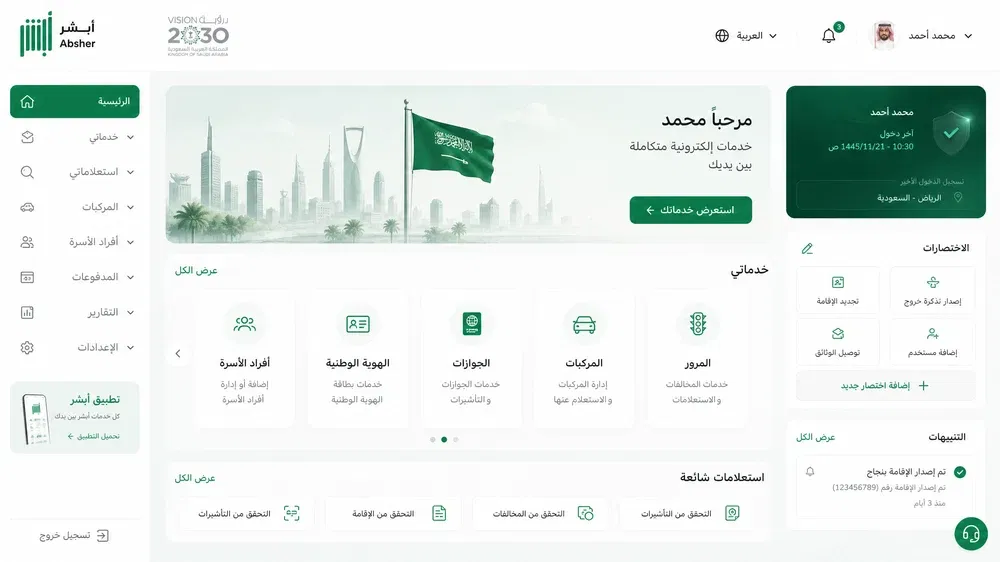
Absher Portal is the official digital government platform of Saudi Arabia. It helps users access government services online without visiting service centers. The platform brings hundreds of essential services into one secure place.
The Saudi Ministry of Interior (MOI) owns and manages Absher Portal. It supports the Kingdom’s digital transformation by making public services faster, easier, and more accessible. Users can complete many tasks online in minutes.
Absher serves as a central hub for government transactions. It allows users to manage residency, travel, passports, driving licenses, vehicles, family services, and many other official procedures through a single account.
The platform also works with trusted government systems such as Nafath for digital identity verification and secure authentication. This integration helps protect user accounts while simplifying access to government services.
Today, millions of people rely on Absher to complete daily government tasks. The platform continues to expand its services as Saudi Arabia advances its digital government initiatives.
The official Absher platform states that it offers hundreds of electronic services for citizens, residents, visitors, businesses, and government entities through secure digital channels.
History of Absher
The Ministry of Interior launched Absher to modernize public services and reduce dependence on paper-based processes. The platform started by offering a limited number of electronic services. Over time, it expanded into one of Saudi Arabia’s largest digital government platforms.
Continuous improvements introduced online identity verification, electronic authorizations, digital documents, appointment booking, and integrated government services. Today, users can complete many official procedures without visiting government offices.
This ongoing development reflects Saudi Arabia’s commitment to improving public services through technology and innovation.
Role in Saudi Vision 2030
Absher plays an important role in achieving the goals of Saudi Vision 2030. The platform supports the Kingdom’s strategy to build an efficient, transparent, and digitally connected government.
Digital services reduce waiting times and improve the overall user experience. They also increase operational efficiency while lowering administrative costs.
By moving services online, Absher helps create a modern government that serves citizens, residents, businesses, and visitors more effectively.
The platform also supports environmental sustainability by reducing paper consumption and encouraging fully digital transactions.
Who Can Use Absher?
Absher serves a wide range of users across Saudi Arabia.
Saudi Citizens
Citizens can manage passports, driving licenses, vehicles, family records, appointments, and many other government services through their personal accounts.
Residents
Residents can renew an Iqama, check residency status, manage visas, update personal information, and complete many residency-related services online.
Businesses and Employers
Employers and business owners can manage employee services, establishment information, sponsorship procedures, and other workforce-related transactions through Absher Business.
Visitors
Visitors can access selected electronic services based on their eligibility and government requirements.
Regardless of user type, Absher provides secure access through verified digital identities and strong authentication measures. This approach helps protect personal information while delivering convenient online government services.
Main Features of Absher Portal
Absher combines many government services into one secure digital platform. Its features simplify official procedures while improving speed, convenience, and security.
Digital Identity
Absher verifies user identities through secure authentication. Integration with Nafath strengthens identity verification and protects personal accounts.
Secure Login
The platform uses usernames, passwords, one-time verification codes, and additional security measures to prevent unauthorized access.
Online Government Transactions
Users can complete many government services online. They no longer need to visit government offices for routine procedures.
Paperless Services
Absher replaces traditional paperwork with electronic transactions. Digital processing speeds up approvals and reduces manual documentation.
Mobile Access
Users can access their accounts through the Absher mobile app or the official website. This flexibility allows them to manage services from almost anywhere.
Notifications
The platform sends important alerts about account activity, service updates, appointments, and completed transactions.
Appointment Booking
Users can schedule, reschedule, or cancel appointments for eligible government services directly through the platform.
Document Management
Absher provides access to digital documents and official records. Users can review information, verify documents, and manage selected electronic records through their accounts.
Together, these features create a secure and efficient digital experience for individuals, residents, employers, and businesses.
Benefits of Using Absher Portal
Absher makes government services more convenient and accessible for millions of users across Saudi Arabia.
Saves Time
Users complete many services within minutes. They avoid long queues and unnecessary office visits.
Convenient Online Access
The platform brings hundreds of government services together in one place. Users can complete different tasks using a single account.
Available 24/7
Most electronic services remain available around the clock. Users can access them whenever they need.
Strong Security
Absher protects user information through secure authentication, encrypted connections, and identity verification.
Greater Transparency
Users can track requests, review application status, and monitor completed transactions through their accounts.
Less Paperwork
Electronic processing reduces printed documents and manual forms. This approach improves efficiency while supporting environmentally friendly government services.
Supports Digital Government
Absher strengthens Saudi Arabia’s digital government ecosystem by connecting users with essential public services through one trusted platform.
Complete List of Absher Services
Absher offers a wide range of electronic government services through specialized categories. Each category focuses on specific user needs while maintaining secure access and efficient processing.
The following sections introduce the major service groups. Each topic deserves a detailed guide because it includes multiple procedures and requirements.
Individual Services
Absher Individuals provides personal government services for Saudi citizens and residents.
Key services include:
- Managing personal profile information
- Updating registered mobile numbers
- Accessing digital documents
- Managing family member information
- Reviewing personal records
- Using identity verification services
- Accessing selected travel and residency services
These services help users manage many daily government transactions from one secure account.
Business Services
Absher Business supports employers, organizations, and establishments that manage workforce-related government services.
Key services include:
- Employer account management
- Establishment management
- Employee services
- Worker management
- Sponsorship-related procedures
- Business transaction management
- Electronic authorizations
These services simplify administrative work while improving compliance and operational efficiency.
Government Services
Absher connects users with hundreds of official government services across multiple sectors.
Major service categories include:
- Iqama services
- Visa services
- Passport services
- Driving license services
- Vehicle services
- Traffic services
- Appointment booking
- Family services
- National address services
- Payment services
- Digital verification
- Document management
- Government inquiries
Each category contains specialized services that users can complete online through secure digital authentication, making Absher one of Saudi Arabia’s most comprehensive e-government platforms.
Absher Login Guide
Logging into Absher Portal gives you secure access to hundreds of Saudi government services. You need a registered account and verified identity before you can sign in.
Login Requirements
Before you log in, make sure you have:
- An active Absher account
- Your username or National ID, Iqama, or GCC ID (as applicable)
- Your account password
- Access to your registered mobile number
- A stable internet connection
You also need to complete identity verification if you recently created your account.
Username
Use the username you created during registration. Enter it exactly as registered. Avoid extra spaces or incorrect characters.
If you forget your username, use the account recovery options available on the Absher login page.
Password
Enter your password carefully. Passwords are case-sensitive.
For better security:
- Create a strong password.
- Use uppercase and lowercase letters.
- Include numbers and special characters.
- Avoid using personal information.
- Never share your password with anyone.
Changing your password regularly helps keep your account secure.
One-Time Password (OTP)
After entering your username and password, Absher sends a One-Time Password (OTP) to your registered mobile number.
Enter the code before it expires to complete the login process.
If you do not receive the OTP:
- Check your mobile network.
- Confirm your registered phone number.
- Wait a few minutes before requesting another code.
- Avoid requesting multiple codes within a short time.
Two-Factor Authentication
Absher strengthens account security through two-factor authentication (2FA). This process combines your password with a temporary verification code.
Even if someone knows your password, they cannot access your account without the OTP.
This extra layer protects your personal information and government records.
Troubleshooting Login Issues
Most login problems have simple solutions.
Try these steps:
- Verify your username.
- Re-enter your password carefully.
- Check your internet connection.
- Make sure your mobile phone can receive SMS messages.
- Clear your browser cache if the website does not load correctly.
- Try another supported browser or device.
- Check whether the platform is undergoing scheduled maintenance.
Common Login Errors
You may encounter errors for several reasons.
Common issues include:
- Incorrect username
- Incorrect password
- Expired OTP
- Invalid verification code
- Account temporarily locked after repeated failed attempts
- Unverified mobile number
- Browser compatibility issues
- Temporary system maintenance
Read the displayed error message carefully before trying again.
Reset Your Password
If you forget your password, use the Forgot Password option on the login page.
You usually need to verify your identity before creating a new password.
Choose a new password that is unique and difficult to guess. Avoid reusing passwords from other websites.
Create an Absher Account
Creating an Absher account gives you access to electronic government services from one secure platform.
The registration process takes only a few minutes if you meet the eligibility requirements.

Eligibility
You can register if you qualify under the platform’s requirements.
Eligible users generally include:
- Saudi citizens
- Saudi residents with a valid Iqama
- GCC nationals who meet applicable requirements
Some services may require additional verification or eligibility checks.
Registration Requirements
Prepare the following before you begin:
- National ID or Iqama number
- Active mobile number
- Valid email address
- Personal information for verification
- Internet connection
Make sure your mobile number is registered in your name because you will receive verification messages.
Registration Steps
Follow these general steps:
- Visit the official Absher Portal.
- Select New User Registration.
- Enter your personal information.
- Create a unique username.
- Create a strong password.
- Provide your mobile number and email address.
- Accept the terms and conditions.
- Complete identity verification.
- Submit your registration.
After successful registration, proceed to account activation.
Identity Verification
Absher verifies your identity to protect your account and government records.
The verification process confirms that your personal information matches official records.
Successful verification allows you to access eligible electronic services.
Activation Methods
After registration, activate your account through one of the approved methods.
Available activation options include:
- Supported Saudi banks
- Self-service activation kiosks
- Online banking services
Activation completes your registration and unlocks the full range of available services.
Activate Your Absher Account
Account activation confirms your identity and enables access to Absher services.
You only need to activate your account once after registration.
Activate Through Banks
Many Saudi banks support Absher activation through their branches or digital services.
After identity verification, the bank securely links your information with your Absher account.
Activate Through Self-Service Kiosks
Absher self-service kiosks provide another activation option.
Users verify their identity by following the instructions displayed on the kiosk.
Once verification succeeds, the account becomes active.
Activate Through Online Banking
Many banks also allow activation through internet banking or mobile banking applications.
Log in to your online banking account, locate the Absher activation service, and follow the verification steps.
This method allows users to activate their accounts without visiting a branch.
Manage Your Absher Account
Absher allows users to manage personal information and security settings from one dashboard.
Keeping your account information current helps prevent login problems and service interruptions.
Update Your Mobile Number
Your registered mobile number plays an important role in account security.
Update it whenever you change your phone number to continue receiving OTP codes, service notifications, and account alerts.
Change Your Email Address
Keep your email address current to receive important updates and account-related communications.
Always use an email account that only you can access.
Update Your Address
If your residential information changes, update your address through the appropriate government service when available.
Accurate records help ensure smooth access to eligible services.
Reset Your Password
Change your password immediately if you suspect unauthorized access.
Choose a strong password that differs from previous passwords.
Manage Trusted Devices
Review the devices connected to your account regularly.
Remove devices you no longer use to improve account security.
Security Settings
Protect your account by following these best practices:
- Use a strong password.
- Never share verification codes.
- Keep your mobile number updated.
- Enable available security features.
- Monitor account activity regularly.
These simple habits reduce the risk of unauthorized access.
Notifications
Absher sends notifications about important account activity and government services.
These alerts may include:
- Login verification codes
- Service status updates
- Appointment reminders
- Transaction confirmations
- Security notifications
Review notifications regularly so you can respond quickly to important account activity.
Iqama Services
Absher Portal simplifies Iqama management for eligible residents and sponsors. Users can complete many residency-related services online without visiting government offices.
Renew Iqama
Iqama renewal is one of the most used services on Absher. Eligible users can renew a Resident ID after meeting the required conditions.
Before renewing, make sure:
- The Iqama qualifies for renewal.
- Required government fees are paid.
- Mandatory requirements are complete.
- Any applicable regulations are satisfied.
After approval, the renewed Iqama becomes available in official government records.
Check Iqama Expiry
Absher lets users check their Iqama expiry date in minutes.
This service helps residents:
- Avoid expired residency.
- Plan renewals early.
- Stay compliant with Saudi regulations.
- Track residency validity online.
Checking the expiry date regularly reduces the risk of service interruptions.
Update Iqama Information
Users can review residency details through their Absher accounts.
If information requires correction, follow the official update procedures provided by the relevant government authority.
Keeping residency records accurate helps prevent delays during government transactions.
Iqama Status
Absher displays important residency information in one place.
Users can review details such as:
- Residency validity
- Current status
- Personal information
- Linked government records
This information helps residents monitor their legal residency status.
Resident ID
The Resident ID, commonly known as the Iqama, serves as the official identity document for expatriates living in Saudi Arabia.
Many government and private services require a valid Resident ID.
Users should keep their residency information accurate and renew the Iqama before it expires.
Iqama Fees
Some residency services require government fees.
Applicable fees depend on:
- Service type
- Residency category
- Government regulations
- Current official policies
Always confirm the latest fee schedule before submitting a request.
Visa Services
Absher Portal provides several electronic visa services for eligible users. These services simplify travel procedures while reducing paperwork and processing time.
Exit Re-entry Visa
An Exit Re-entry Visa allows eligible residents to leave Saudi Arabia and return within the approved validity period.
Users can apply, review, and manage eligible visa requests through Absher after meeting official requirements.
Final Exit Visa
A Final Exit Visa allows eligible residents to leave Saudi Arabia permanently after completing applicable legal and employment requirements.
Users should verify all obligations before submitting a final exit request.
Visa Extension
Eligible users can request a visa extension when permitted under Saudi regulations.
Approval depends on the visa type and applicable government requirements.
Visa Cancellation
Absher allows eligible users to cancel certain visas before use, provided they meet the required conditions.
Always review the eligibility rules before submitting a cancellation request.
Visa Validity
Users can check visa validity online at any time.
The service displays important information, including:
- Visa status
- Expiration date
- Visa type
- Travel eligibility
Checking validity before travel helps avoid unexpected issues.
Print Visa
Eligible users can access visa information for official purposes.
Always ensure the displayed information matches your travel documents before making travel arrangements.
Family Visa
Absher supports selected services related to family visas for eligible residents.
Available services depend on current government policies and user eligibility.
Always review the latest official requirements before applying.
Passport Services
Absher Portal allows eligible Saudi citizens to complete several passport services online through secure digital procedures.
Passport Renewal
Users can renew eligible passports without visiting government offices in many cases.
Before submitting a request, verify that all renewal requirements have been met.
Passport Issue
Eligible applicants can apply for passport issuance through the official electronic process.
Requirements may vary depending on the applicant’s age and personal circumstances.
Passport Replacement
Users can request passport replacement in situations such as:
- Loss
- Damage
- Expiration
- Other approved circumstances
Follow the official reporting and replacement procedures before submitting the request.
Passport Inquiry
Absher lets users check the status of passport-related requests.
This service helps applicants monitor progress without visiting service centers.
Driving & Traffic Services
Absher offers many driving and vehicle services through one secure platform.
These services help drivers complete official procedures quickly and conveniently.
Driving License Renewal
Eligible drivers can renew their driving licenses online after meeting the required conditions.
Renewing before the expiration date helps avoid unnecessary penalties or service interruptions.
Driving License Status
Users can review driving license information through their accounts.
Available details may include:
- License validity
- Expiration date
- Current status
Vehicle Registration
Vehicle owners can access selected registration-related services through Absher.
Keeping registration information current helps ensure compliance with Saudi traffic regulations.
Vehicle Ownership Transfer
Eligible users can complete vehicle ownership transfer through approved electronic procedures.
Both parties must satisfy the applicable legal and administrative requirements.
Vehicle Authorization
Vehicle owners can authorize eligible individuals to use their vehicles through electronic authorization services.
This process simplifies temporary vehicle use while maintaining official records.
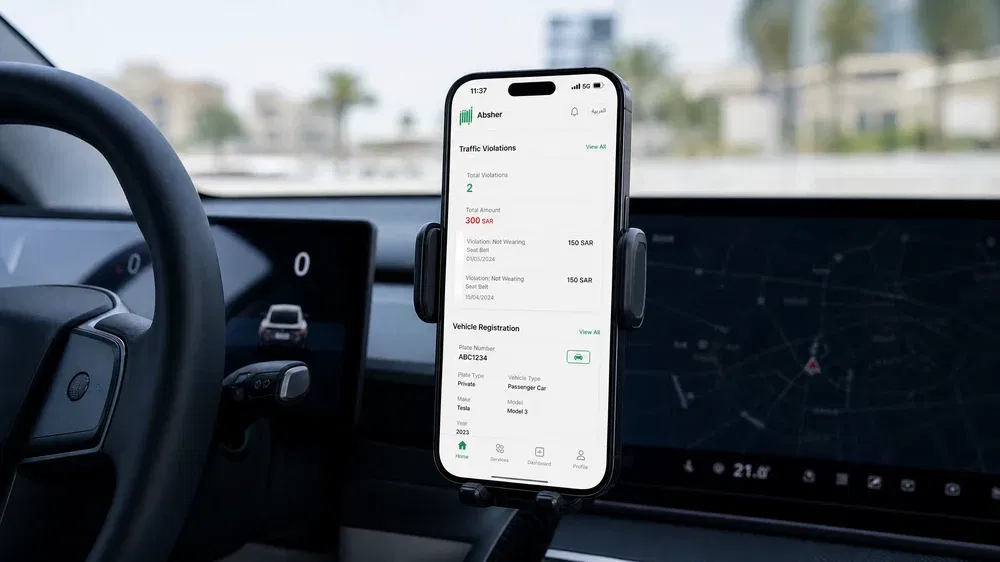
Traffic Violations
Absher allows users to review registered traffic violations online.
Users can monitor:
- Violation details
- Dates
- Applicable fines
- Payment status
Regular checks help drivers stay informed and resolve outstanding violations promptly.
Vehicle Inspection
Certain vehicle services may require successful inspection before approval.
Users should complete any required inspections according to official regulations.
Appointment Services
Absher makes appointment booking simple and convenient for many government services.
Users can manage appointments from one account without visiting multiple offices.
Jawazat Appointments
Eligible users can schedule appointments for passport and residency services offered by the General Directorate of Passports.
Traffic Appointments
Users can book appointments for selected traffic-related services when required.
Civil Affairs Appointments
Absher provides appointment booking for eligible Civil Affairs services.
Available services depend on current government procedures.
Passport Appointments
Applicants can reserve appointments for passport services that require an in-person visit.
Booking early helps reduce waiting times.
Reschedule Appointments
Plans sometimes change.
Absher allows eligible users to reschedule appointments without creating a new request.
Cancel Appointments
Users can cancel appointments they no longer need.
Canceling unused appointments helps improve service availability for other users.
Book Appointments
The booking process is simple:
- Select the service.
- Choose the service center.
- Pick an available date.
- Confirm the appointment.
Users receive confirmation after completing the booking process.
Family Services
Absher provides several electronic services that help users manage family-related government transactions.
Dependents
Users can review eligible dependent information linked to their accounts.
Keeping dependent records current supports smooth access to family services.
Family Visas
Eligible residents can access selected family visa services through Absher.
Requirements vary depending on visa type and current government regulations.
Newborn Registration
Parents can complete eligible newborn registration procedures through approved electronic services.
Timely registration helps maintain accurate government records.
Sponsor Management
Sponsors can manage selected family-related sponsorship services through their accounts.
Available services depend on eligibility and government policies.
Family Profile
Absher helps users review family information connected to their accounts.
Users should verify that family records remain accurate and up to date.
Employment Services
Absher Business supports employers by simplifying workforce management through secure digital services.
Domestic Workers
Eligible employers can manage selected domestic worker services electronically.
These services help reduce paperwork and improve processing efficiency.
Transfer Sponsorship
Eligible sponsorship transfers follow approved government procedures.
Both employers and workers must satisfy the required conditions before completing the process.
Employer Services
Employers can access several electronic services through Absher Business, including:
- Workforce management
- Service requests
- Employee records
- Official authorizations
These services improve administrative efficiency while supporting regulatory compliance.
Recruitment
Employers can complete selected recruitment-related government procedures through eligible electronic services.
Available services depend on current regulations and employer eligibility.
Worker Management
Absher helps employers manage workforce information from one secure platform.
Common services include:
- Employee information
- Sponsorship records
- Workforce updates
- Government transactions
These tools simplify employee administration while supporting efficient business operations.
National Address Services
Absher supports several services related to your National Address. Keeping your address current helps government agencies deliver services accurately and without delays.
Register a National Address
Eligible users can register a National Address through the approved government process.
Before registering, make sure your personal information matches your official records.
Update Your National Address
Move to a new home? Update your National Address as soon as possible.
An accurate address helps you receive government notices and access eligible public services without interruptions.
Verify Your Address
Some government services require address verification.
Absher works with relevant government systems to verify your registered address when needed.
Manage Residence Information
Users can review residence-related information linked to their accounts.
Keeping your residential details current supports faster processing for many electronic government services.
Payment Services
Absher simplifies payments for many government services. Users can complete eligible payments online instead of visiting payment centers.
SADAD Payments
Absher supports payments through SADAD, Saudi Arabia’s national electronic bill payment system.
SADAD provides a secure and reliable way to pay government service fees.
Government Service Fees
Many electronic services require official government fees before processing begins.
The required amount depends on the service and current government regulations.
Traffic Fine Payments
Drivers can review eligible traffic fines and complete payments through approved payment channels.
Paying fines on time helps avoid additional penalties.
Iqama Fees
Some residency services require Iqama-related government fees.
Always confirm the latest fee requirements before submitting your application.
Passport Fees
Passport services may include government fees based on the requested service.
Review the official fee schedule before applying.
Visa Fees
Certain visa services require payment before approval.
Applicable charges depend on the visa type and current regulations.
Verification & Nafath
Identity verification protects user accounts and secures government transactions.
Absher integrates with Nafath, Saudi Arabia’s national digital identity platform, to strengthen account security.
Digital Identity
Your digital identity confirms who you are when accessing government services online.
It reduces the need for repeated identity checks across different government platforms.
Authentication
Authentication verifies that only authorized users access an account.
Absher combines multiple security measures to protect sensitive government information.
One-Time Password (OTP)
Absher sends an OTP to your registered mobile number during important account activities.
This temporary code helps prevent unauthorized access.
Never share your OTP with anyone.
Biometric Verification
Some services may use biometric verification through supported authentication methods.
Biometric verification adds another layer of account protection.
Document Verification
Absher verifies official information using connected government databases.
This process improves accuracy while reducing manual paperwork.
Account Verification
New users must complete account verification before accessing all available services.
Successful verification unlocks eligible electronic government services.
Absher Mobile App
The Absher Mobile App gives users secure access to government services from their smartphones.
The app offers many of the same services available through the web portal.
Android
Android users can download the official Absher app from the Google Play Store.
Always install the official version published by the Ministry of Interior.
iPhone
iPhone users can download the app from the Apple App Store.
Avoid installing applications from unofficial sources.
Installation
Installing the app takes only a few minutes.
After installation:
- Open the app.
- Enter your login details.
- Complete identity verification.
- Start using available services.
Login
Use the same username and password you use on the Absher website.
You may also need to enter an OTP during login.
Notifications
The app sends helpful notifications, including:
- Login alerts
- Appointment reminders
- Transaction updates
- Security notifications
- Service confirmations
Key Features
The app allows users to:
- Access personal accounts
- Manage government services
- View digital documents
- Check application status
- Book appointments
- Manage residency services
- Review vehicle information
- Complete many electronic transactions
App Updates
Keep the app updated to receive:
- Security improvements
- Bug fixes
- Performance enhancements
- New government services
Installing updates helps ensure the best user experience.
Common Problems and Solutions
Most Absher issues have simple solutions. Checking a few common settings often resolves the problem.
Login Failed
Possible causes include:
- Incorrect username
- Incorrect password
- Internet connection problems
- Temporary system issues
Double-check your login details before trying again.
OTP Not Received
If your OTP does not arrive:
- Confirm your registered mobile number.
- Check your mobile signal.
- Wait a few minutes.
- Request a new code if necessary.
Avoid requesting multiple codes too quickly.
Password Reset
Forgot your password?
Use the Forgot Password option on the login page.
Complete identity verification before creating a new password.
Verification Failed
Verification may fail if your personal information does not match official government records.
Review your information carefully before submitting another request.
Account Locked
Several failed login attempts may temporarily lock your account.
Wait for the required period or follow the official account recovery process.
Server Unavailable
Heavy traffic or temporary service interruptions can affect access.
Wait a few minutes and try again.
Scheduled Maintenance
The Ministry of Interior occasionally performs system maintenance.
Some services may become temporarily unavailable during maintenance periods.
Technical Issues
If problems continue:
- Refresh the page.
- Clear your browser cache.
- Update your browser.
- Try another device.
- Use the latest version of the mobile app.
- Contact official support if needed.
Security & Privacy
Absher protects user information through strong security measures. You also play an important role in keeping your account safe.

Use Strong Passwords
Create passwords that are:
- Long
- Unique
- Difficult to guess
Avoid using birthdays, names, or simple number combinations.
Enable Two-Factor Authentication
Two-factor authentication adds extra protection.
Even if someone learns your password, they still need the verification code.
Recognize Phishing Attempts
Scammers may create fake websites or messages.
Always:
- Verify website addresses.
- Ignore suspicious links.
- Never share passwords or OTPs.
- Download the app only from official stores.
Manage Trusted Devices
Review devices connected to your account regularly.
Remove devices you no longer use.
This simple habit improves account security.
Protect Personal Information
Never share:
- Username
- Password
- Verification codes
- Personal identity information
Official government employees will never ask for your password.
Stay Safe on Public Networks
Avoid logging into Absher on public Wi-Fi whenever possible.
If you must use public internet, avoid saving passwords and always log out after finishing your session.
Customer Support
Absher provides several ways to help users solve account and service issues.
Help Resources
The official website absher includes guidance for many common services.
Users can review instructions before contacting support.
Support Channels
Users can receive assistance through official support channels provided by the Ministry of Interior.
Always use official communication channels to protect your personal information.
Complaint Process
If you experience a service issue, submit a complaint through the approved support process.
Provide accurate information to help support teams investigate your request.
Response Expectations
Response times vary depending on the type of request and current service demand.
Keep your request details accurate to avoid unnecessary delays.
Self-Service Options
Many issues can be solved without contacting support.
Users can:
- Reset passwords
- Check application status
- Update personal information
- Manage appointments
- Review account activity
- Access service guides
Self-service options save time and provide immediate access to many solutions.
Frequently Asked Questions
General Registration
1. What is Absher Portal?
Absher Portal is Saudi Arabia’s official digital platform for government services.
2. Who can register for Absher?
Saudi citizens, eligible residents, and qualified GCC nationals.
3. Is registration free?
Yes. Creating an Absher account is free.
4. Can I register online?
Yes. Complete the registration form and activate your account.
Login
5. How do I log into Absher?
Use your username, password, and OTP.
6. What should I do if I forget my password?
Use the Forgot Password option.
7. Why is my account locked?
Repeated failed login attempts can temporarily lock your account.
8. Why didn’t I receive my OTP?
Check your mobile number, signal, and SMS availability.
Iqama
9. Can I renew my Iqama through Absher?
Yes, if you meet the official requirements.
10. How do I check my Iqama expiry?
Log into Absher and view your residency details.
11. Can I review my residency status online?
Yes.
Visa Services
12. Can I apply for an Exit Re-entry Visa?
Eligible users can apply through Absher.
13. How do I check visa validity?
Use the Visa Validity service.
14. Can I cancel a visa?
Some visas can be canceled if eligibility requirements are met.
15. Can I request a visa extension?
Eligible visa holders may request an extension.
Passport Services
16. Can I renew my passport online?
Eligible users can submit renewal requests electronically.
17. How do I track my passport request?
Use Passport Inquiry.
18. Can I replace a lost passport?
Yes, after following the required reporting process.
Driving & Traffic
19. Can I renew my driving license online?
Yes, if you qualify.
20. How do I check traffic violations?
Log into Absher and open the Traffic Violations service.
21. Can I transfer vehicle ownership?
Yes, if both parties meet the requirements.
Appointments
22. Can I book a Jawazat appointment?
Yes.
23. Can I reschedule an appointment?
Yes.
24. Can I cancel an appointment?
Yes.
Payments
25. Does Absher support SADAD payments?
Yes.
26. Can I pay traffic fines online?
Yes, through approved payment channels.
27. Are government fees displayed before submission?
Applicable fees appear during eligible service requests.
Mobile App
28. Is the Absher app available for Android?
Yes.
29. Is the app available for iPhone?
Yes.
30. Is the mobile app secure?
Yes, when downloaded from official app stores.
Security
31. Does Absher use two-factor authentication?
Yes.
32. Should I share my OTP?
No. Never share your OTP.
Nafath
33. What is Nafath?
Nafath is Saudi Arabia’s national digital identity and authentication platform.
34. Why does Absher use Nafath?
It strengthens identity verification and account security.
Business Services
35. Does Absher support employers?
Yes. Absher Business offers employer and workforce management services.
36. Can employers manage workers online?
Yes, through eligible electronic services available in Absher Business.