
The Ultimate Guide to Absher Registration in Saudi Arabia: Your Gateway to Digital Government Services (2026 Update)
In the Kingdom of Saudi Arabia, navigating government services has been revolutionized by a powerful digital platform known as Absher. Far more than just an application, Absher serves as the official e-services portal of the Ministry of Interior (MOI), offering a seamless and efficient way for citizens, residents, and even visitors to access a wide array of essential government transactions. From renewing your Iqama (residency permit) to checking traffic violations, Absher has become an indispensable tool for daily life in the Kingdom.
Absher Login
Official Digital Identity Access
This comprehensive guide is designed to walk you through every aspect of Absher registration, ensuring you can effortlessly set up and activate your account. Whether you’re a new expatriate settling in, a long-term resident, a Saudi citizen, or a visitor seeking digital convenience, understanding the Absher registration process is crucial. We’ll cover the step-by-step procedures for online registration, explore various activation methods including Absher self-service kiosks and bank activations, highlight key services available for different user groups, and provide practical solutions for common troubleshooting issues. Our goal is to equip you with all the knowledge needed to successfully register for Absher and unlock the full potential of Saudi Arabia’s digital government services in 2026 and beyond.
Understanding Absher: More Than Just an App

What is Absher? A Digital Revolution in Public Services
Absher, often referred to as the Absher platform or Absher portal, represents a significant leap forward in Saudi Arabia’s digital transformation journey. Launched by the Ministry of Interior (MOI), it consolidates over 330 diverse government services into a single, user-friendly online interface. This initiative aligns perfectly with Saudi Vision 2030, aiming to enhance efficiency, reduce bureaucracy, and provide convenient access to public services for everyone in the Kingdom. The platform’s robust infrastructure ensures secure and reliable transactions, making it a trusted gateway for managing personal and official affairs.
The benefits of using Absher are manifold. It dramatically reduces the need for physical visits to government offices, saving valuable time and effort. Users can complete transactions from the comfort of their homes or offices, at any time of day. This accessibility and efficiency have made Absher an integral part of life for millions, simplifying everything from passport services to vehicle registration. The continuous addition of new services further solidifies Absher’s position as a cornerstone of digital governance in Saudi Arabia.
Who Needs Absher?
Absher caters to a broad spectrum of users, each benefiting from its tailored services:
•For Residents (Muqeem): If you hold an Iqama (residency permit) in Saudi Arabia, Absher registration is not just recommended, it’s practically mandatory. It’s your primary tool for managing your residency status, renewing your Iqama, issuing exit/re-entry visas for your dependents, and accessing a host of other essential services that govern your stay in the Kingdom. Without an active Absher Registration account, many critical transactions become difficult or impossible.
•For Citizens (Muwatin): Saudi citizens utilize Absher for a wide range of services related to their National ID, family affairs, driving licenses, and various other government interactions. It streamlines processes such as renewing national identity cards, registering newborns, and managing Hajj and Umrah permits, making administrative tasks much simpler.
•For Visitors (Zair): Even visitors to Saudi Arabia can benefit immensely from Absher. The platform offers services like obtaining a Digital Visitor ID, checking visa statuses, and inquiring about border numbers. This is particularly useful for tourists and pilgrims who need quick access to official information and digital identification during their stay. While not all services are available to visitors, the essential ones provide significant convenience.
Absher vs. Absher Business: A Quick Distinction
While this guide focuses on Absher individuals registration, it’s worth noting that there’s also an Absher Business platform. Absher Registration Business is specifically designed for enterprises and employers to manage their employees’ affairs, such as issuing/renewing Iqamas, managing work permits, and other corporate-related services. If you are an individual, your focus will be on the main Absher platform for personal services. If you are an employer, you will need to register for Absher Business separately, often using the same login credentials if you already have an individual account.
Step-by-Step Absher Registration: Your Journey Begins
Embarking on your Absher registration journey is a straightforward process, but it requires attention to detail. This section will guide you through the necessary preparations and the actual registration steps, ensuring a smooth experience.
Pre-Registration Checklist: What You Need
Before you begin the Absher online registration process, gather the following essential items to ensure a hassle-free experience:
•Valid ID/Iqama Number or Border Number: For residents, this will be your 10-digit Iqama number. Saudi citizens will use their National ID number. Visitors who have recently entered Saudi Arabia will use their Border Number, which can be found on their entry stamp or visa document. Ensure this number is accurate.
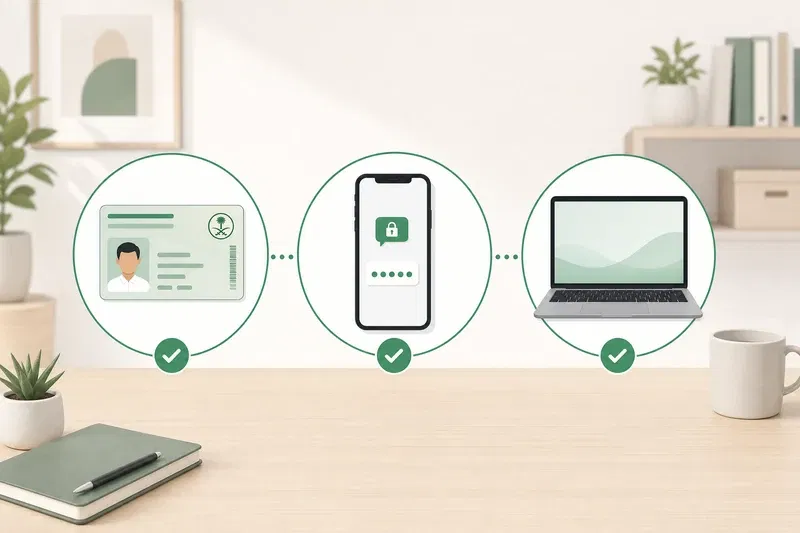
•Active Saudi Mobile Number: This is perhaps the most critical requirement. Your mobile number must be active and registered under your name. An activation code (OTP) will be sent to this number during registration and for many subsequent transactions. Using someone else’s number or an unregistered number will lead to registration failure. If your number is not registered under your name, you must visit your telecom provider to update your details.
•Email Address: A valid and accessible email address is required for communication and account recovery purposes.
•Strong Password: Choose a password that is at least 8 characters long, containing a mix of uppercase letters, lowercase letters, numbers, and special characters. This ensures the security of your Absher account.
Method 1: Online Absher Registration
The initial step for most users is to register online. This part of the process establishes your basic account details and sets up your username and password.
1.Visit the Official Absher Website: Open your web browser and navigate to the official Absher portal: www.absher.sa. Ensure you are on the legitimate website to protect your personal information.
2.Click “New User” or “Register”: On the Absher Registration homepage, look for an option like “New User” or “Register.” This is typically found in the top right corner or prominently displayed on the page. Click on it to initiate the registration form.
3.Fill in Your Personal Details: You will be directed to a registration form where you need to accurately enter the following information:
•ID/Iqama Number: Enter your National ID, Iqama, or Border Number.
•Mobile Number: Provide your active Saudi mobile number (the one registered under your name).
•Username: Choose a unique username. This will be used for logging in.
•Password: Create a strong password following the guidelines mentioned in the checklist.
•Confirm Password: Re-enter your chosen password.
•Email Address: Enter your valid email address.
•Confirm Email: Re-enter your email address.
4.Confirm Details and Accept Terms: Carefully review all the information you’ve entered to ensure accuracy. Any discrepancies, especially with your ID or mobile number, can lead to registration failure. Once you’re satisfied, read and accept the terms and conditions of using the Absher platform. It’s important to understand these terms as they govern your use of the service.
5.Enter Verification Code (OTP): After submitting the form, an activation code (One-Time Password or OTP) will be sent to the mobile number you provided. Enter this code into the designated field on the website to verify your mobile number. This step is crucial for security and to link your account to your phone.
Congratulations! You have successfully completed the online registration part of your Absher account. However, your account is not yet fully active. The next crucial step is activation.
Method 2: Absher Account Activation (Post-Online Registration)
After completing the online registration, you need to activate your Absher account. This typically involves biometric verification to confirm your identity. There are several convenient options available:
Option A: Absher Self-Service Kiosks
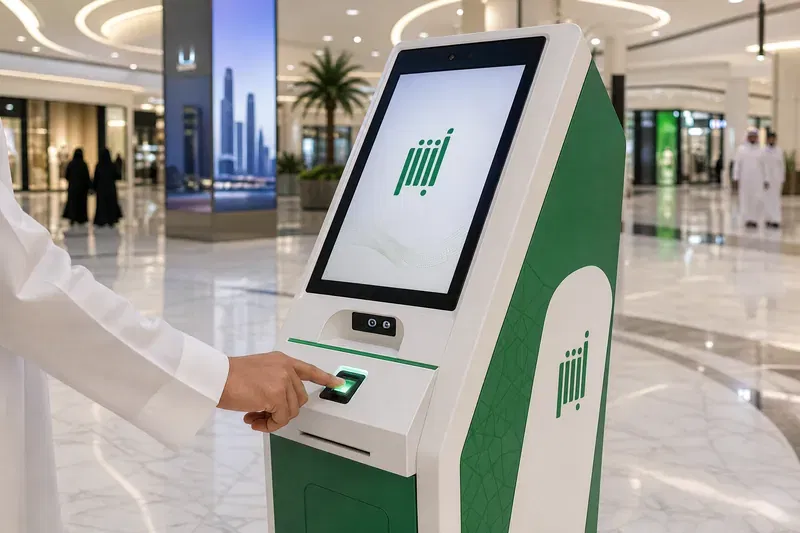
Absher self-service kiosks are widely available across Saudi Arabia, offering a quick and efficient way to activate your account. These kiosks are equipped with fingerprint scanners to verify your identity against government records.
•How to Locate an Absher Kiosk:
•Absher Website: The official Absher website (https://absharsa.com/) often provides a list or map of kiosk locations. Look for a section like “Activation Centers” or “Self-Service Devices.”
•Google Maps: A simple search for “Absher Kiosk near me” on Google Maps can often yield accurate results.
•Public Locations: Kiosks are commonly found in:
•Major shopping malls.
•Airports (especially international airports).
•Government offices (e.g., Jawazat, Civil Affairs).
•Some major bank branches.
•Step-by-Step Kiosk Activation:
1.Find a Kiosk: Locate the nearest Absher self-service kiosk.
2.Select Language: Choose your preferred language (English or Arabic).
3.Select “Activate Absher Registration Account”: Follow the on-screen prompts to select the activation option.
4.Enter ID/Iqama Number: Input your National ID, Iqama, or Border Number.
5.Enter Mobile Number: Enter the mobile number you registered with online.
6.Fingerprint Scan: The kiosk will instruct you to place your index finger (usually right, then left) on the scanner. Ensure your fingers are clean and dry for accurate scanning. You may need to try a few times to get a successful scan.
7.Confirmation: Once your fingerprints are successfully verified, you will receive a confirmation message on the screen and possibly an SMS to your registered mobile number, indicating that your Absher account is now active.
•Tips for Using Kiosks:
•Clean Hands: Ensure your hands are clean and dry for accurate fingerprint reading.
•Proper Placement: Follow the on-screen instructions carefully for finger placement.
•Patience: Sometimes, the scanner might require multiple attempts. Be patient.
•Seek Assistance: If you face persistent issues, consider visiting a Jawazat office for manual activation or ask for help from nearby staff if available.
Option B: Through Saudi Banks
Many major banks in Saudi Arabia offer the convenience of Absher account activation through their online banking portals or mobile applications. This method is particularly convenient if you already have an active bank account with one of these institutions.
•List of Major Banks Supporting Absher Activation:
•Al Rajhi Bank
•Saudi National Bank (SNB AlAhli)
•Riyad Bank
•SABB (Saudi British Bank)
•Bank AlJazira
•Arab National Bank (ANB)
•Bank Albilad
•And others. (It’s advisable to check with your specific bank for their current Absher activation services).
•Step-by-Step Guide for Online Banking/Mobile App Activation (General Steps):
1.Log in to Your Bank Account: Access your online banking portal or mobile app using your credentials.
2.Navigate to Absher Services: Look for a section related to “Government Services,” “MOI Services,” or specifically “Absher Activation.”
3.Select Activation: Choose the option to activate your Absher account.
4.Confirm Details: The bank will display your registered ID and mobile number. Confirm that these details match the ones you used during your online Absher registration.
5.Accept Terms: Agree to the terms and conditions for sharing your information with the Ministry of Interior.
6.Submit: Submit the activation request. You should receive a confirmation message from your bank and an SMS from Absher confirming your account is active.
Option C: Jawazat (Passport) Offices
If you encounter difficulties with the online registration, kiosks, or bank activation, you can always visit a local Jawazat (General Directorate of Passports) office or a Civil Affairs office for manual activation.
•When to Use This Method:
•If your fingerprints are not reading correctly at the kiosk.
•If you face persistent “Invalid Mobile Number” errors despite having the number registered in your name.
•If you prefer in-person assistance.
•What to Bring:
•Your original National ID or Iqama.
•Your mobile phone with the registered number.
•Process at the Office:
1.Visit the nearest Jawazat or Civil Affairs office during working hours.
2.Inform the staff that you need to activate your Absher account.
3.Provide your ID and mobile number.
4.The staff will verify your identity, often by taking your fingerprints manually, and activate your account on the spot.
Absher for Specific User Groups
Absher for Residents: Managing Your Life in KSA
For expatriates living in Saudi Arabia, Absher is the central hub for managing legal residency and daily affairs. Key services include:
•Iqama Services: This is perhaps the most frequently used feature. Residents can check their Iqama validity, renew it online (often done by the employer via Absher Registration Business, but individuals can check the status), and inquire about the arrival of new Iqamas.
•Visa Services: Absher allows residents to issue, print, and cancel Exit/Re-entry visas for themselves and their dependents. It’s also used for managing family visit visas.
•Traffic Services: Residents can renew their driving licenses, check for traffic violations, and manage vehicle registrations entirely online.
•Dependent Services: A crucial feature for families. Sponsors can add or remove dependents, issue passports for family members, and manage their legal status within the Kingdom.
Absher for Visitors: Your Digital Companion
Tourists, business travelers, and pilgrims can also leverage Absher to simplify their stay.
•Digital Visitor ID: Visitors can register on Absher Registration to obtain a Digital Visitor ID. This serves as an official electronic identification while moving around the Kingdom, eliminating the need to carry physical passports everywhere.
•Border Number Inquiry: If a visitor needs their Border Number (often required for purchasing SIM cards or accessing certain services), they can easily retrieve it through Absher.
•Visa Status Check: Visitors can track the status of their visa applications or check the validity of their current visa.
Absher for Citizens: Streamlining Government Interactions
Saudi citizens use Absher for a comprehensive suite of services that touch almost every aspect of civic life.
•National ID Services: Citizens can renew their National ID cards, report lost cards, and manage their digital identity.
•Family Services: Registering marriages, divorces, births, and deaths is streamlined through the platform.
•Hajj and Umrah Permits: Applying for and managing permits for religious pilgrimages is a vital service offered on Absher.
•Other Government Services: From booking appointments at various ministries to accessing civil defense services, Absher provides a unified portal for citizens.
Troubleshooting Common Absher Registration Issues
Even with a straightforward process, users occasionally encounter hurdles during Absher registration. Here are solutions to the most common problems:
“Invalid Mobile Number” Error
This is the most frequent issue faced by new users. The Absher system strictly requires that the mobile number you use for registration is officially registered under your specific ID/Iqama number with the telecom provider.
•Solution: Verify with your telecom provider (STC, Mobily, Zain, etc.) that the SIM card is registered in your name and linked to your current ID. If it’s registered under a company name or a friend’s name, you must transfer the ownership to yourself or purchase a new SIM card in your name before attempting Absher registration again.
Forgotten Password or Username
It’s easy to forget login credentials. Absher provides a simple recovery process.
•Solution: On the Absher Registration page, click on “Forgot Password.” You will be prompted to enter your ID number, mobile number, and an image code. Follow the steps to answer your security questions or receive a reset link via SMS/email to create a new password.
Kiosk Not Working or Fingerprint Issues
Sometimes kiosks are out of service, or they struggle to read fingerprints, especially if hands are dry or calloused.
•Solution: Try a different kiosk location. Ensure your hands are clean and slightly moisturized (but not wet) before scanning. If the issue persists across multiple kiosks, your best option is to visit a Jawazat office for manual fingerprint verification and activation.
Activation Code Not Received
You’ve completed the online form, but the OTP SMS never arrives.
•Solution: First, double-check that you entered the correct mobile number. Ensure your phone has good network reception. Sometimes there are network delays; wait a few minutes and request to resend the code. If it still fails, verify again that the number is registered under your ID.
Using Someone Else’s ID or Mobile Number
Warning: Attempting to register using an ID or mobile number that does not belong to you is illegal and will result in registration failure. The system cross-references data with telecom providers and government databases. Always use your own, verified information.
Maximizing Your Absher Experience
Downloading the Absher App
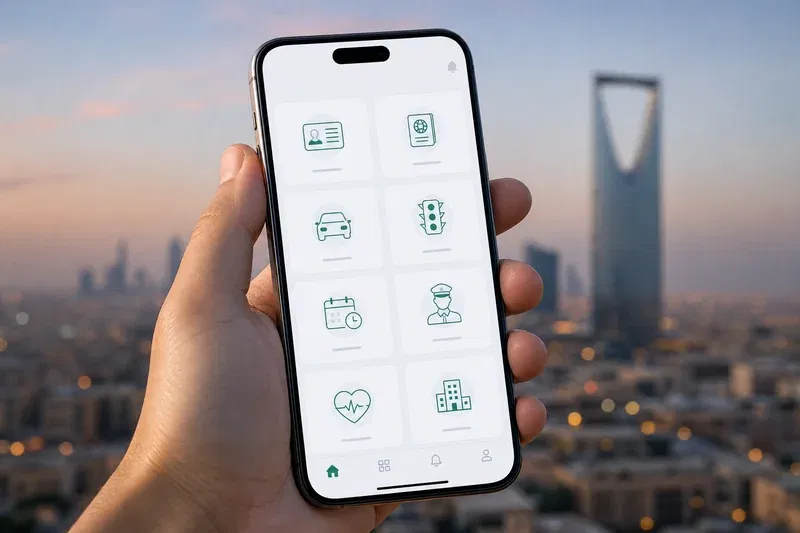
While the website is fully functional, downloading the Absher App (available on the Apple App Store, Google Play Store, and Huawei AppGallery) significantly enhances convenience. The app offers a more user-friendly interface for mobile devices, push notifications for important updates (like expiring Iqamas or new traffic fines), and quick access to your digital IDs.
Security Best Practices
Your Absher account contains sensitive personal and official information. Treat it with the highest level of security.
•Strong Passwords: Use complex passwords and change them periodically.
•Never Share Credentials: Do not share your username, password, or OTP with anyone, including individuals claiming to be government officials or agents.
•Beware of Phishing: Only access Absher through the official website (https://absharsa.com/) or the official mobile app. Be wary of emails or messages containing links that ask for your Absher login details.
Staying Updated
The Ministry of Interior continuously adds new features to Absher. Stay informed about these updates by following official MOI and Absher social media channels or checking the news section on the Absher portal.
Frequently Asked Questions (FAQs)
Q: What is the minimum age for Absher registration?
A: Generally, individuals must be at least 15 years old to register for an independent Absher account. Dependents under this age are managed through their sponsor’s (parent/guardian) account.
Q: Can I register for Absher without an Iqama?
A: Yes, visitors can register using their Border Number to access specific services like the Digital Visitor ID. However, residents must have a valid Iqama number for full access.
Q: How long does Absher activation take?
A: Activation via kiosk or bank is usually instantaneous. Once you complete the steps, your account is active immediately.
Q: What if my mobile number is not registered under my name?
A: You cannot register for Absher. You must first visit a telecom provider to register the SIM card under your ID/Iqama or purchase a new one in your name.
Q: Can I use Absher outside Saudi Arabia?
A: Yes, you can access the Absher portal and app from outside the Kingdom to manage your affairs, such as issuing re-entry visas or checking your status, provided you have internet access and can receive the OTP SMS (ensure your Saudi SIM has roaming enabled).
Q: Is Absher registration free?
A: Yes, registering for and activating an Absher account is completely free of charge.
Q: How to check Absher account status?
A: If you can successfully log in to the Absher portal or app, your account is active. If you receive an error stating the account is inactive, you need to complete the activation process via kiosk, bank, or Jawazat.
Conclusion
Mastering Absher registration is your first step toward a seamless and efficient life in Saudi Arabia. By following this comprehensive guide, you can easily navigate the online registration, choose the most convenient activation method, and start utilizing the vast array of digital services offered by the Ministry of Interior. Whether you are renewing documents, checking statuses, or managing family affairs, Absher Registration puts the power of government services directly in your hands. Embrace the digital transformation and ensure your Absher account is active today. For more helpful guides and updates on living and working in Saudi Arabia, continue exploring absharsa.